Designing eAdviser’s Video Platform for Clarity and Impact
eAdviser is a dedicated platform for professionals and organizations to share and distribute knowledge through video content, with a particular focus on empowering small businesses and fostering professional networks.

Problem
eAdviser struggled to define its video-sharing platform strategy, from user roles and business model to core features and user flows. The lack of clarity made it difficult to build a scalable and user focused experience.
We helped lead the UX and business strategy, running workshops to define user types, user journeys, ideation and shape the platform's structure and visual design. The outcome was a streamlined, role-based product that now helps thousands of users to gain new skills through video content.
Link to App
Timeline
+6 months
Services
Strategy
Research
Visual Design
Prototyping
Team
3 Stakeholders
1 Project Manager
1 Designers
Dev Team
Role
Product Designer
Goals
As a team we defined clear goals focused on improving usability, expanding product value, and aligning with business objectives.
Define main features for the MVP
Help eAdviser with business strategy
Define roles for all the platform users
Create the perfects onboarding
Define hypothesis and product functionalities
Create a visual design wih a good usability and be attractive to users and investors
Outcome
We delivered a clear, scalable foundation for eAdviser’s platform—defining user roles, journeys, and a feature set aligned with business goals. The result was a visually polished MVP that resonated strongly with stakeholders, secured early investor interest, and positioned the product for future growth.
Product and business strategy
The owners and stakeholders of eAdviser had a clear idea of some functionalities and what the app should do, but there were several gaps that needed to be addressed. These included defining the revenue model, forming partnerships, securing funding, and identifying the different types of users and their tasks within the platform.
We started by understanding how eAdviser works as a business, and then moved on to visualizing and aligning the key elements needed for the platform to create, deliver, and capture value effectively.
Creating a Strategic Focus for eAdviser
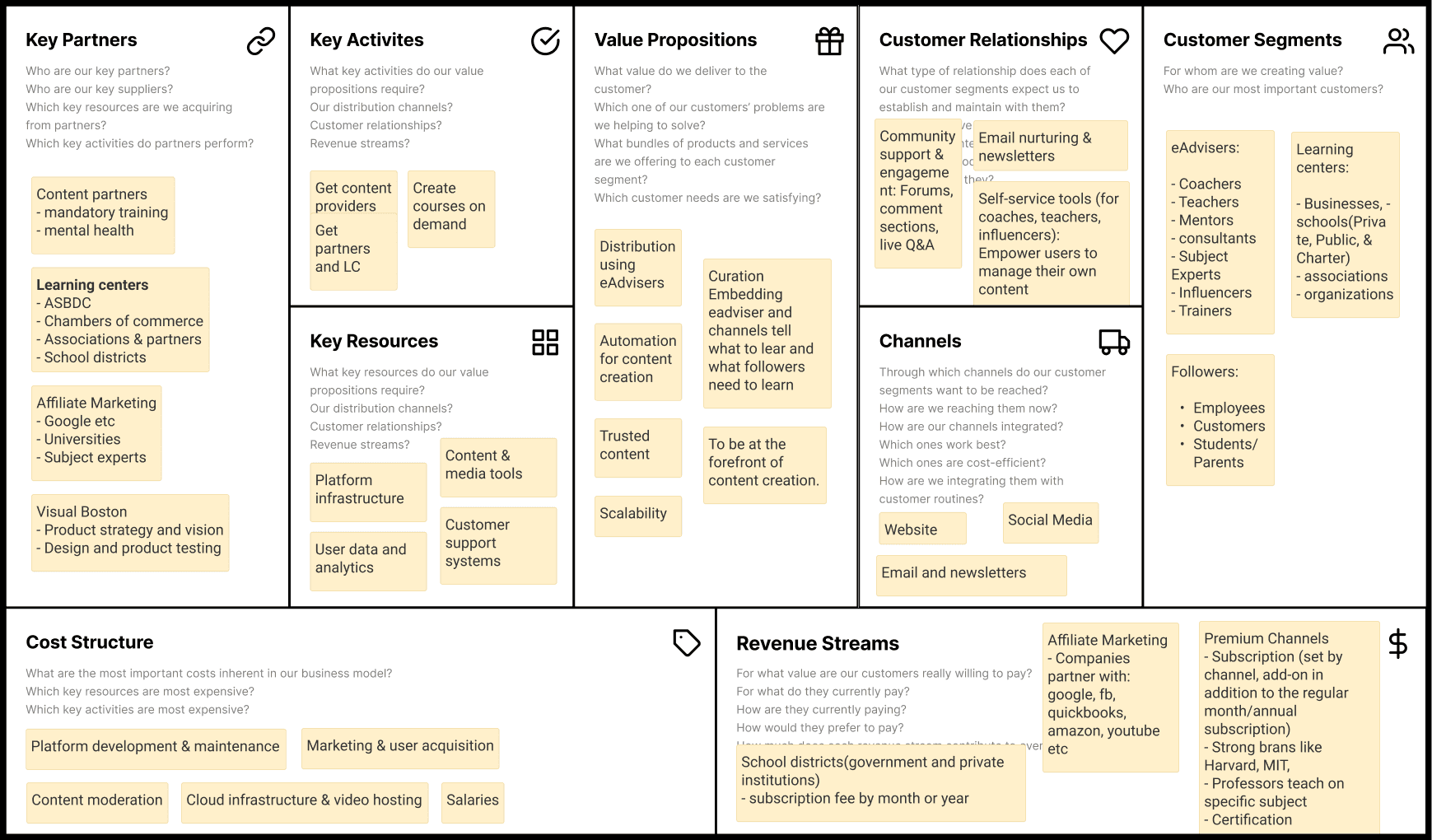
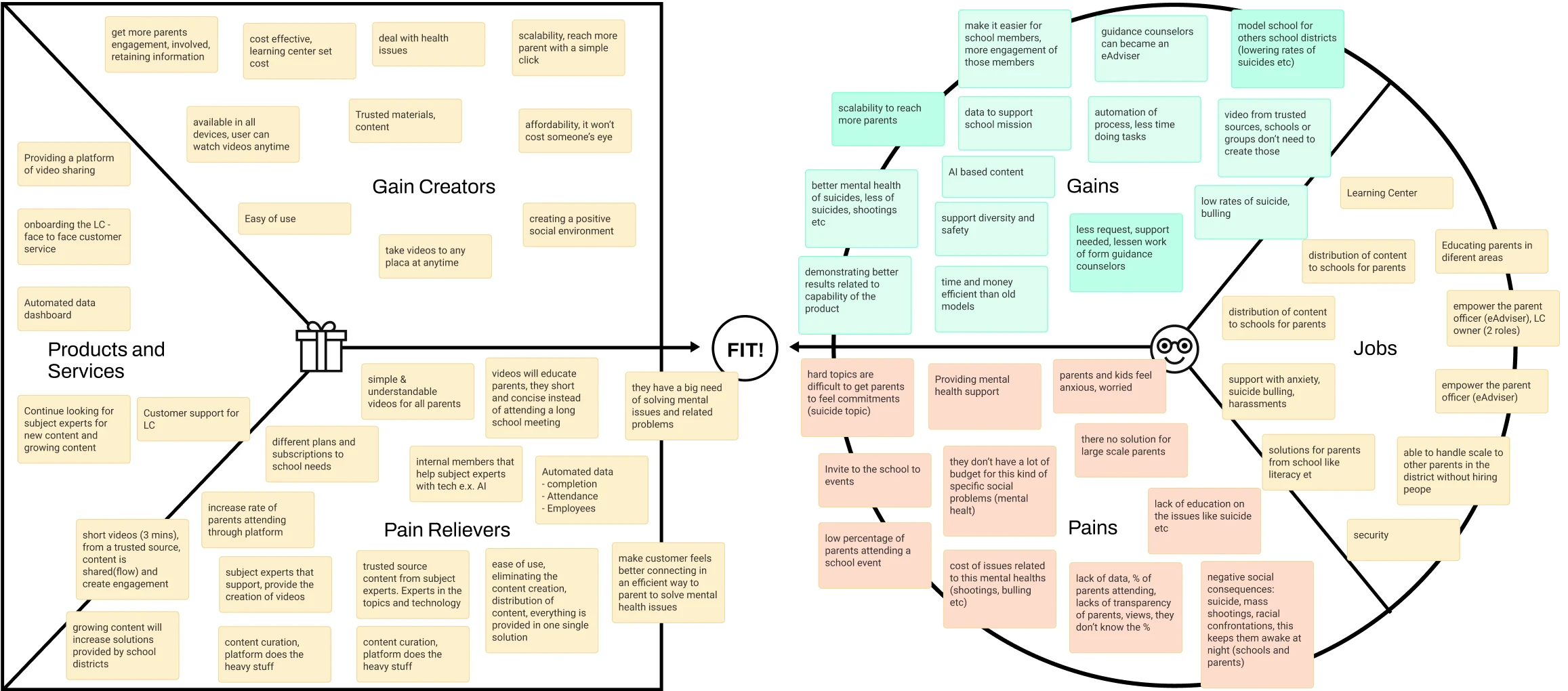
We used the Business Model and Value Proposition Canvas to help the eAdviser team better understand their users, define how to deliver value, and align their offering with the expectations of both the business and its investors. These tools were essential in clarifying the product’s direction and its operational model.
Business Model Canvas
Drag to see more
Value Proposition Canvas
Drag to see more
Understanding users and roles
The platform includes different types of users, each with specific roles and responsibilities. It was essential to identify what features and tools each user type needed.
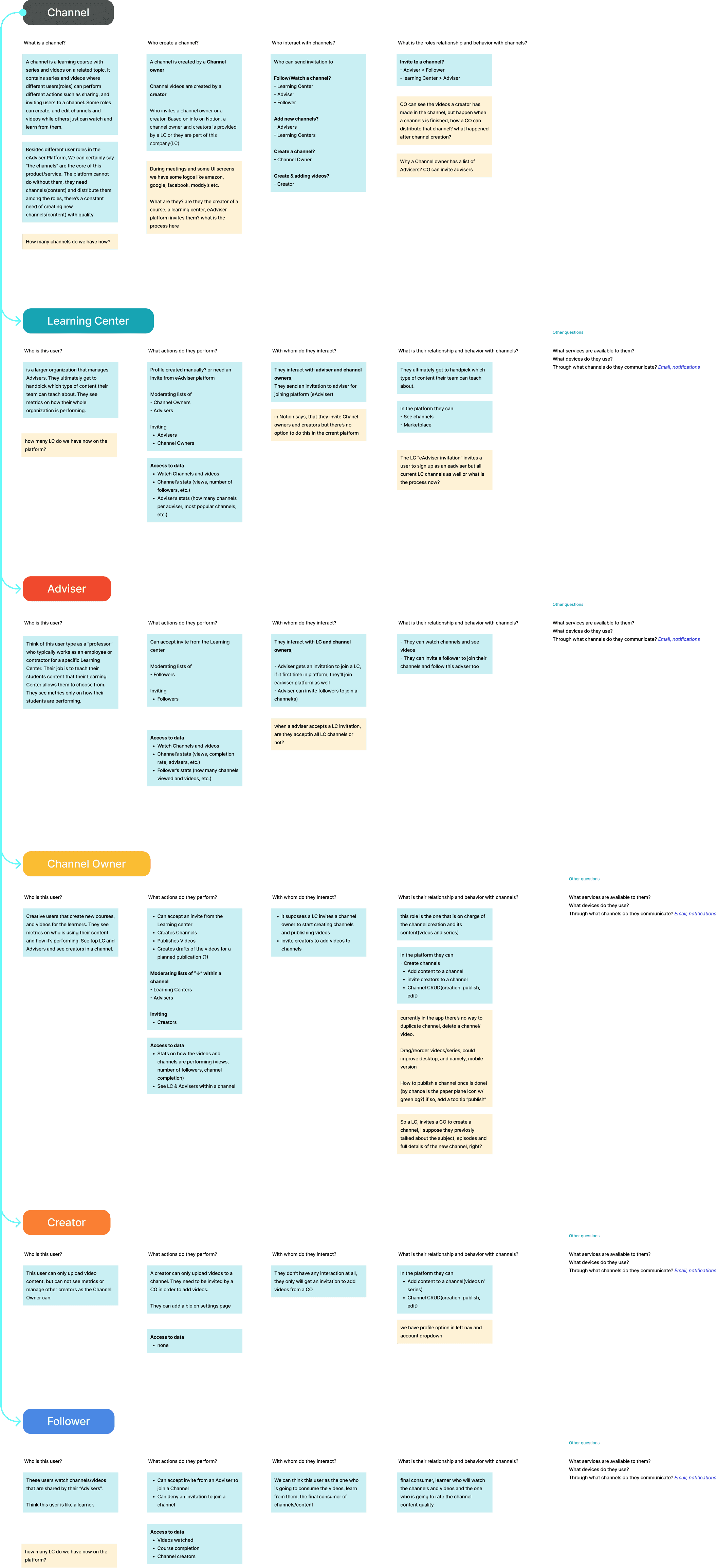
The first step was to understand what a channel means within the platform. A channel is essentially a course, and the entire platform is built around it—from course creation to video uploads and distribution to students.
We created a detailed map outlining all user roles and their functions to better understand what each profile requires and how they interact with the platform.
Drag to see more
Knowing our users in depth
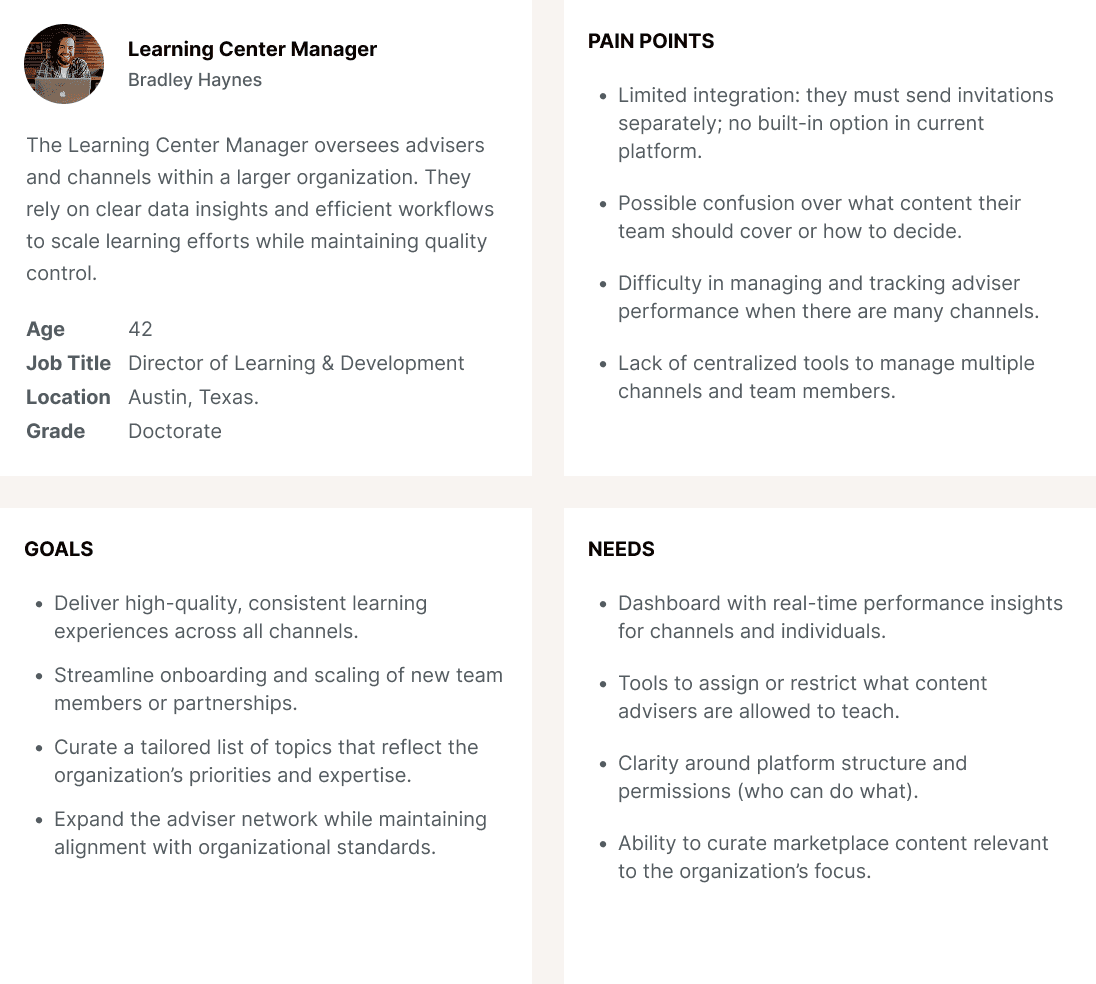
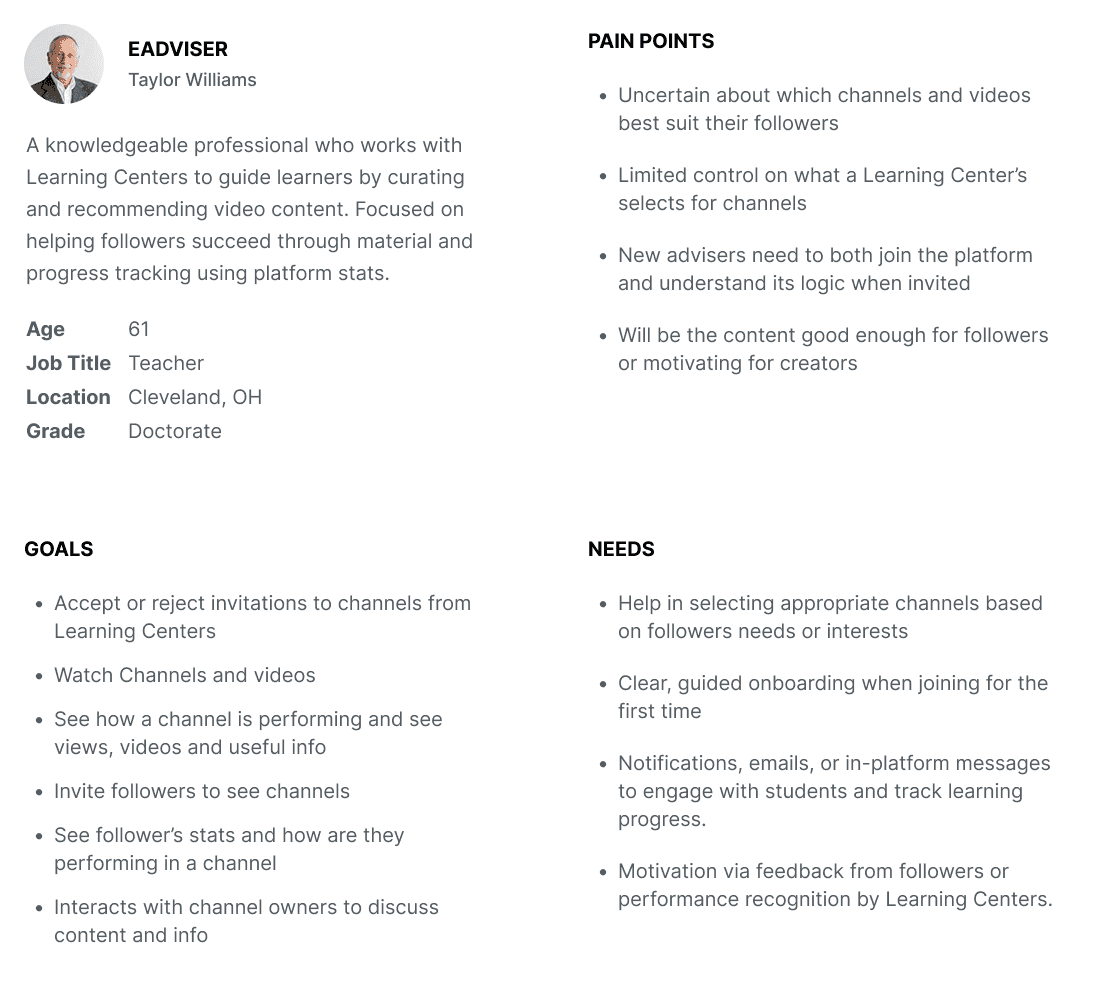
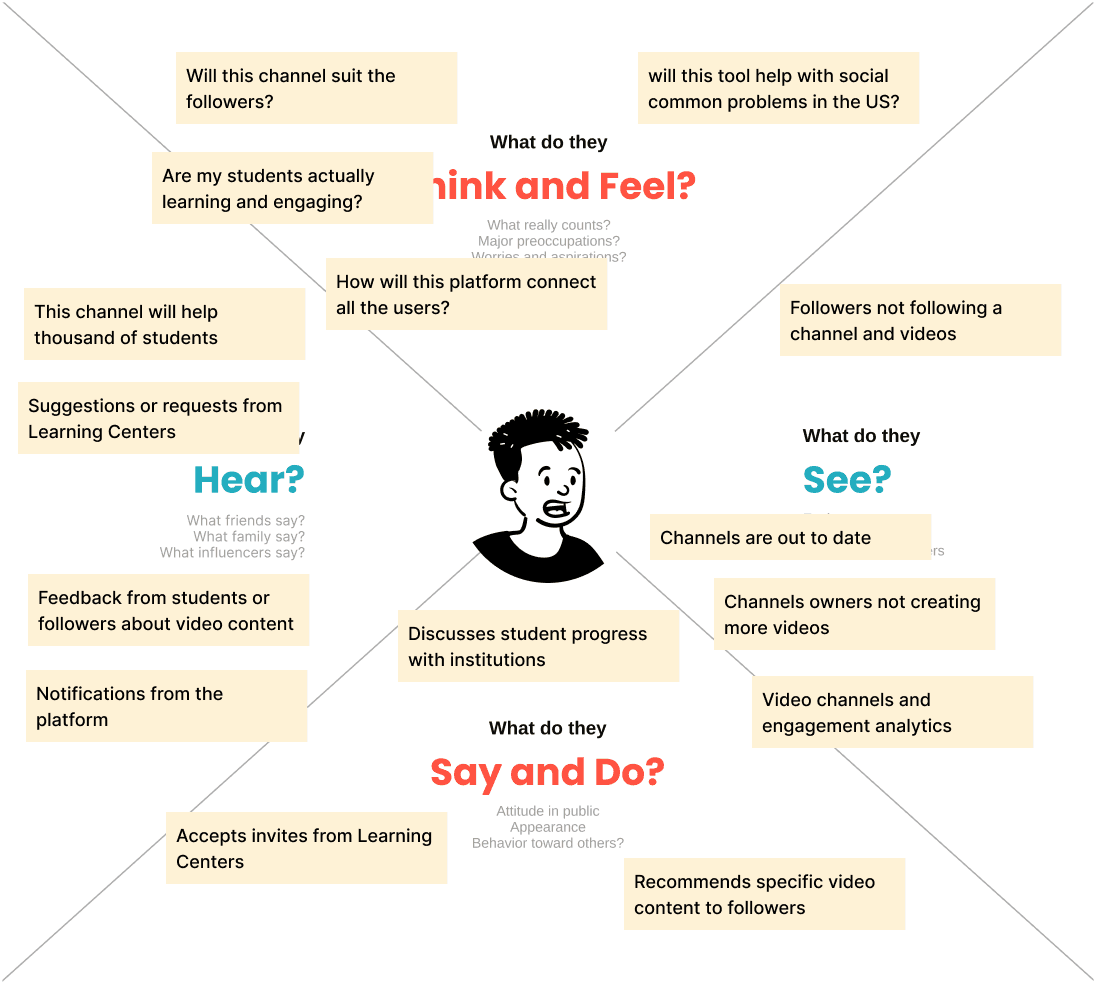
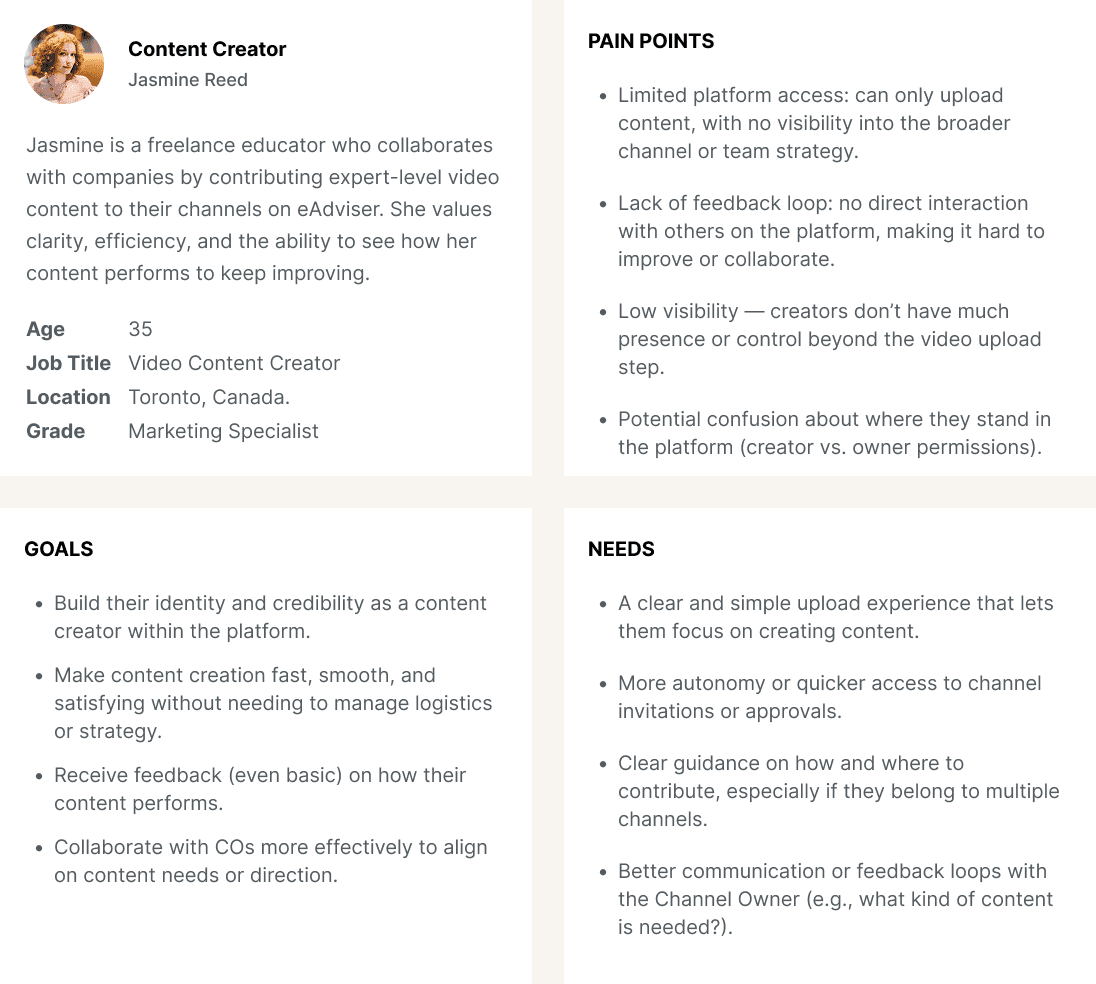
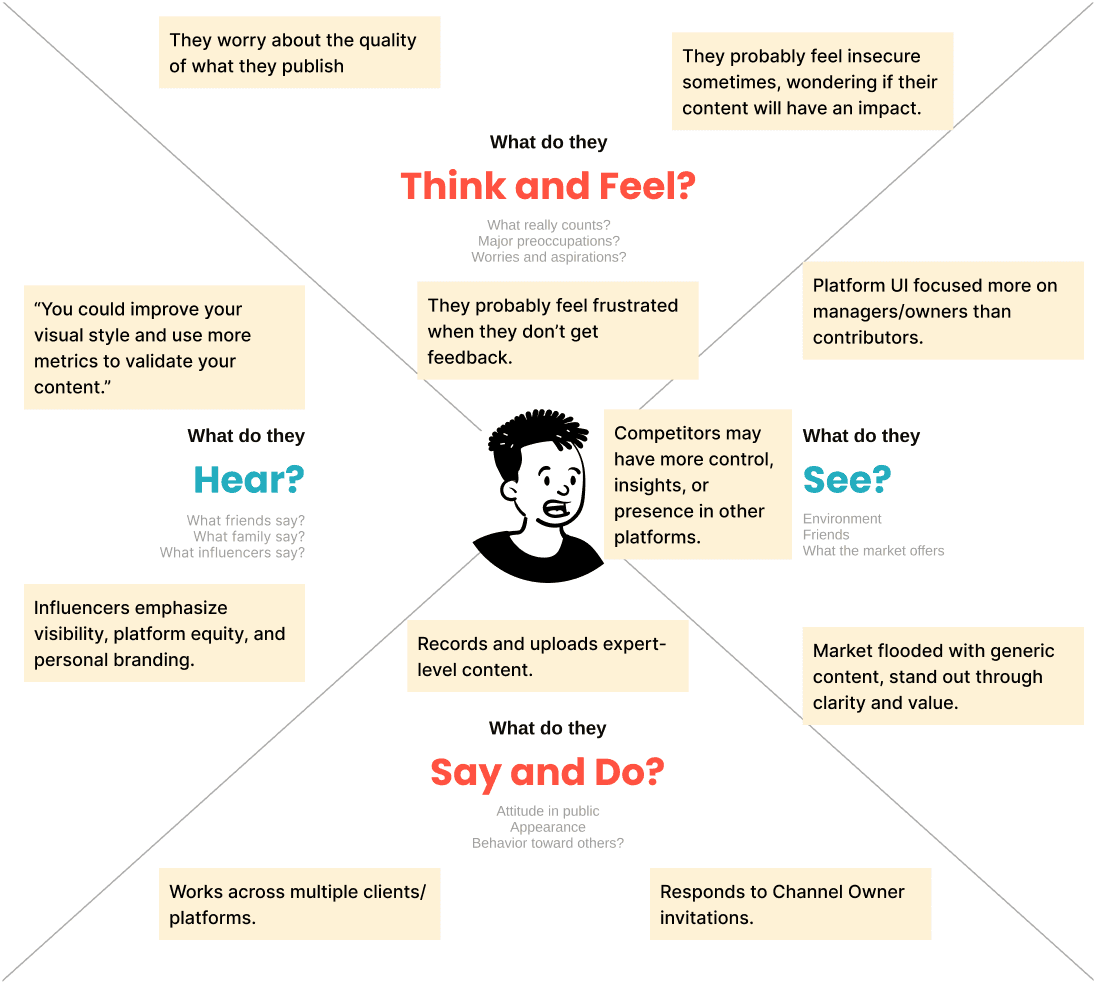
To better understand our users, we created proto-personas based on early hypotheses and workshop sessions with the client. Each persona included different goals, needs, and pain points.
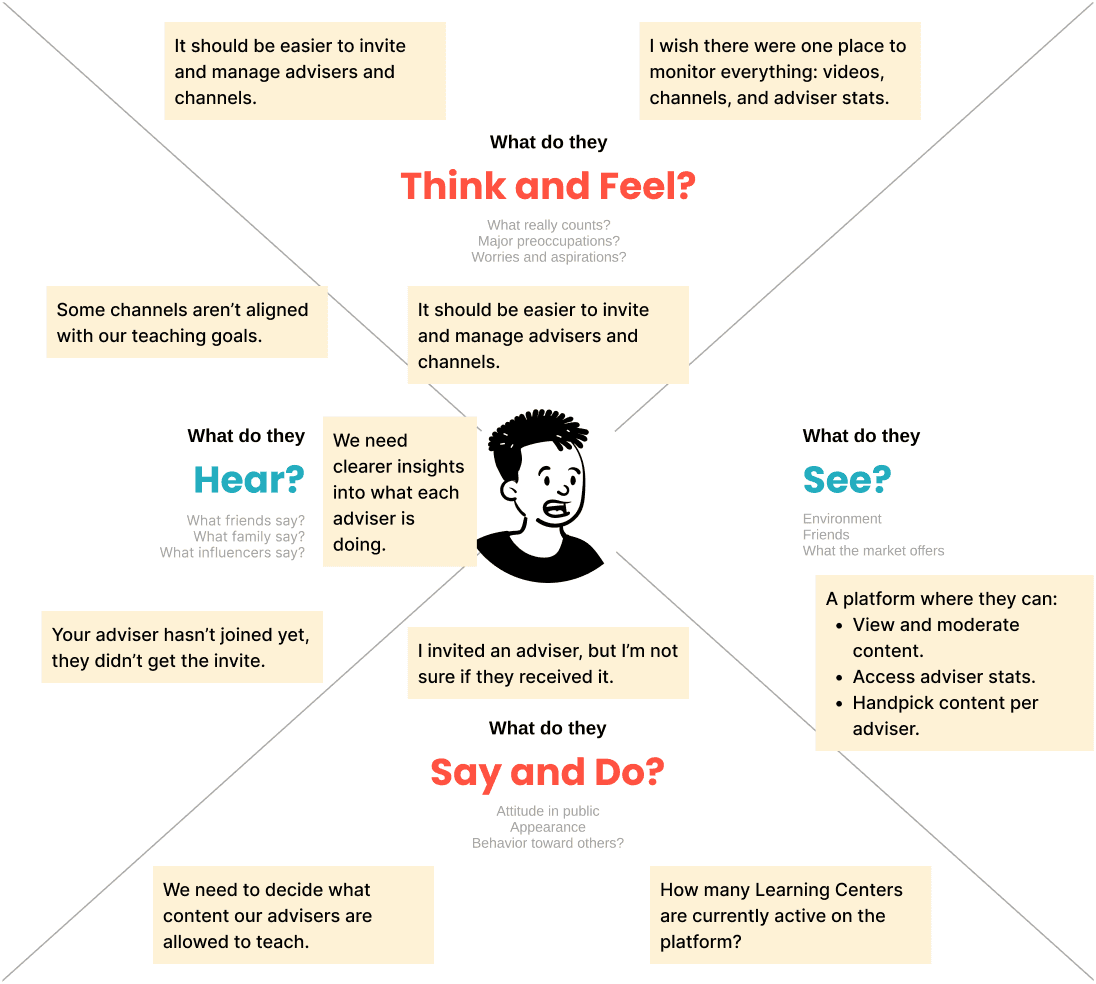
We also developed empathy maps to put ourselves in the users’ shoes, helping us understand their mindset and challenges. This process allowed us to design features and solutions that are both intuitive and effective in helping users complete their tasks within the platform.
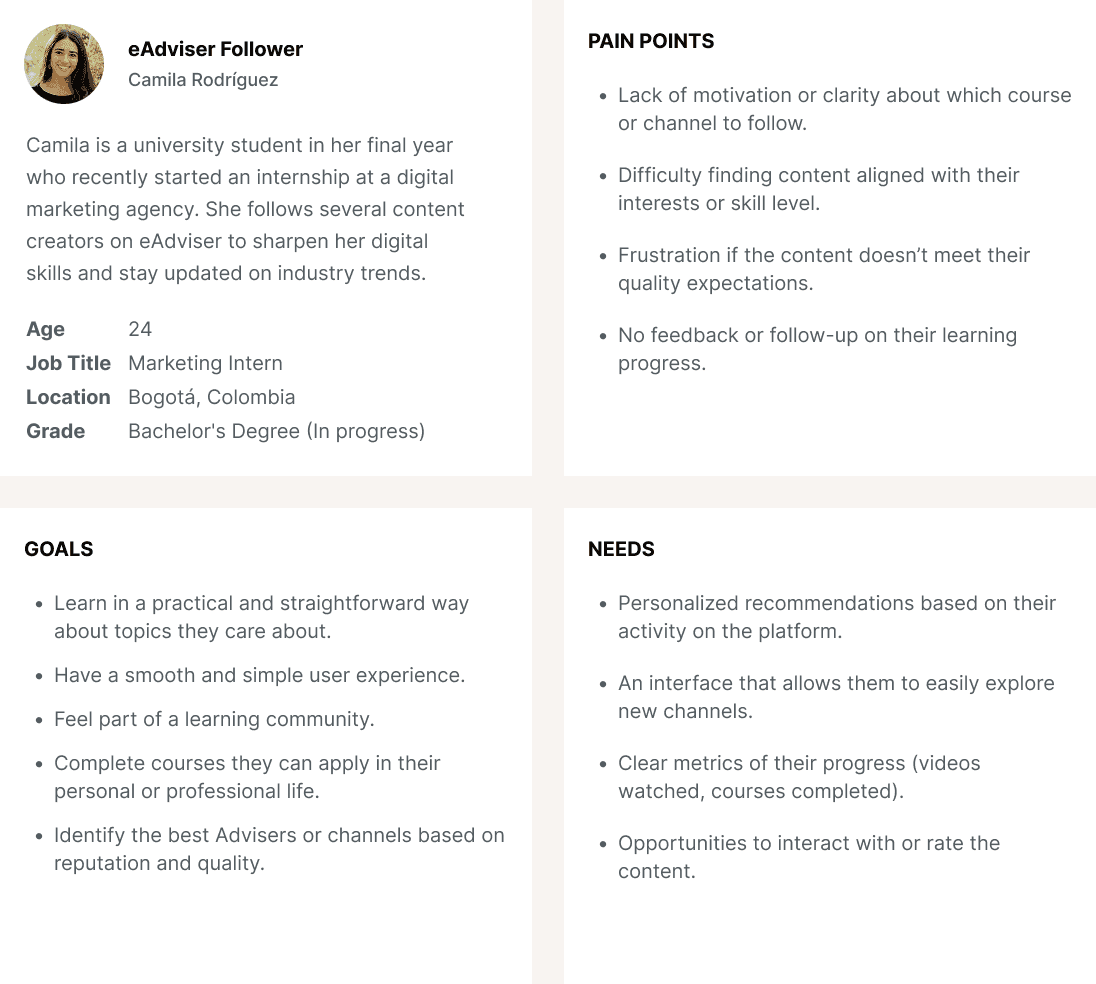
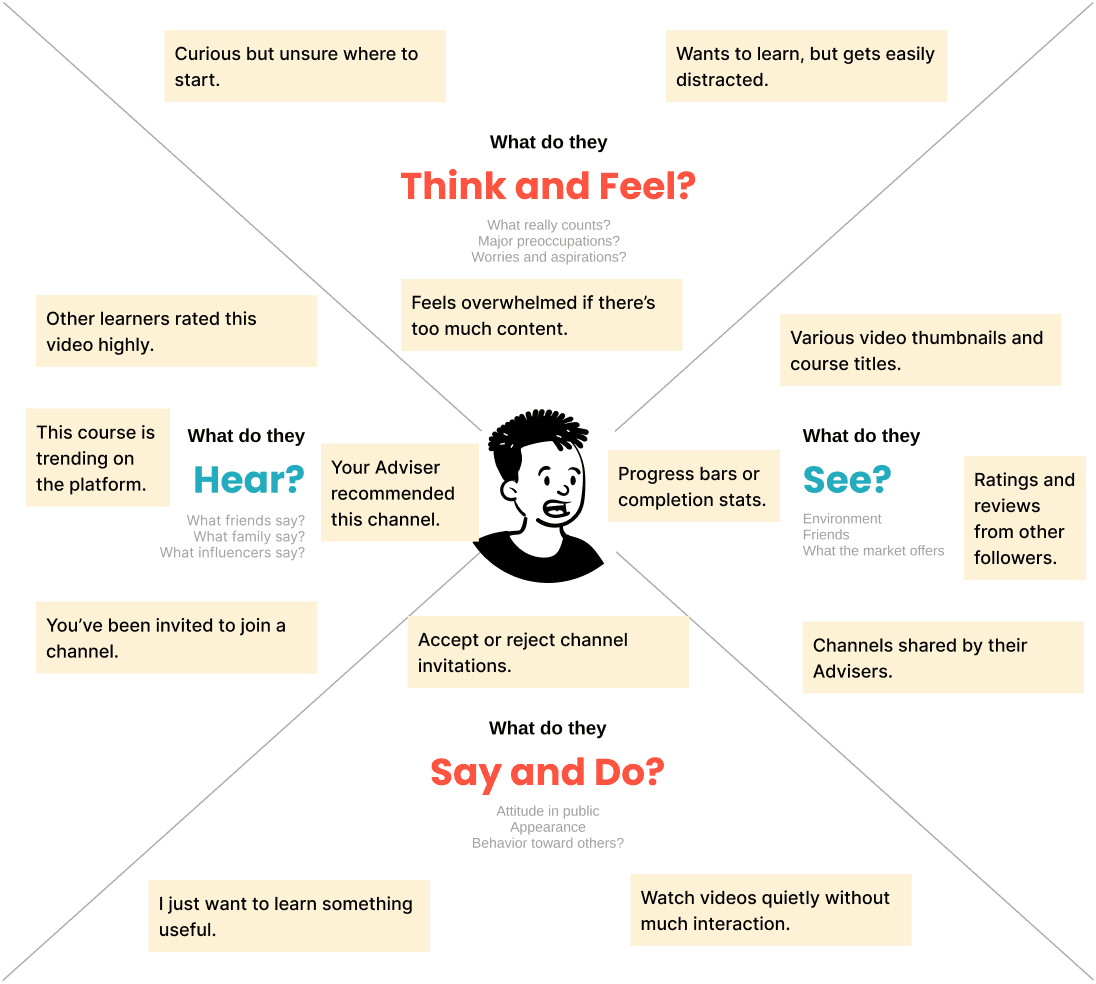
Understanding how roles interact within the platform
We created a service blueprint outlining the different scenarios for each user role. This allowed us to visualize where roles interact, overlap, and how each one functions within the platform. It also helped us understand how they communicate with each other and highlighted key aspects of how the system operates.
Drag to see more

Creating hypothesis and tasks for the MVP
Afterward, we took the time to analyze the research, generate hypotheses, and break down the users’ key actions. This process helped us define the screens and core functionalities for our MVP.
We believe that offering short(5 mins max), focused video content on relevant topics for students (followers) will improve engagement, comprehension, and course completion rates.
We believe that offering short(5 mins max), focused video content on relevant topics for students (followers) will improve engagement, comprehension, and course completion rates.
We believe that offering short(5 mins max), focused video content on relevant topics for students (followers) will improve engagement, comprehension, and course completion rates.
Defining user stories and tasks
Learning Centers
As a Learning Center Owner, I have the ability to “hide” a specific video in a channel because it could be too sensitive for my network
As a Learning Center Owner, I want to invite eAdvisers and students to join channels to see how they’re performing
As a Learning Center, I want to see which students are enrolled and their progress in channels, so I can evaluate the effectiveness of different courses
eAdvisers
As an eAdvisor, I want to see followers and channels stats so I can see how are they performing
As an eAdvisor, I can copy and paste a unique URL that allows followers to sign up on their own to channels
As an eAdvisor, I want to recommend video topics based on trending issues, so I can help creators build relevant and impactful courses
Channel Owners
As a Channel Owner, I have the ability to group existing and new videos into “series or chapters”
As a Channel Owner, I want to access analytics about my video views and student retention, so I can improve my content and grow my audience.
As a Channel Owner, I have the ability to upload files as resources on the video level so followers can download extra material for learning
Followers
As a Follower, I have an easier understanding of what the channel is about by somehow being able to see all information
As a Follower, I want to watch short, meaningful videos at my own pace, so I can learn efficiently without long time commitments.
As a Follower, I have an easier way to see my channels and videos sort by different ways
Starting the ideation and design process
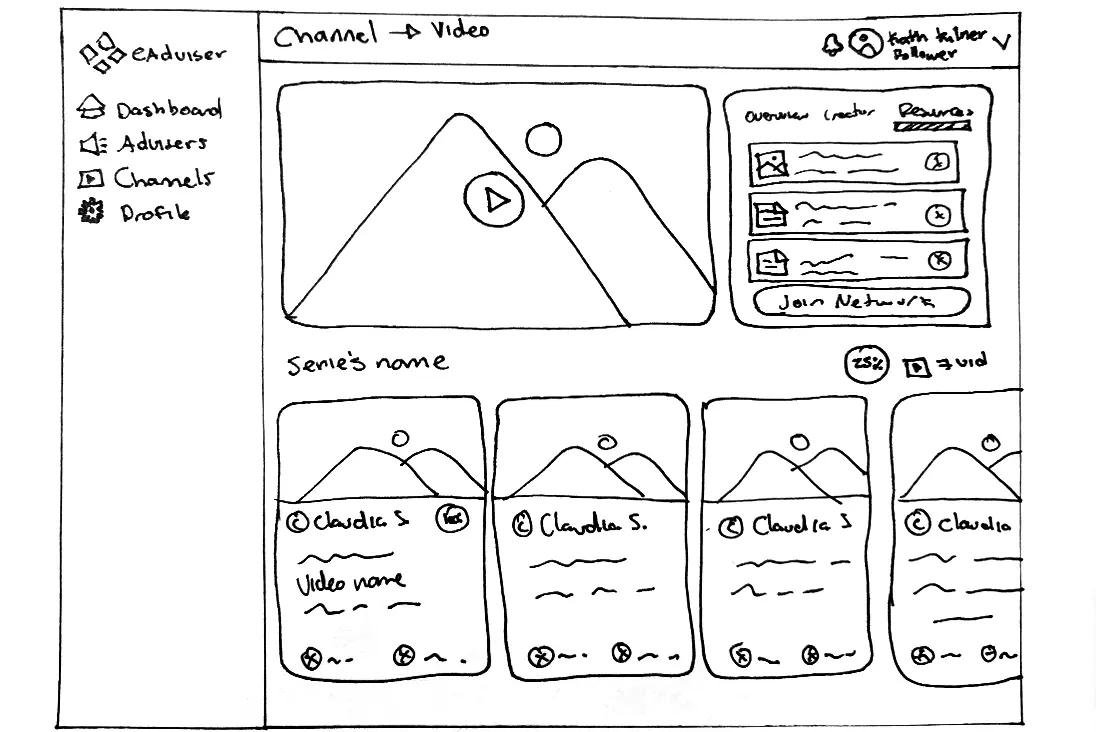
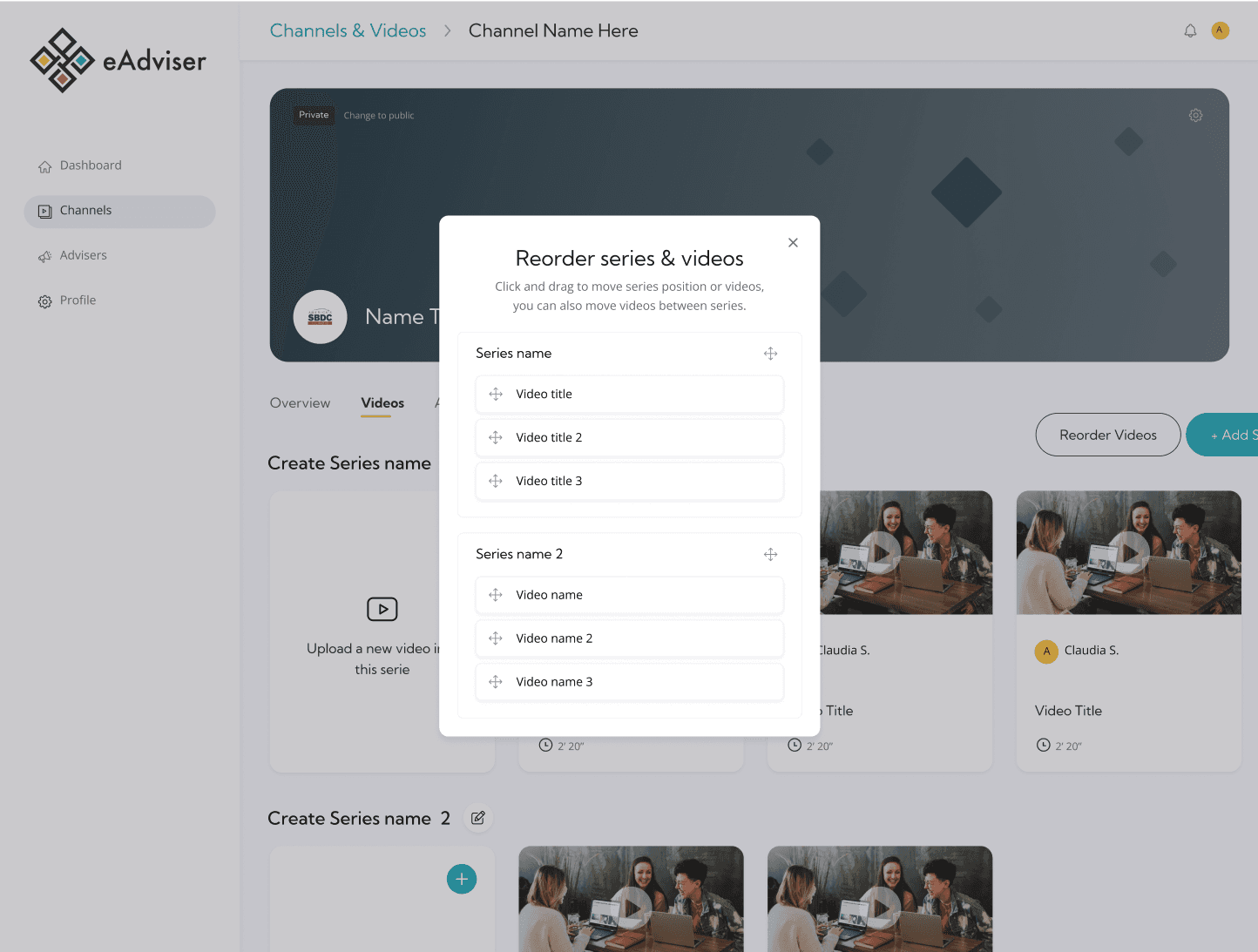
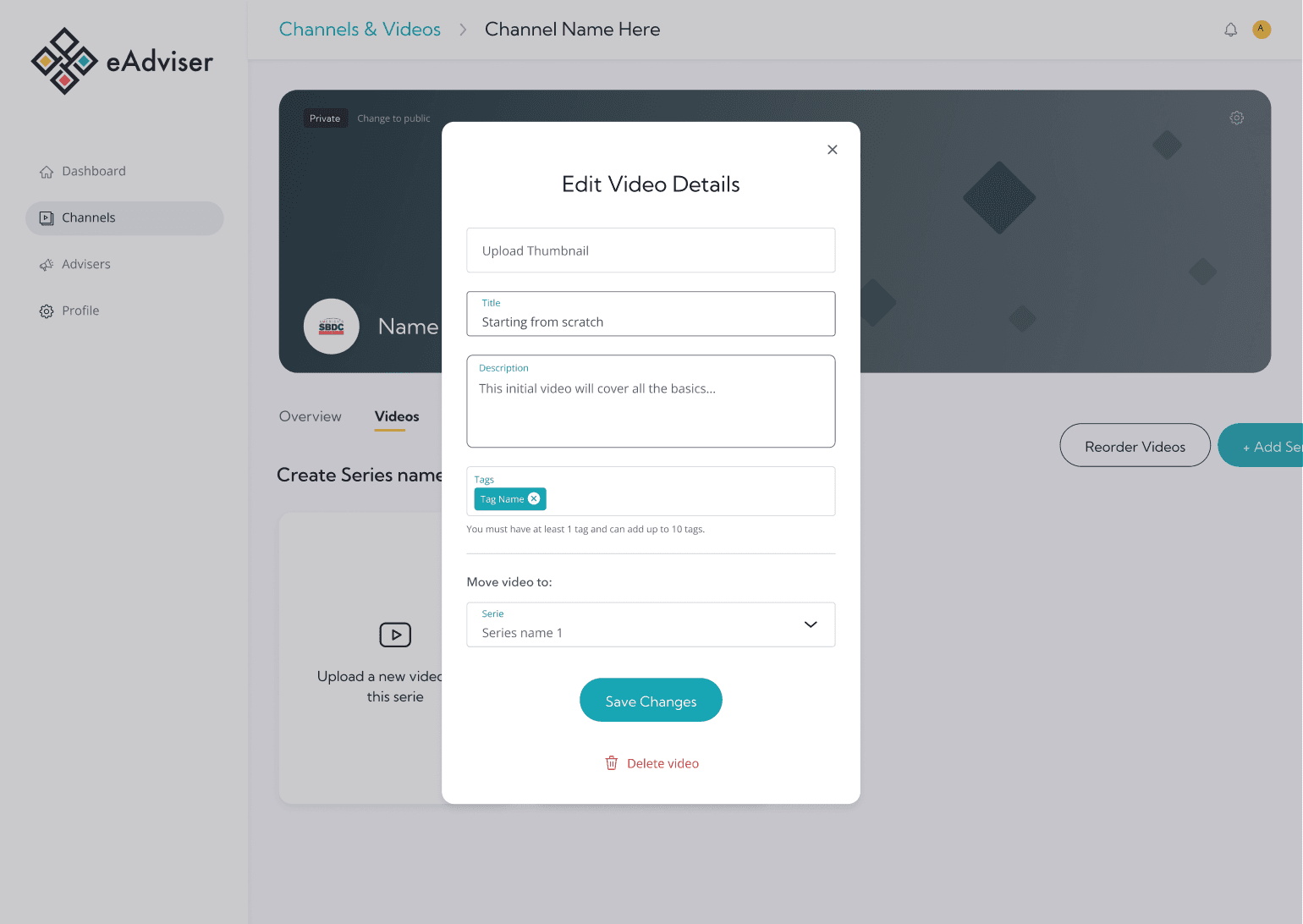
The design process began with creating sketches and wireframes that focused on the platform’s main features. This included exploring how videos could be uploaded to channels, how resources would be presented to followers, and how creators could move, add, or delete their content. In addition, I designed the user flows for inviting eAdvisers and followers, and supporting other interactions within the platform.
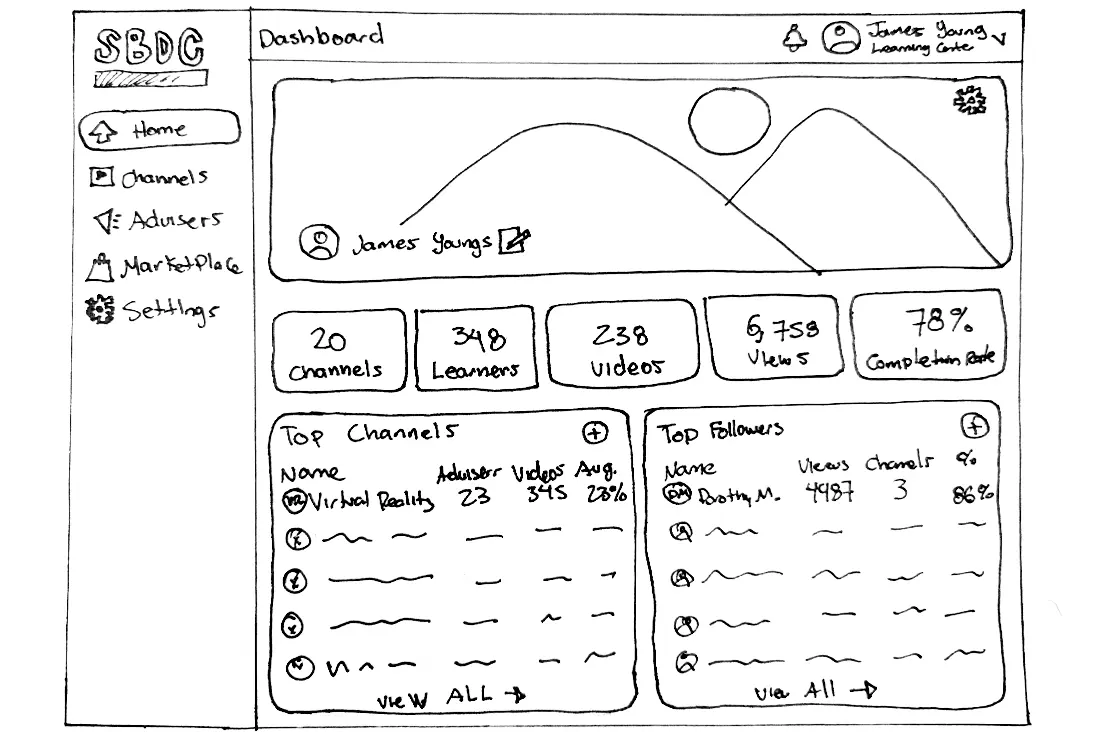

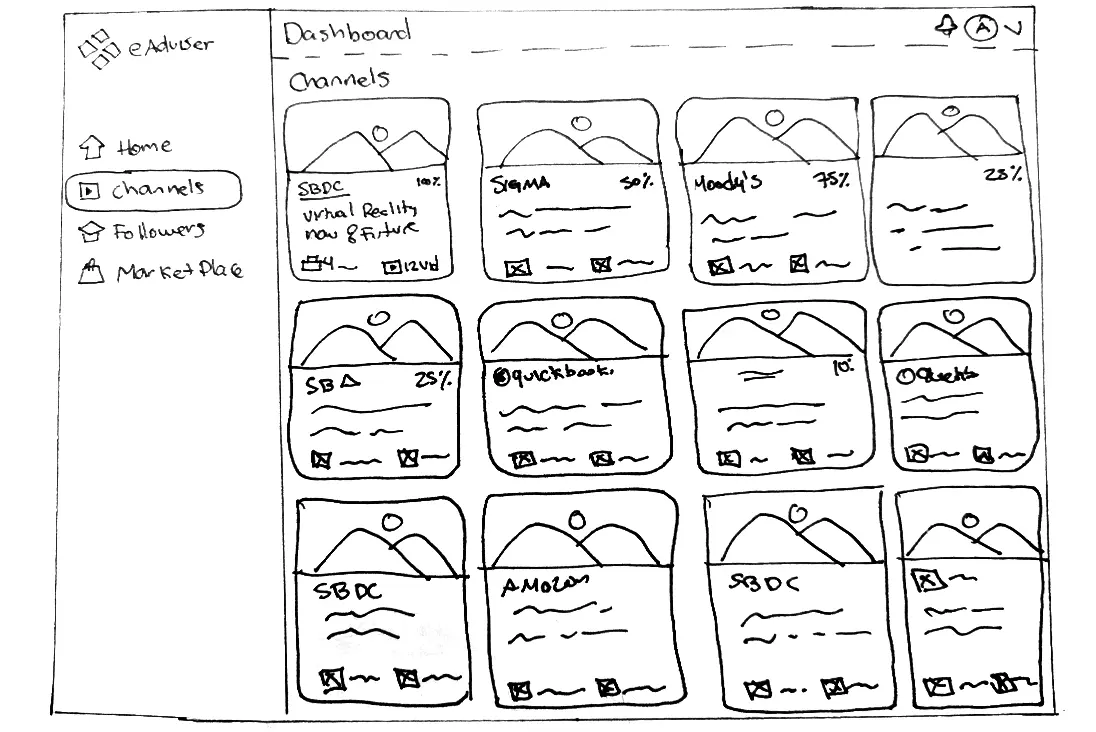


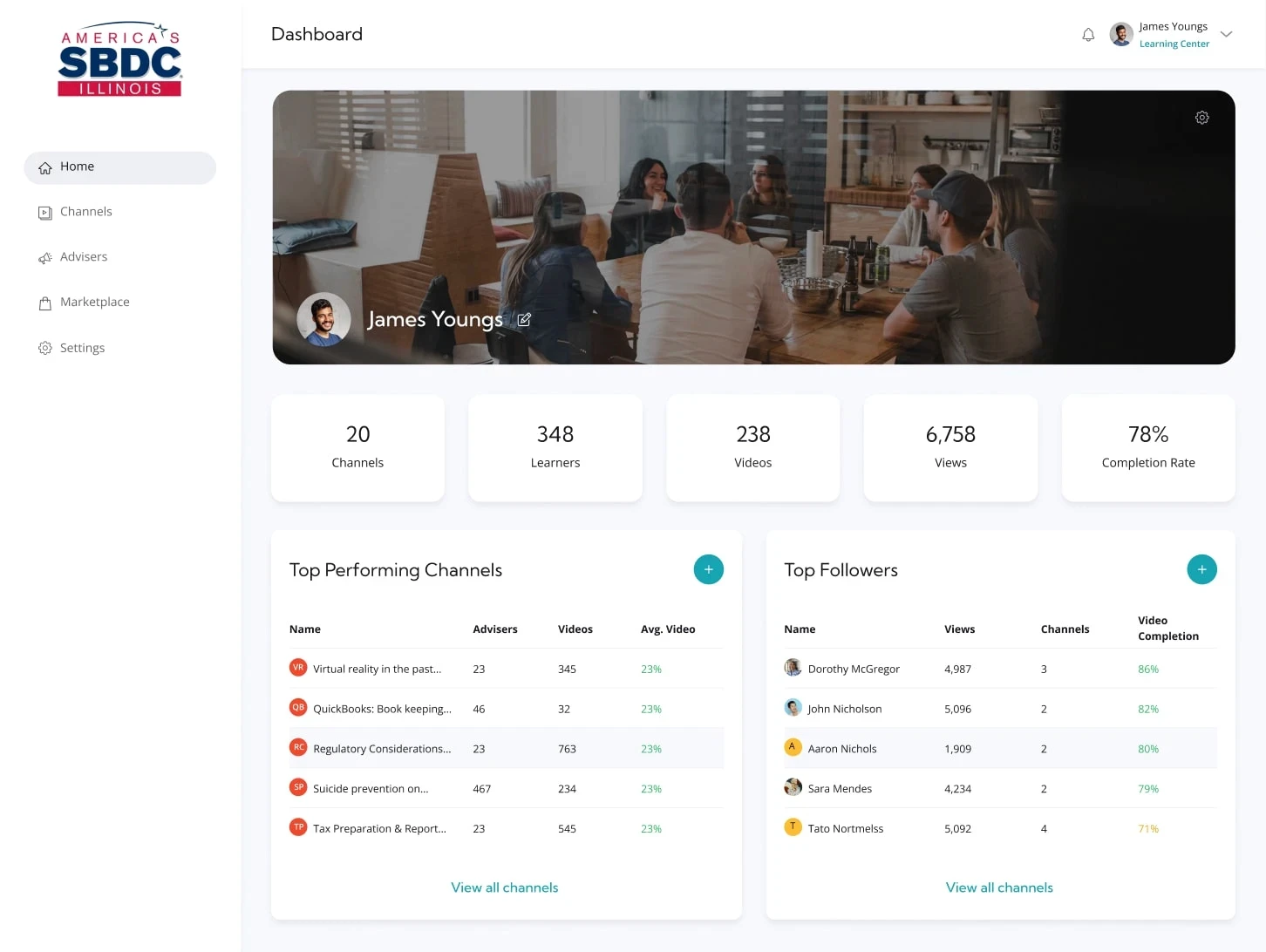
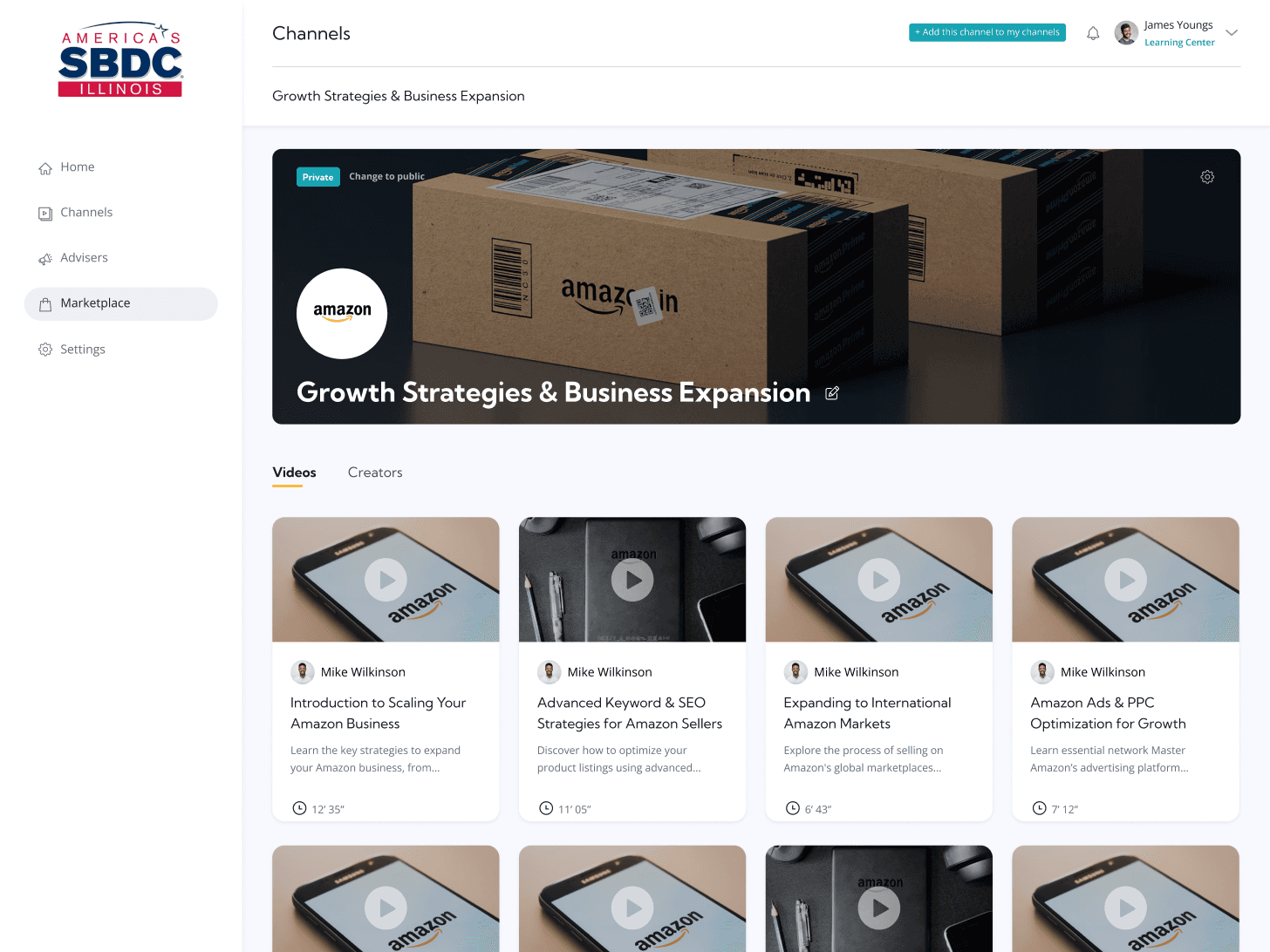
UI for Learning Centers screens
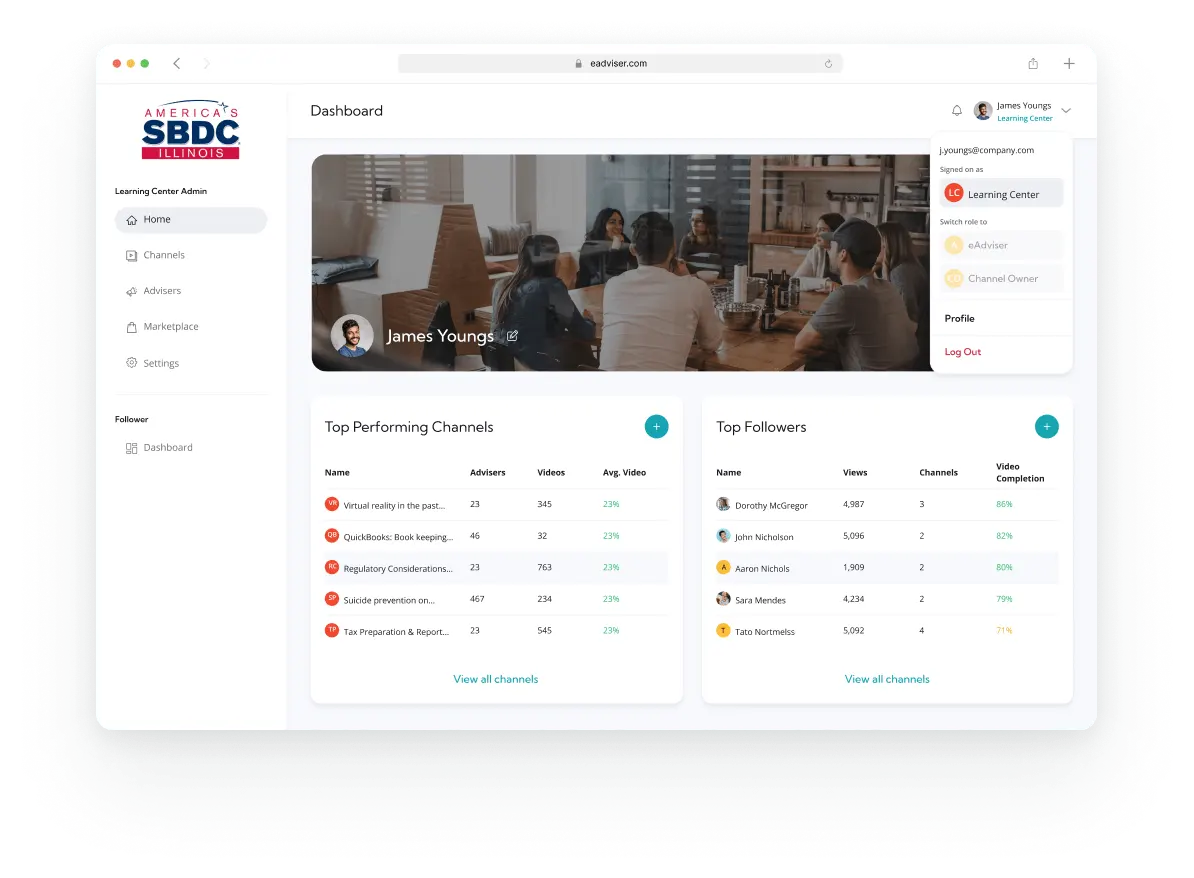
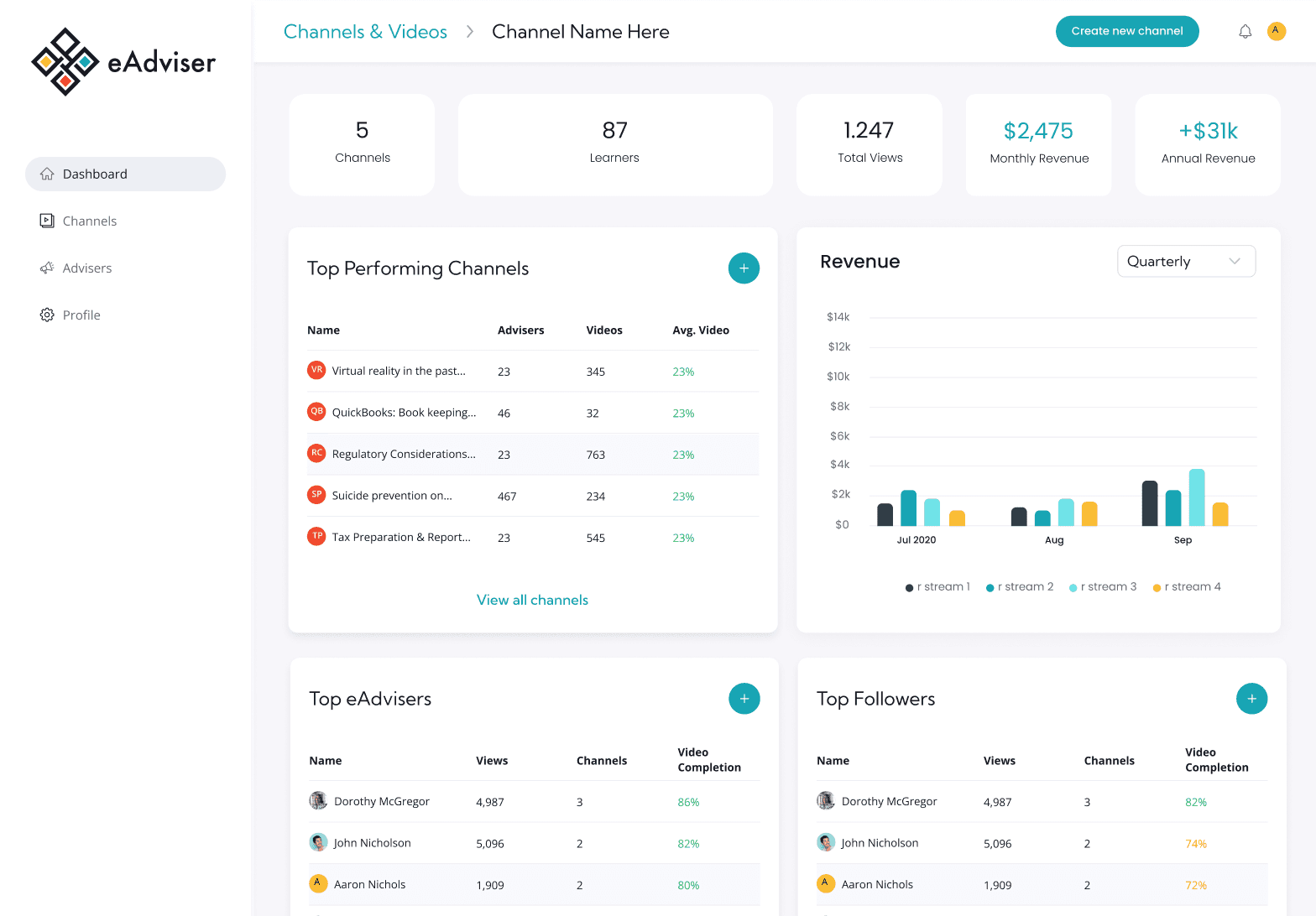
The Learning Center dashboard was designed to help organizations manage their internal eAdvisers, track student progress, see data stats and performance metrics and oversee content creation. Key actions like inviting new advisers, creating learning channels, and assigning content creators were prioritized in the layout to streamline onboarding and collaboration.
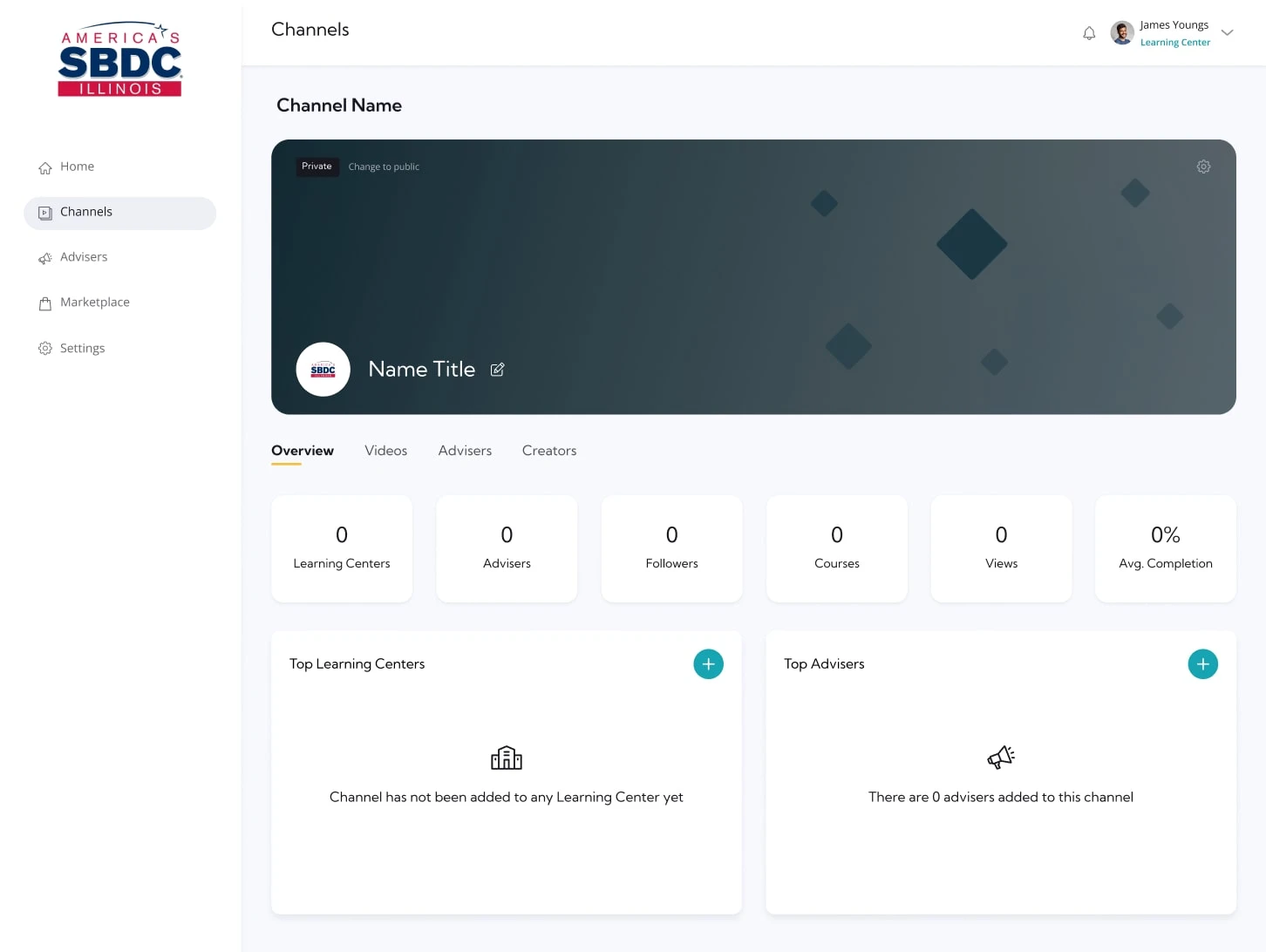
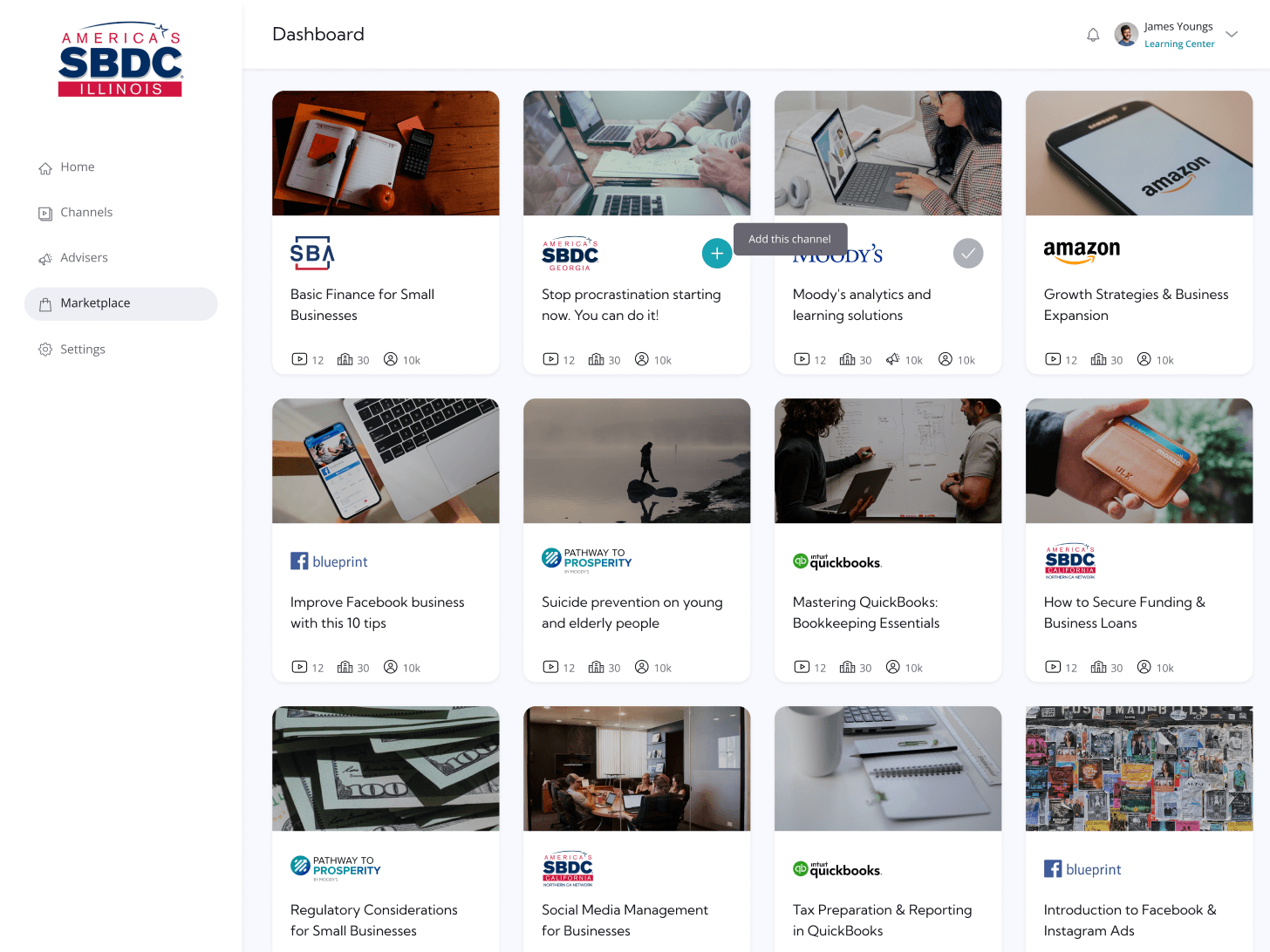
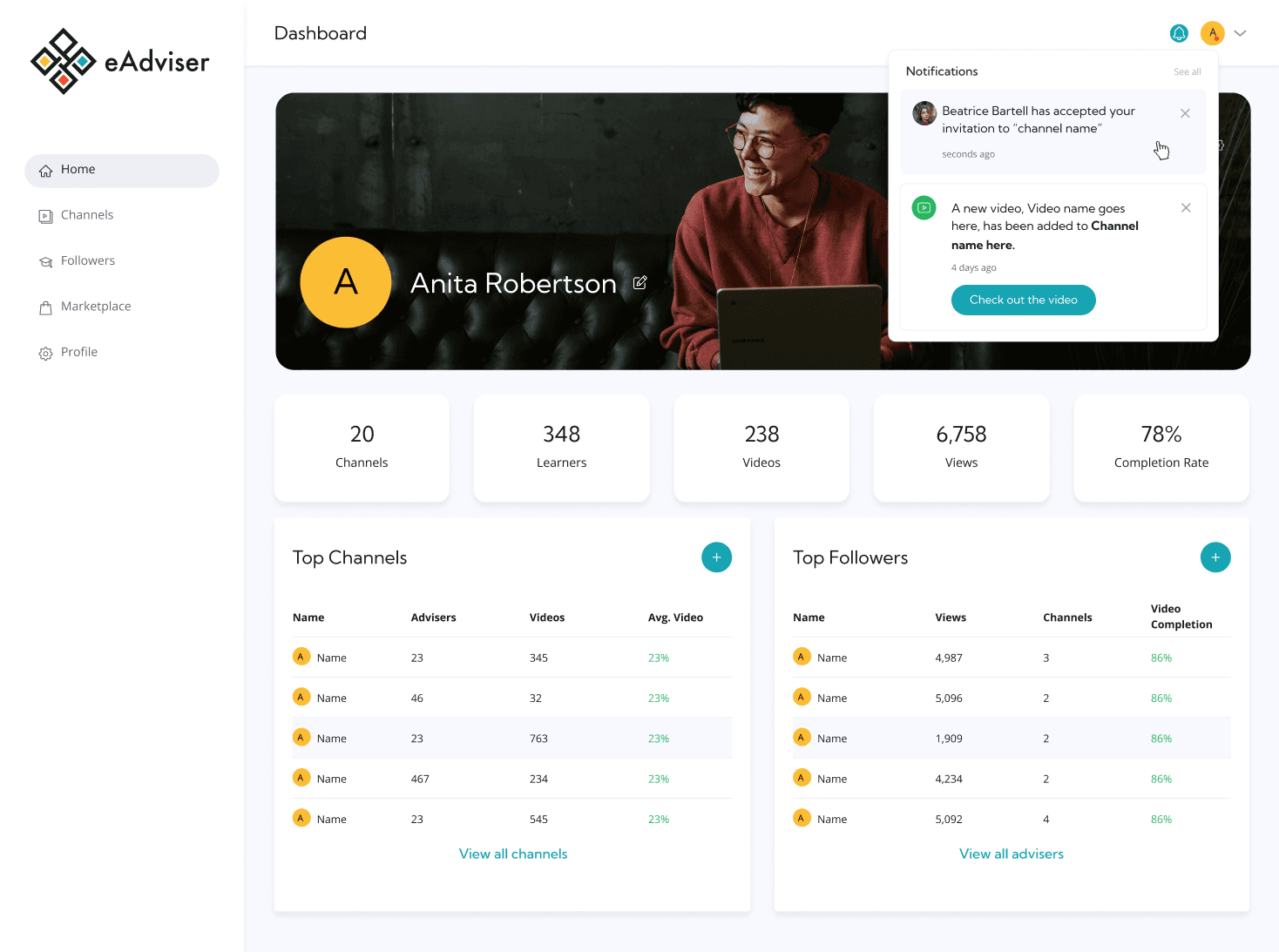
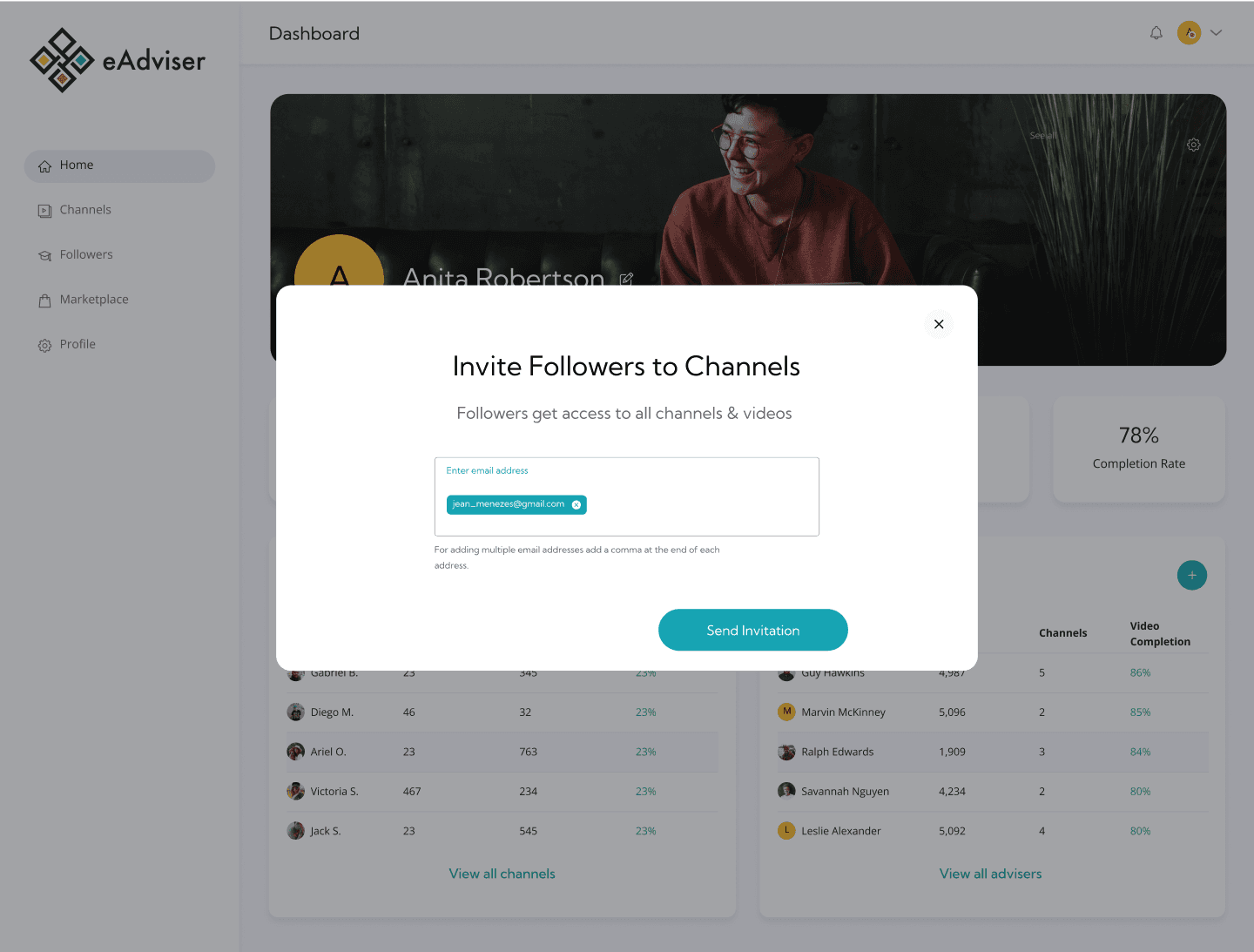
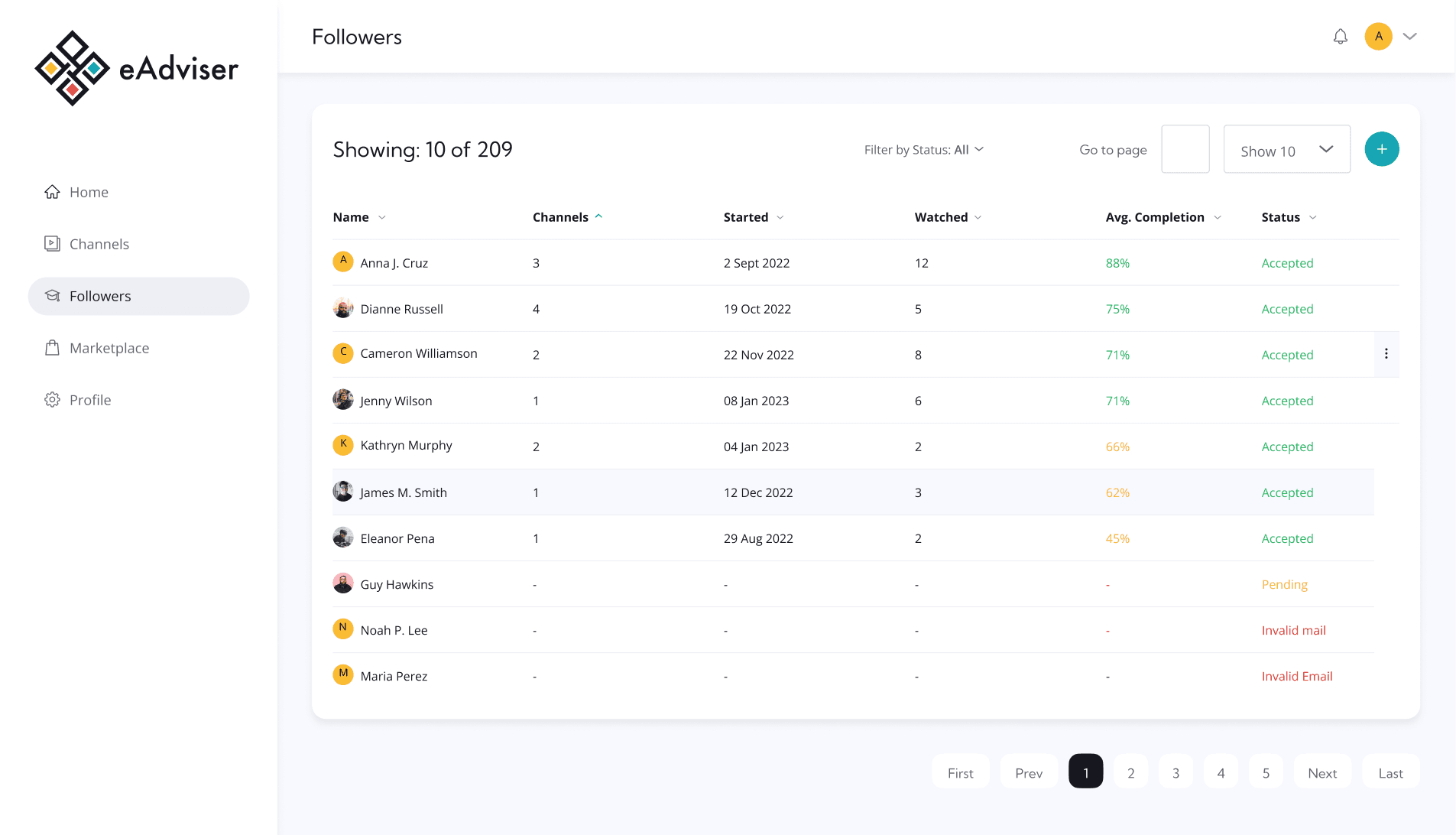
UI for eAdvisers
For eAdvisers, the core experience revolves around engaging with their followers(students) and guiding their learning journey. The main flow includes inviting followers, monitoring progress, and identifying which content resonates most with their learners.
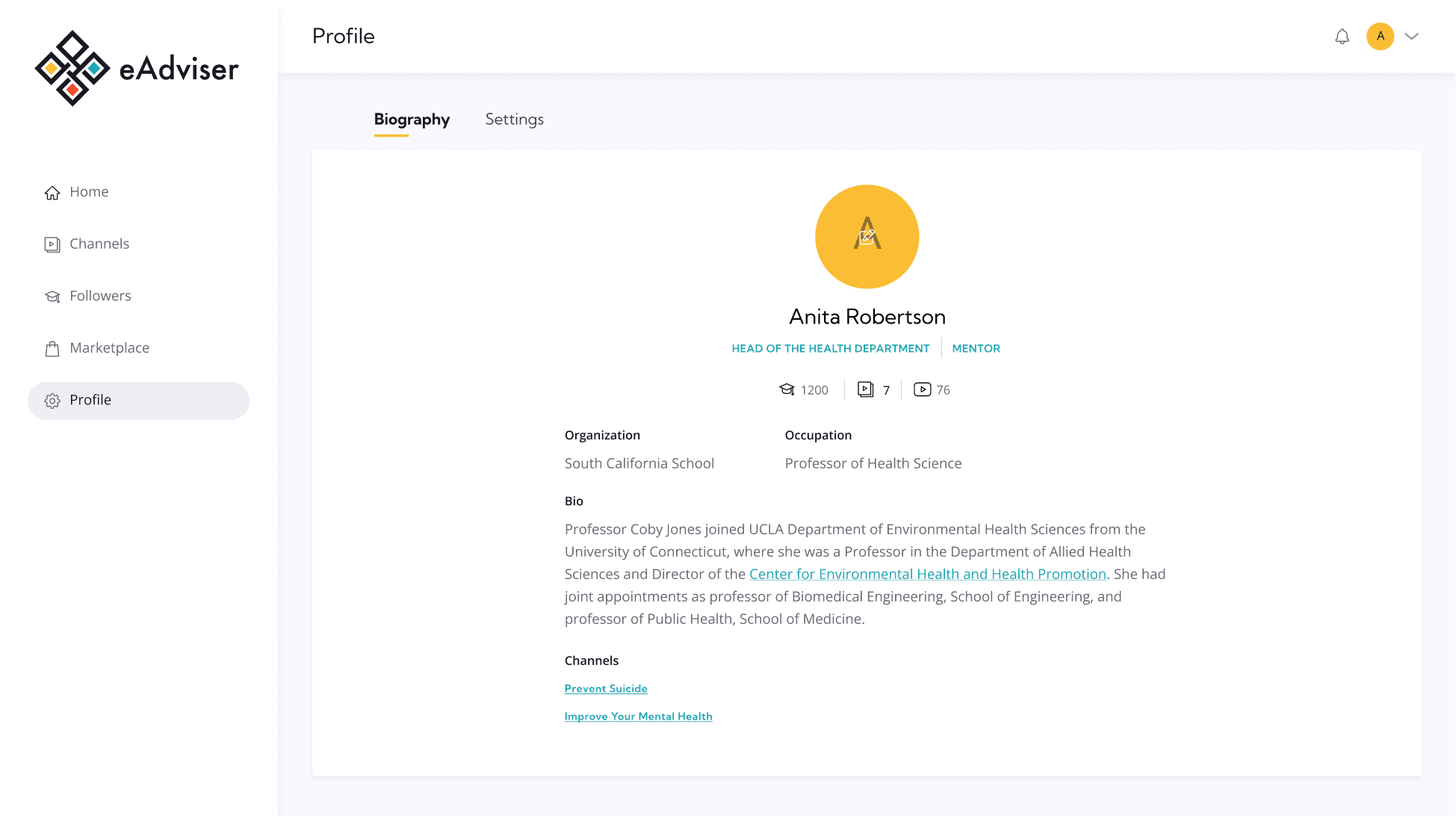
UI for Creators
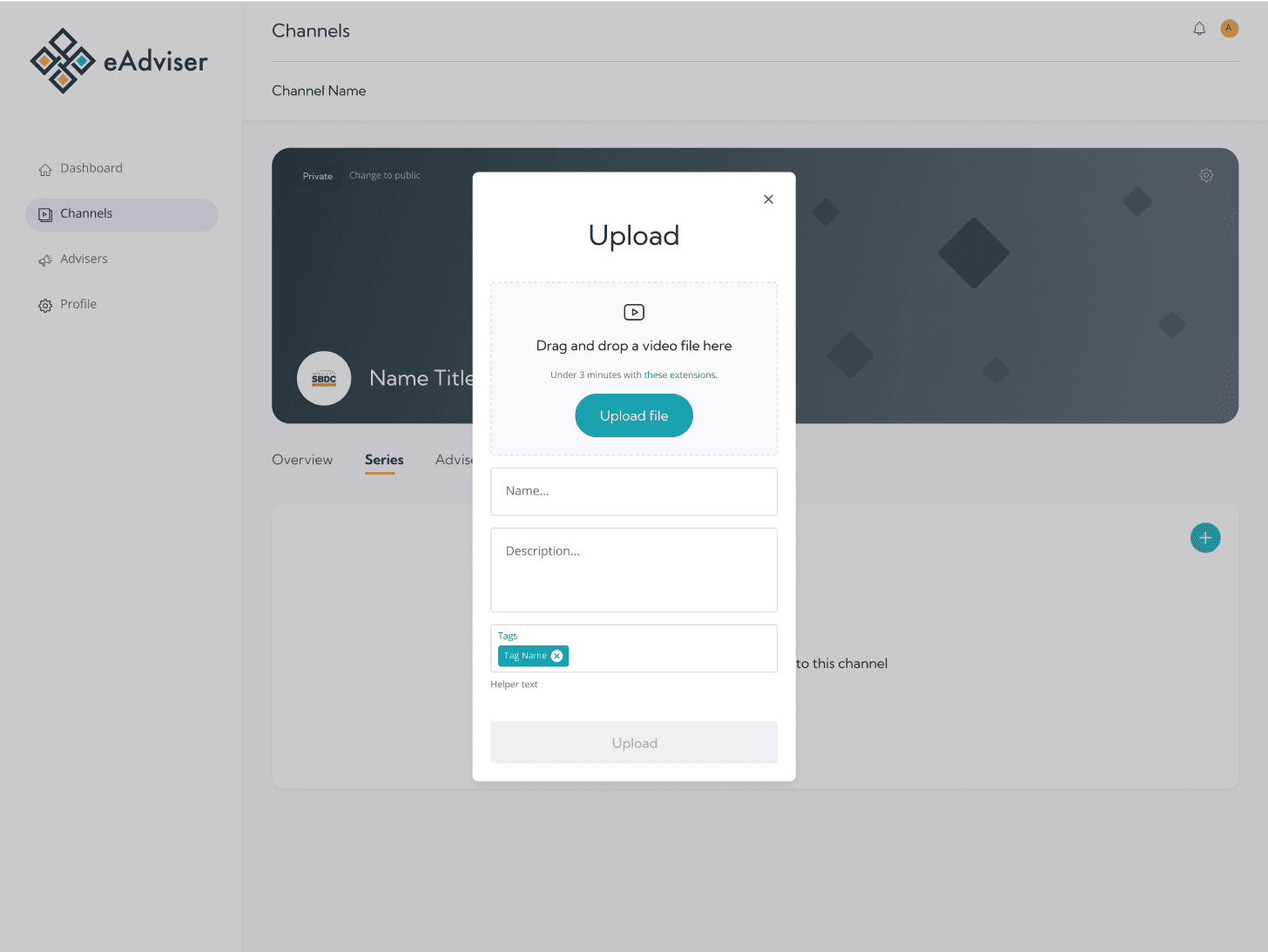
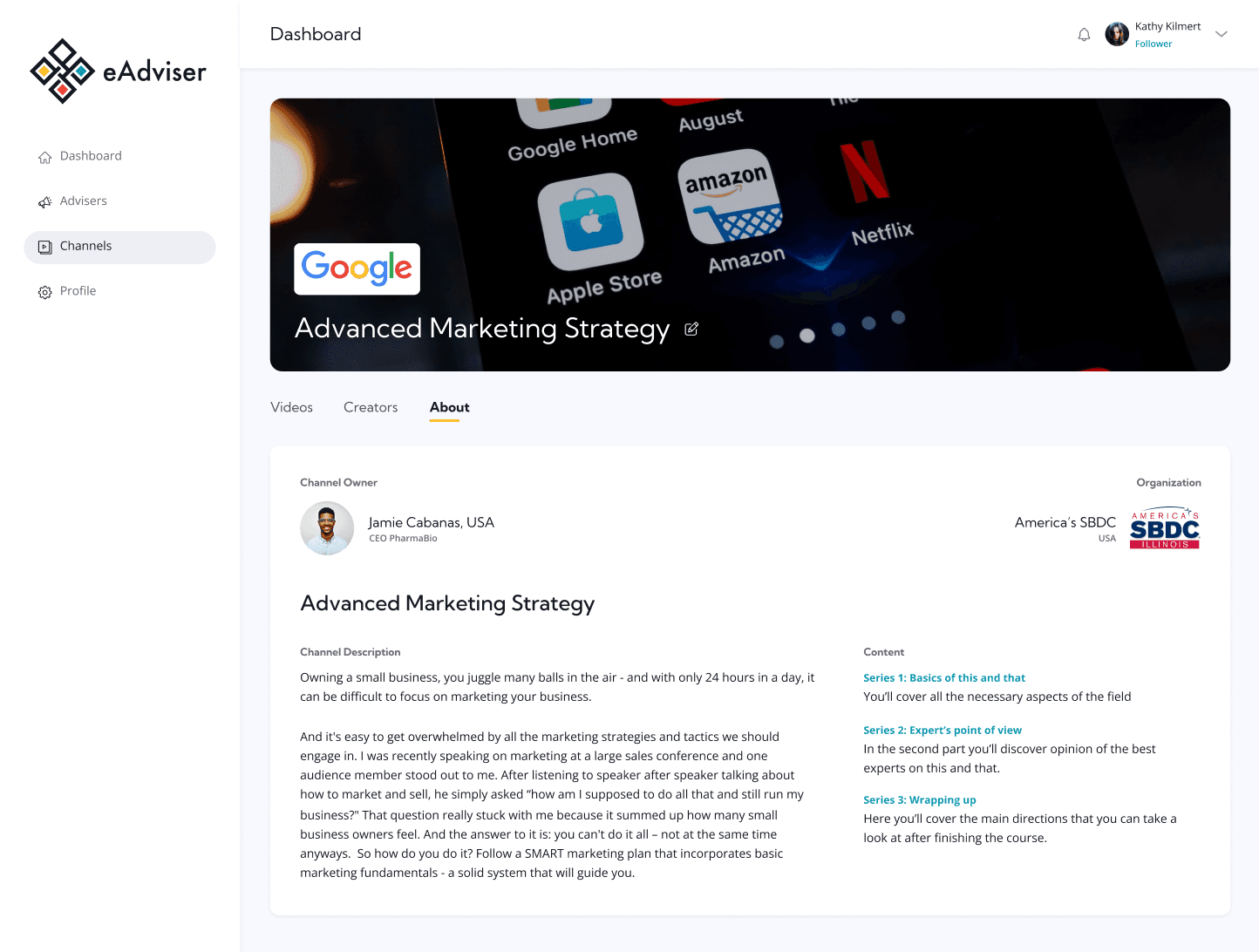
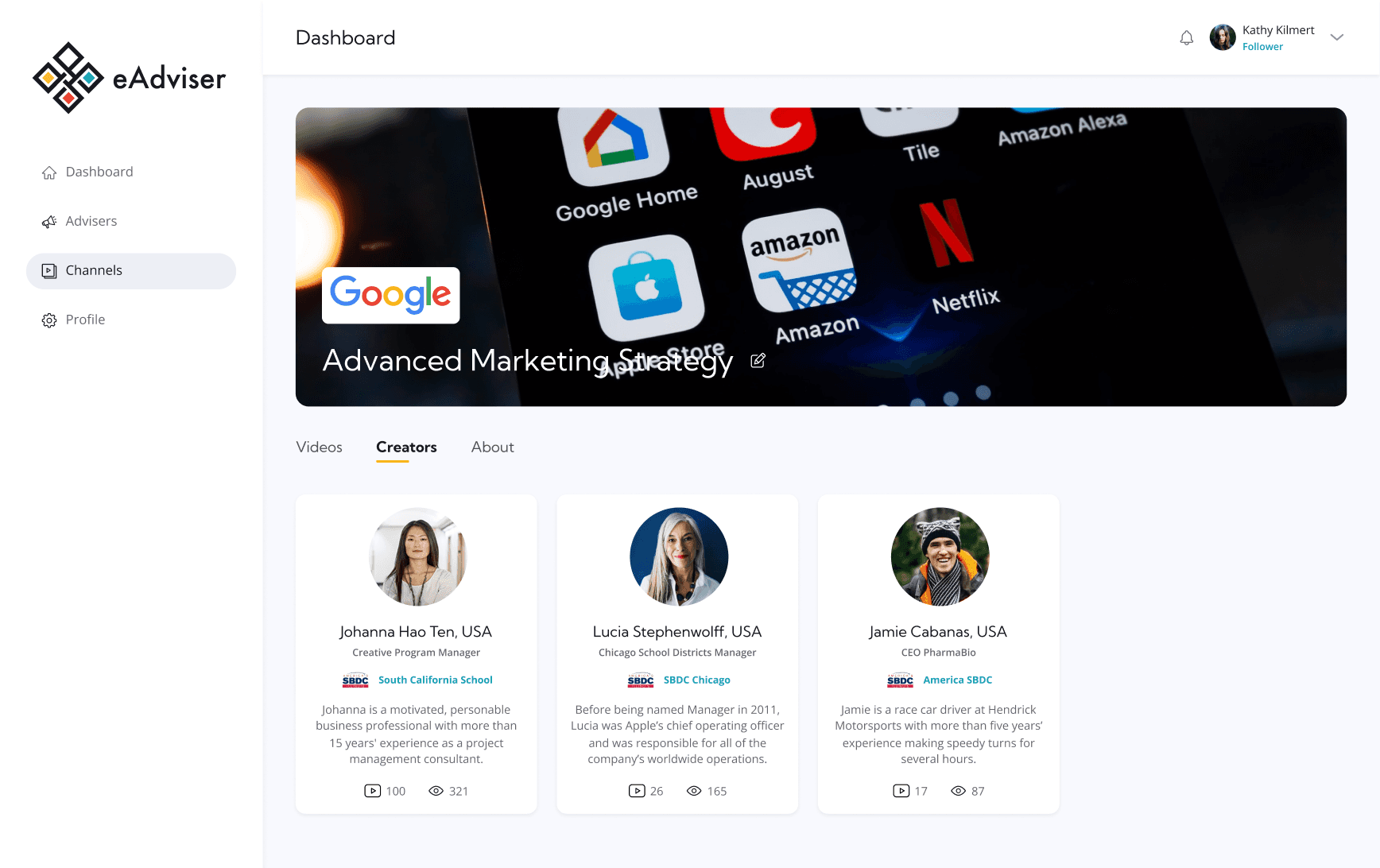
For content creators, the focus was on producing high-quality educational materials such as videos, resources, and presentations. Their dashboard was designed to streamline content management, allowing them to preview their work, organize materials into chapters, upload new videos, and craft clear, engaging descriptions and material for followers and eAdvisers.
In addition to content creation, the platform also enables creators to monetize their work. Earnings are based on views, engagement stats, or through premium channels.
UI for Followers
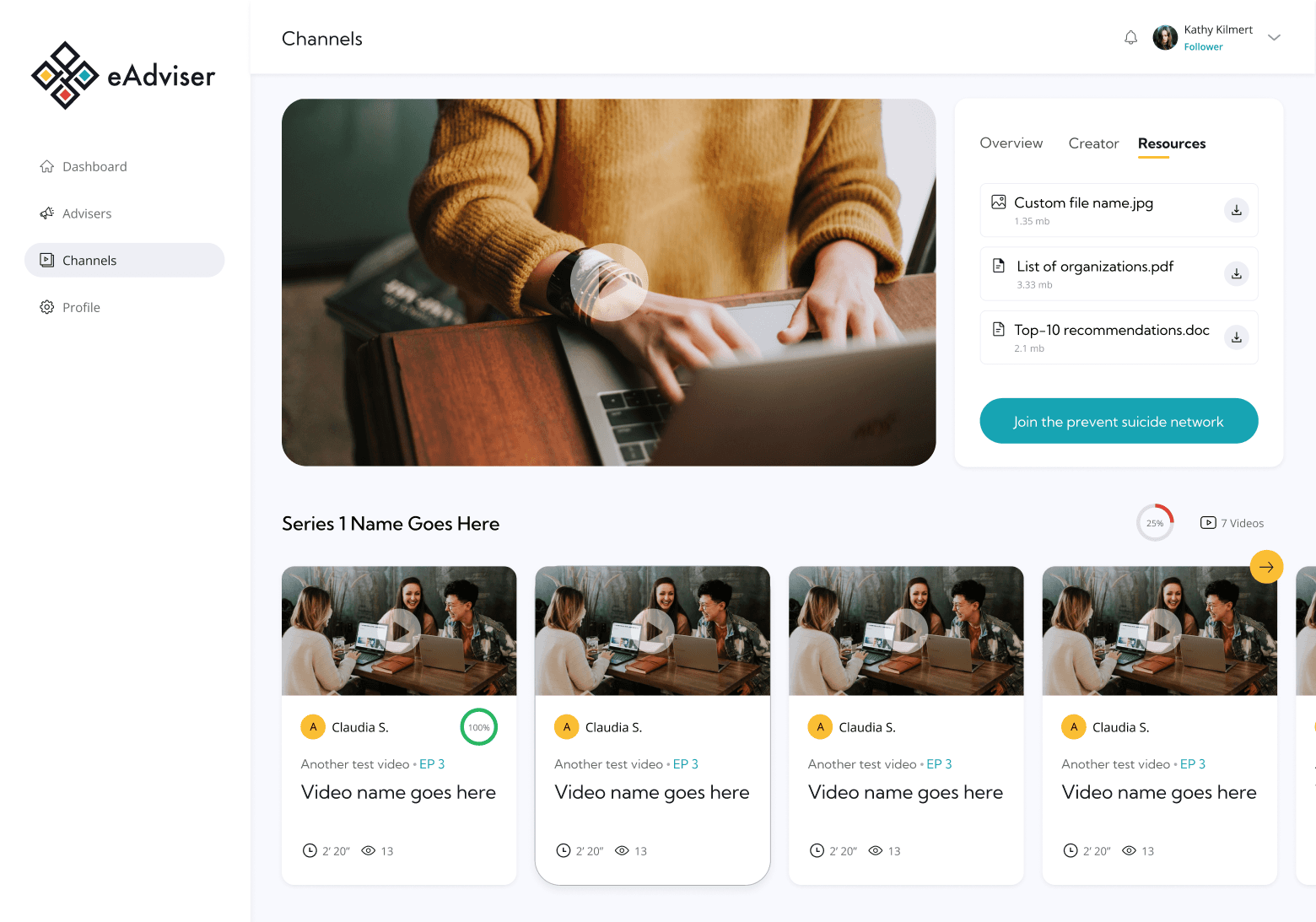
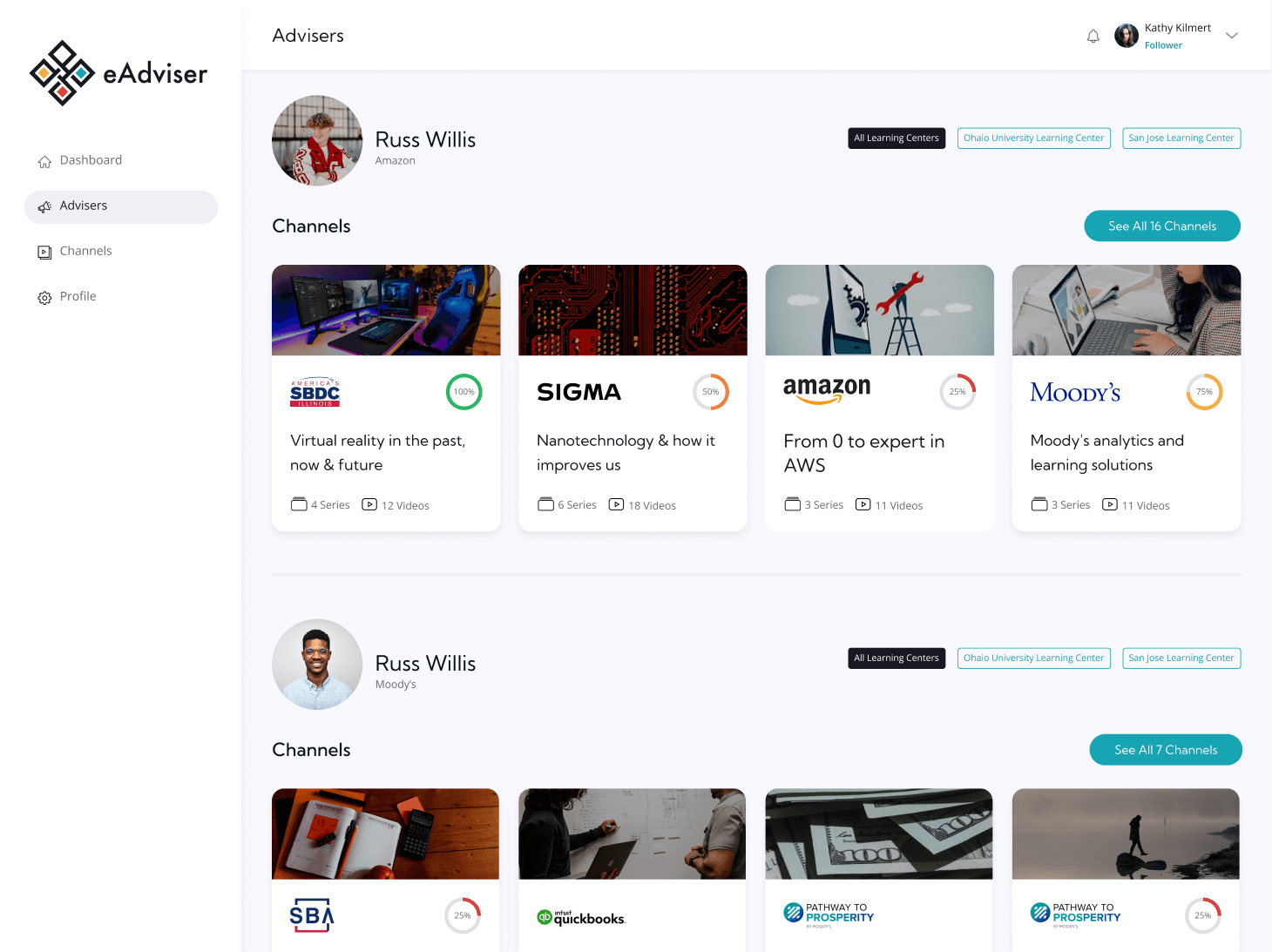
Followers use the platform primarily to explore and watch video content across different channels, helping them learn practical and relevant topics. The experience is designed to be intuitive and engaging, allowing them to easily navigate through educational material, view creator profiles, and discover channels through eAdvisers profile and discover about their expertise and background through short bios.
Responsive version
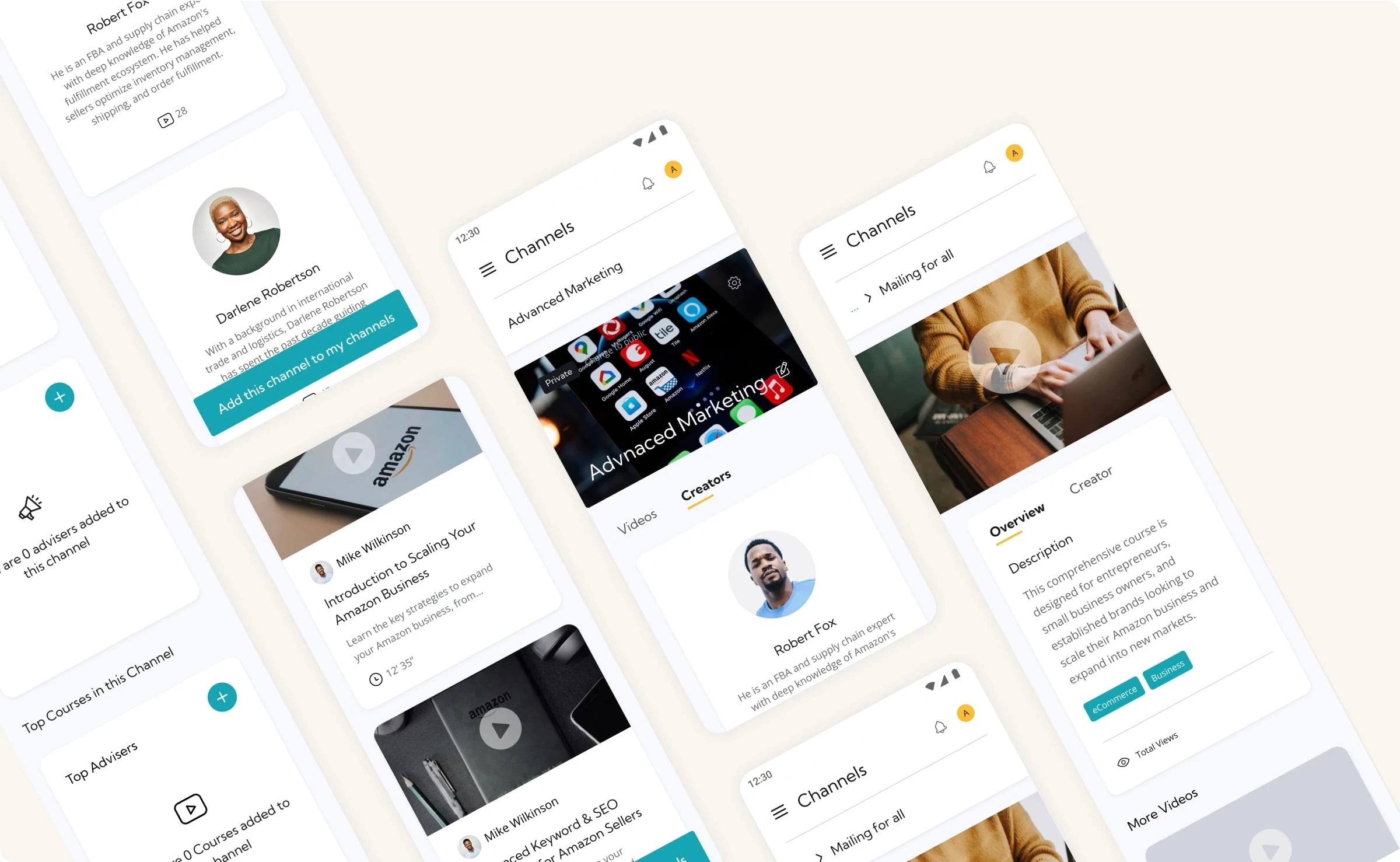
After finalizing the desktop experience, we focused on adapting the platform for mobile devices, ensuring that each screen, regardless of user role, delivered a seamless and intuitive experience.
This meant carefully redesigning key UI components, reorganizing layouts, and optimizing interactions for smaller screens. Special attention was given to complex elements like dashboards, video players, and performance graphs to maintain usability without compromising functionality.
Giving life to designs by prototyping the MVP
For the prototypes, we focused on the key functionalities specific to each user role. These prototypes were designed to demonstrate screen flows, user interactions such as what happens when clicking on a particular action and, most importantly, to showcase a functional version of the platform to potential investors, content creators, and key stakeholders. This helped bring eAdviser to life and lay the groundwork for future development.
Prototyping in action
Next steps
After completing the prototypes and showcasing the key user flows and functionality, the eAdviser team presented them to potential investors. The feedback was highly positive, generating strong interest in the platform. Only minor UI adjustments were made at this stage, requiring minimal effort and based on early user and investor insights.
The eAdviser platform is now in active development, with the codebase being built. In parallel, the founders are seeking additional investment and exploring the integration of emerging technologies, such as AI, to expand and enhance the platform’s capabilities in future releases.
Similar projects
This was one project, there is more!
See how I’ve helped other teams improve their product experience through design.