Optimizing human performance for
tactical athletes through O2X app.
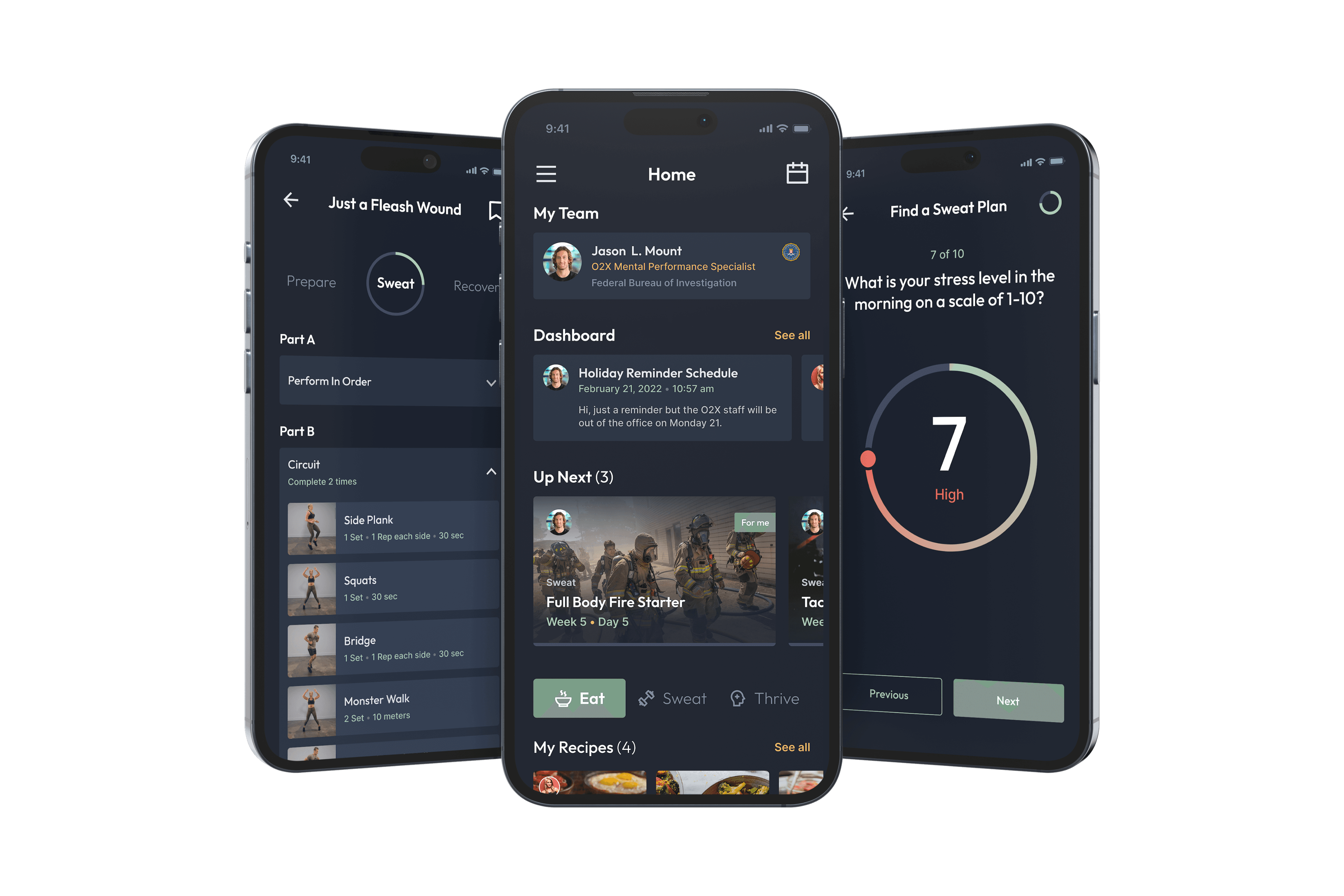
The O2X Human Performance app is a tool that helps continue the education and deliver the O2X Human Performance programs to our users. The mobile app provides a vehicle for tactical athletes to obtain elite human performance programs in their pocket to make them smarter, healthier, and more productive in their work environments.

Problem
The O2X mobile app helps tactical athletes manage training, nutrition, mental health, and communication with coaches. The existing app was visually outdated, hard to navigate, and confusing to use, which reduced engagement and consistency. The core problem was to simplify and modernize the experience so athletes could easily understand programs, track progress, and stay connected, supporting better performance and wellness without added friction.
Link to O2X
Timeline
3 months for design
6 months for dev
Services
Strategy
UX Research
Visual Design
User testing
Team
2 Stakeholders
1 Project Manager
2 Designers
4 Developers
7 Coaches(users)
Role
Sr. UX/UI Designer
Goals
As a team, we defined clear goals focused on enhancing usability, increasing product value, and aligning with business objectives.
Simplify the UX by reducing friction and unnecessary steps
Update the visual design to meet modern UI standards
Create a scalable design foundation
Improve overall usability through clearer navigation, hierarchy, and interactions
Validate the redesign through user testing and feedback
Outcome
The redesign was well received by both stakeholders and athletes. The improved usability, clearer structure, and modern UI helped athletes feel more confident using the app and engaging with their programs.
+75%
Athlete adoption
Athletes reported the new design was much better, and easy to use than the previous version.
23%
Coach communication
New design made it easier for athletes to contact their coaches, ask questions, and stay aligned on training goals, leading to more frequent and more meaningful interactions.
Defining user requirements
During the initial phase, we met with stakeholders, coaches, and athletes to understand their day-to-day challenges, frustrations, and pain points when using the app. These conversations provided valuable insights that helped us clearly define the goals, scope, and key requirements for the redesign.
O2X Mobile App Purpose
At its core, the app focuses on three pillars. Eat helps users build a strong foundation of nutritional knowledge to improve overall health and wellness. Sweat delivers strength and conditioning programs that increase physical performance and readiness. Thrive provides mindfulness and stress management programs to support mental performance and resilience.
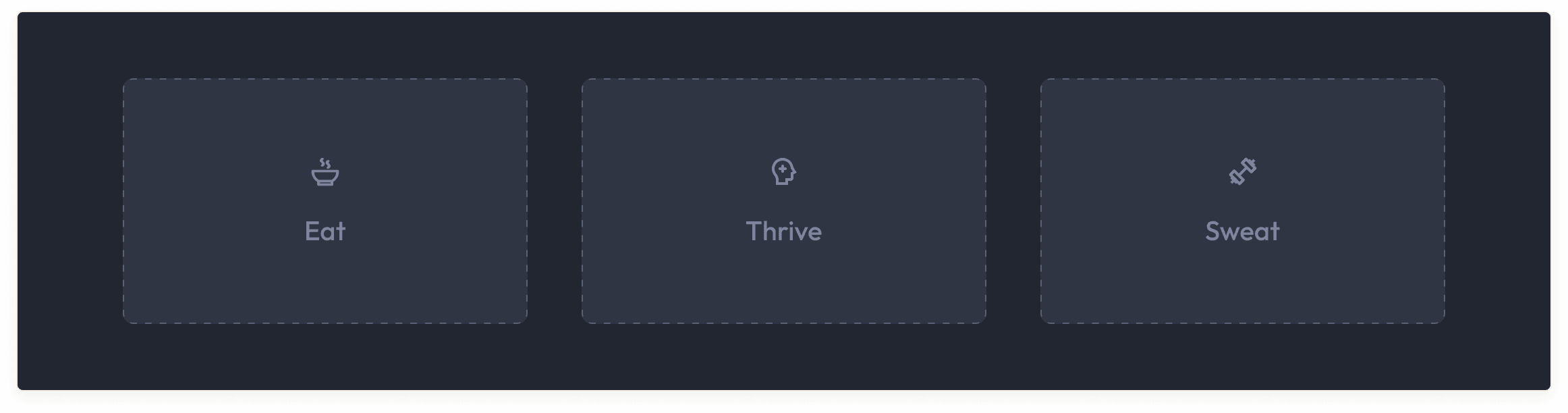
3 main areas of 02X performance
UX audit for the old UI
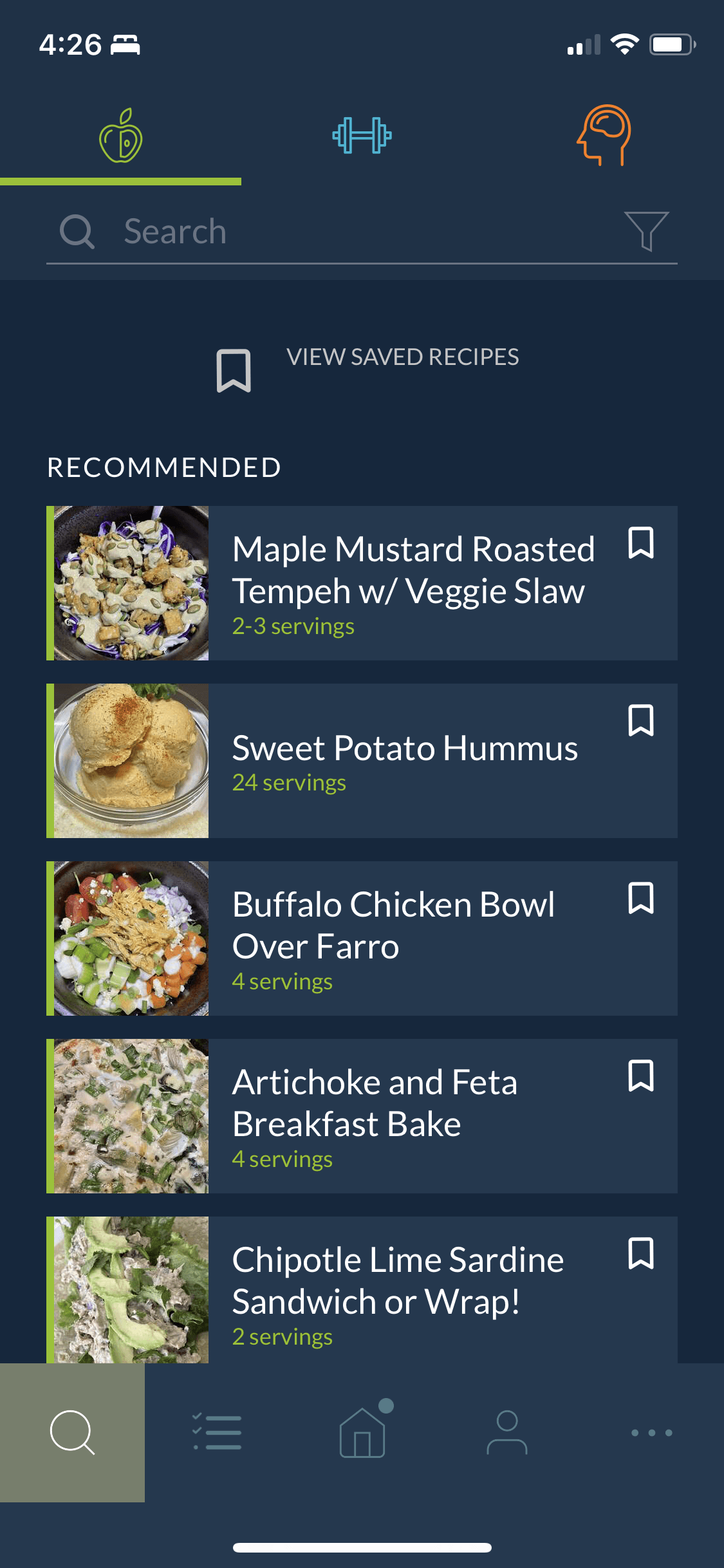
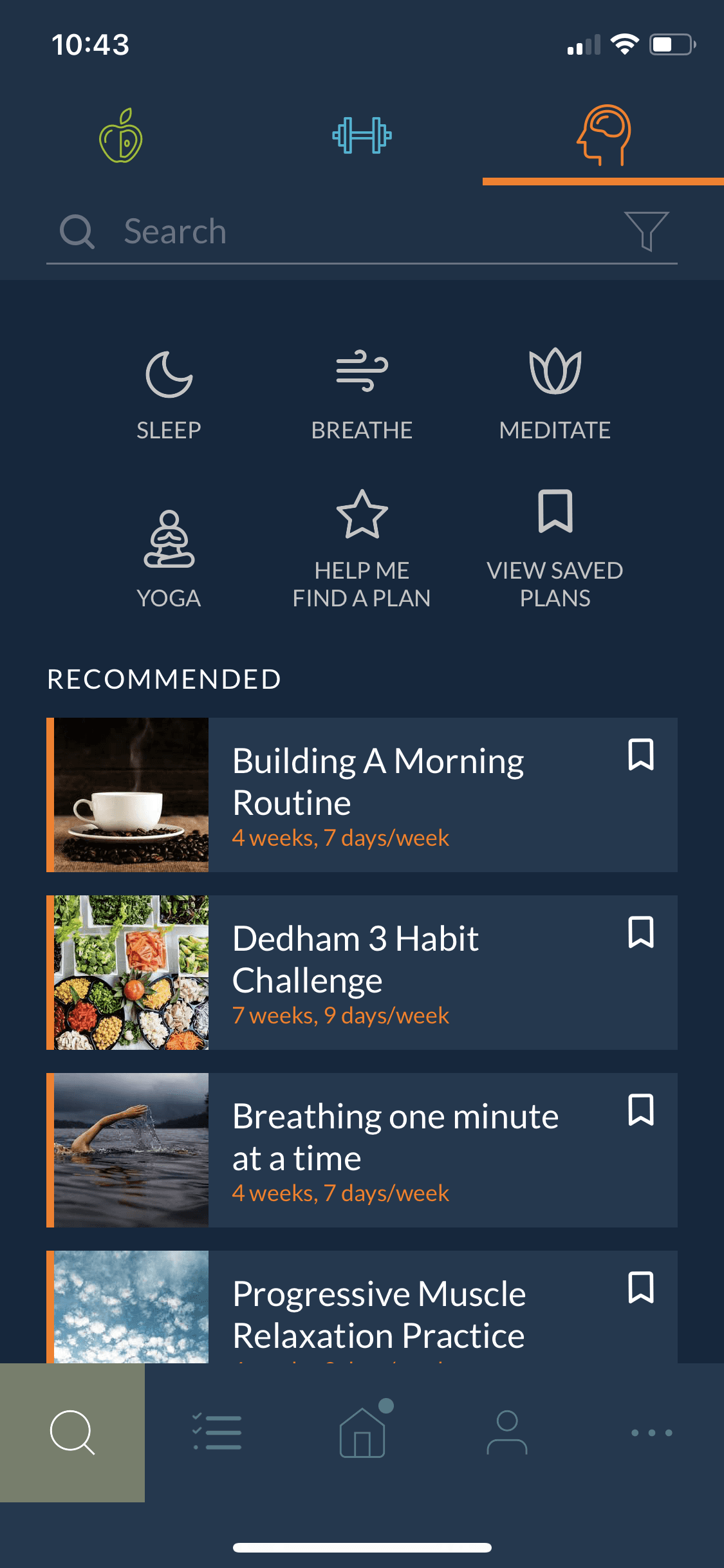
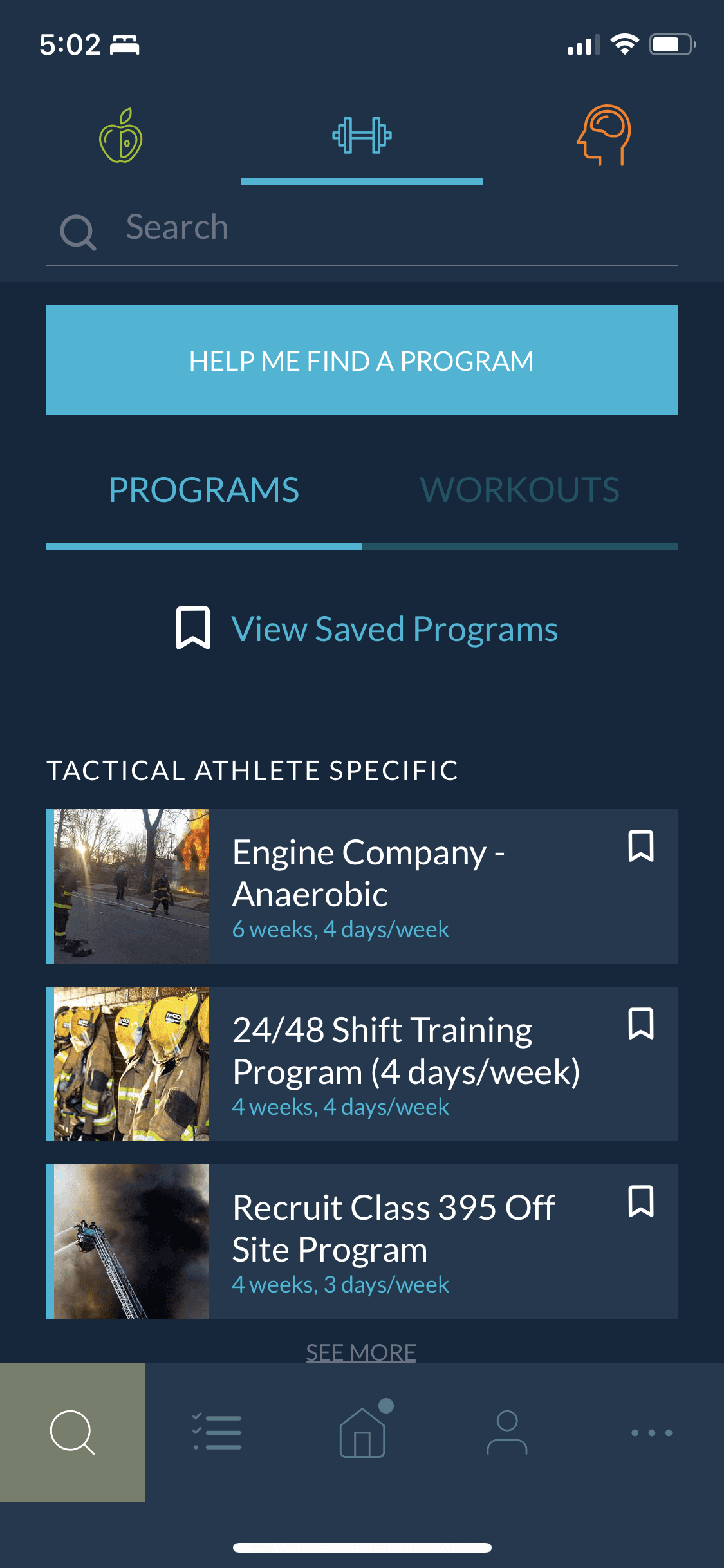
We talked with coaches and created a journey map to better understand the platform’s flows, functionalities and actions. We also conducted a UX audit of the web app to identify errors, evaluate its functions, and improve the platform.
Insights from the audit
Missing Textual Context: The app relies heavily on iconography for navigation, often lacking clear, supportive text titles.
Information Density: Content lists are visually cramped, with insufficient vertical white space.
Accessibility Concern: The font size used for secondary details appears small, posing a potential issue for mobile readability and accessibility standards.
Content Differentiation: There is a lack of visual tags or micro-labels on content cards to quickly differentiate between content formats (e.g., routines vs. challenges).
Navigation Consistency: The design successfully maintains a stable top bar and bottom tab bar, providing a predictable and solid structural foundation.
Action Panel Overload: Some sections feature a high number of actions and sub-navigation elements grouped together, creating a visually busy and somewhat cluttered interface.
Starting the ideation and design process
With the updated app requirements defined, along with a clear understanding of coach and athlete pain points and insights from the UX audit, we moved into the exploration phase. At this stage, we began translating research findings into early wireframes and user flows, focusing on simplifying key journeys, clarifying information hierarchy, and addressing the most critical usability issues. These initial concepts allowed us to quickly validate ideas, align with stakeholders, and set a strong foundation.
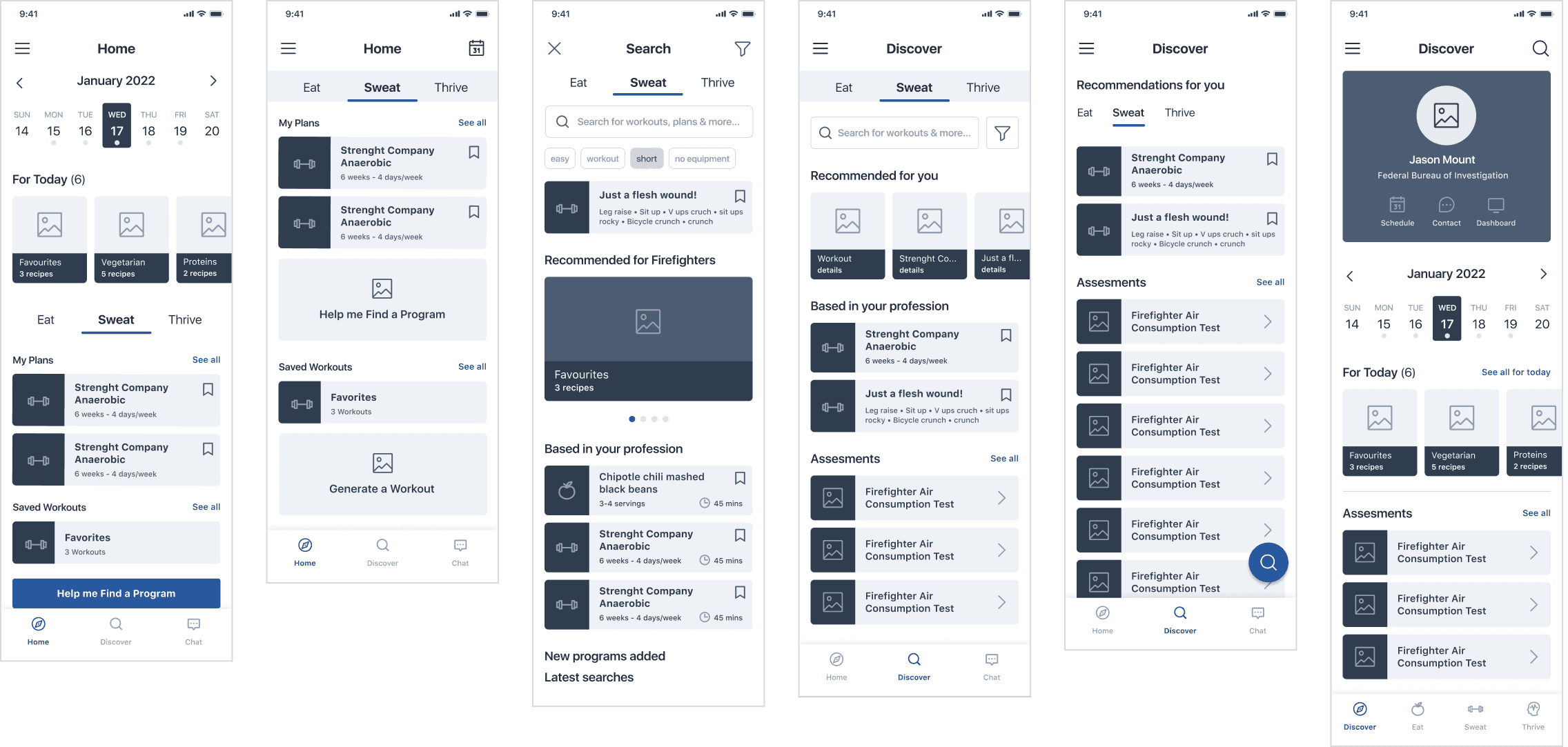
Main core pages wireframes
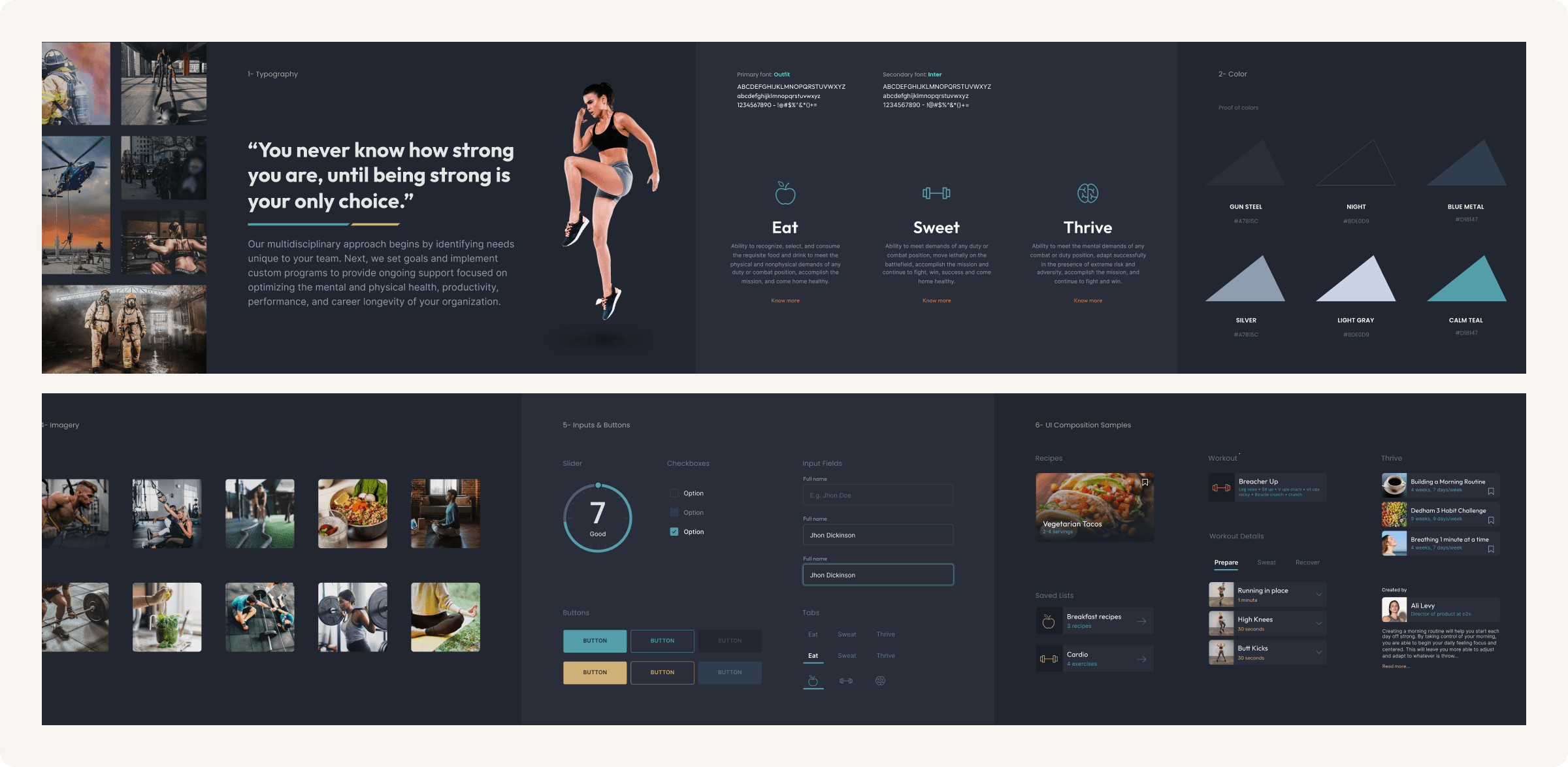
Working on style tiles
To quickly align on visual direction, I create style tiles that include small samples of color, typography, and a few key components (buttons, inputs, etc.). This lets stakeholders review the look and feel early on without the time commitment of building a full design or design system.
Designing the home page
The homepage was the first and most important screen to define. It now functions as a simple dashboard where athletes can quickly access the core features of the app.
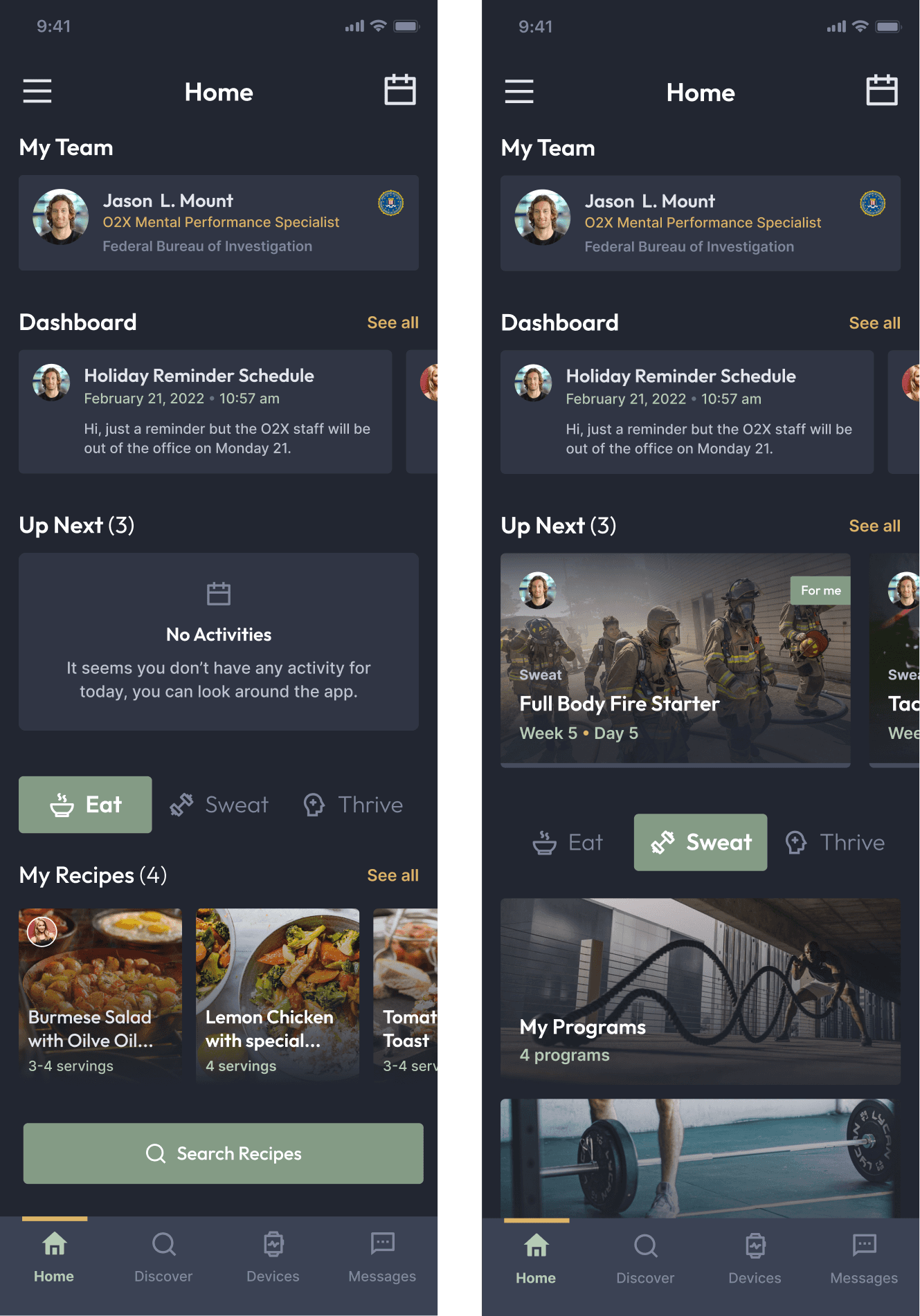
What we change from the old app?
• We added the assigned coach at the top so athletes can immediately see who they’re working with, view the coach’s profile, and start a chat with a single tap.
• We added a small section called Dashboard, which works as a quick reminder of upcoming events and calendar items.
• The Up Next section tells athletes what they need to complete today in terms of programs and exercises, so they can understand their priorities at a glance.
• We kept the tab component so athletes can quickly access the core features: Eat, Sweat, and Thrive. Each tab highlights the most relevant information for that category.
• A new calendar icon was added at the top so athletes can quickly access a full calendar view with all their activities.
• The UI was redesigned to feel more consistent, clean, and intuitive, creating a smoother and more focused experience.
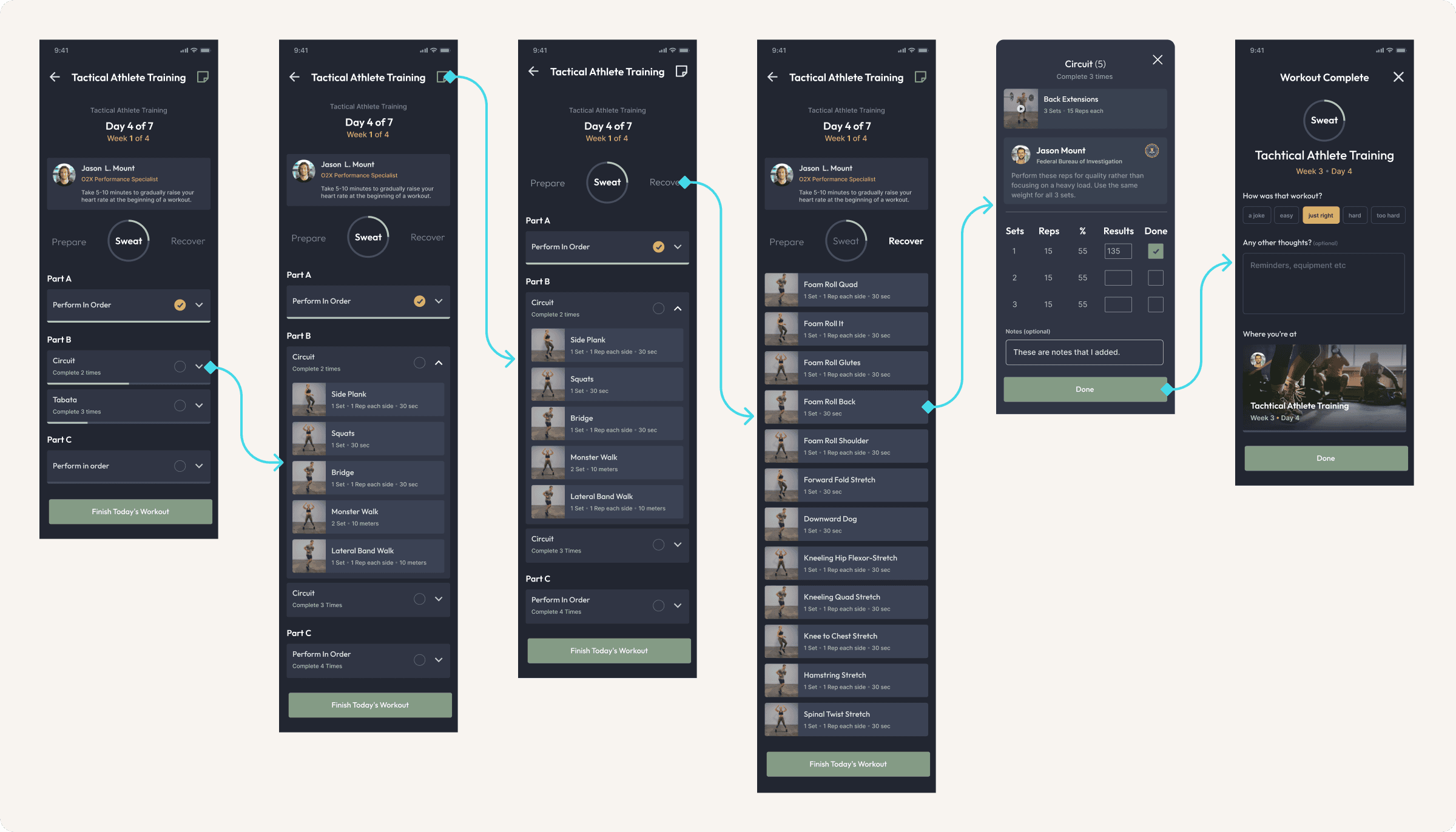
Sweat programs flow and UI screens
For the programs, we structured the content into clear sections, each containing its list of exercises. Every exercise can be customized, allowing athletes to input their own performance data. Coach notes were added at the top to provide context or guidance for the routine, and at the end we included a short daily survey so athletes can quickly evaluate how their session went.
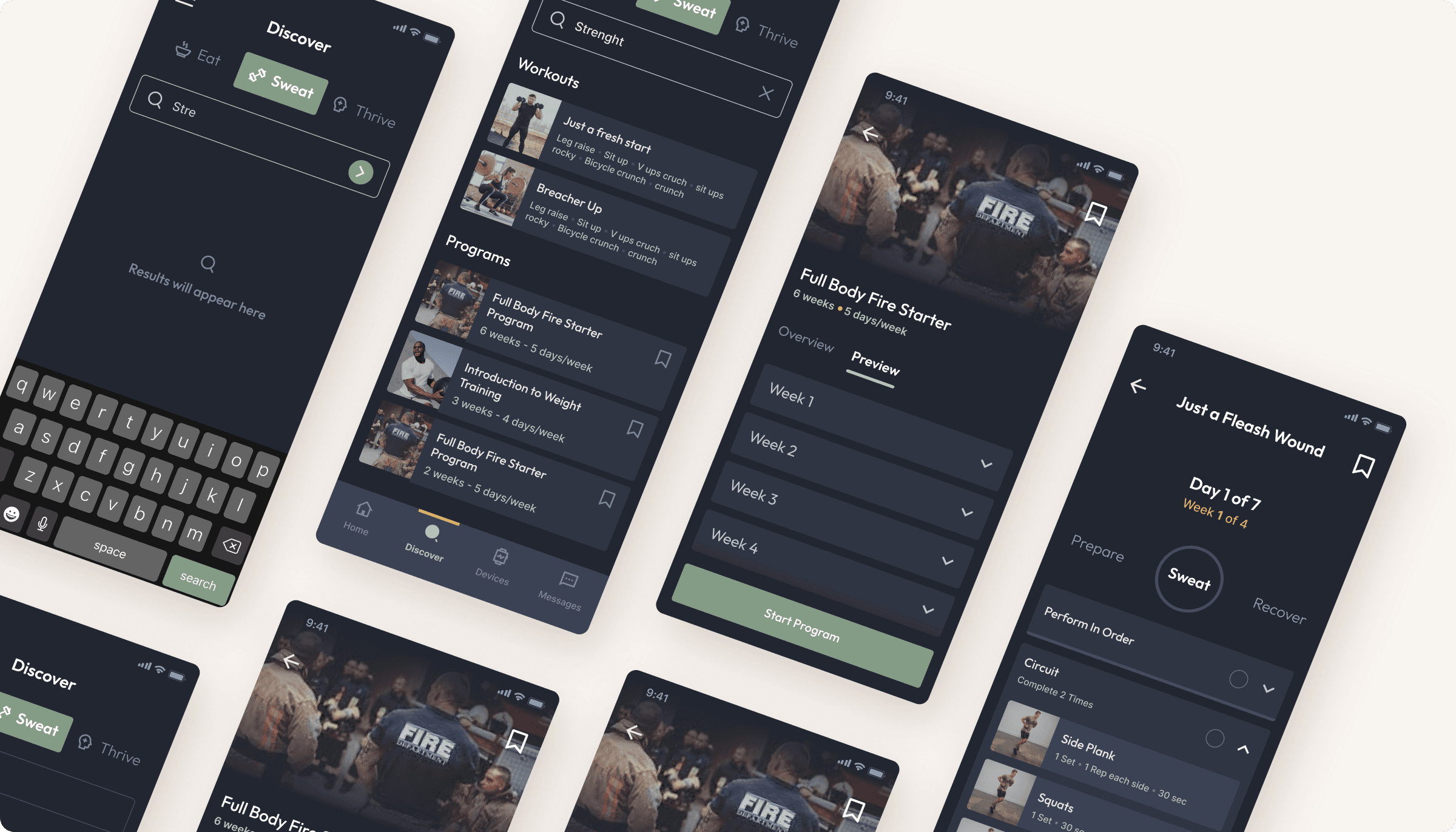
Discovery section
The Discover section helps athletes find programs, routines, exercises, and recipes through a keyword-driven search. They can preview each workout, read its description to see if it fits their goals, and then add it directly to their wellness plan.
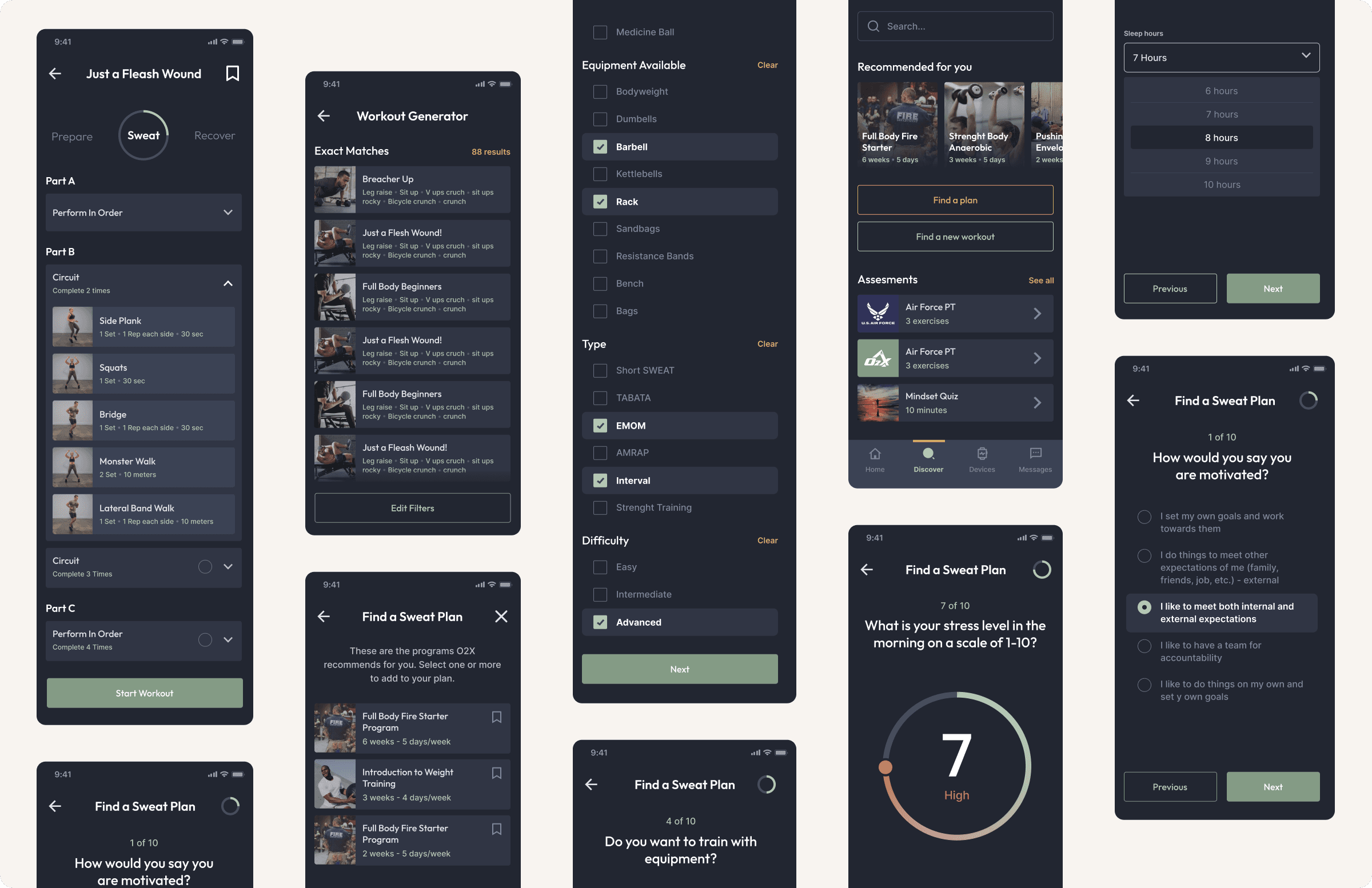
Find a plan and workout generator
The Find a Plan feature helps athletes discover routines that match their goals and constraints. They can personalize the search based on injuries, available equipment, and preferred difficulty level. For the Workout Generator, the app collects essential personal and physical information to create a tailored training routine that fits each athlete’s needs.
Giving life to designs and testing them
After applying the new design to the screens and receiving approval, we moved on to creating a testing plan to define testing plan, tasks, scenarios, and prototype the app flows in Figma.
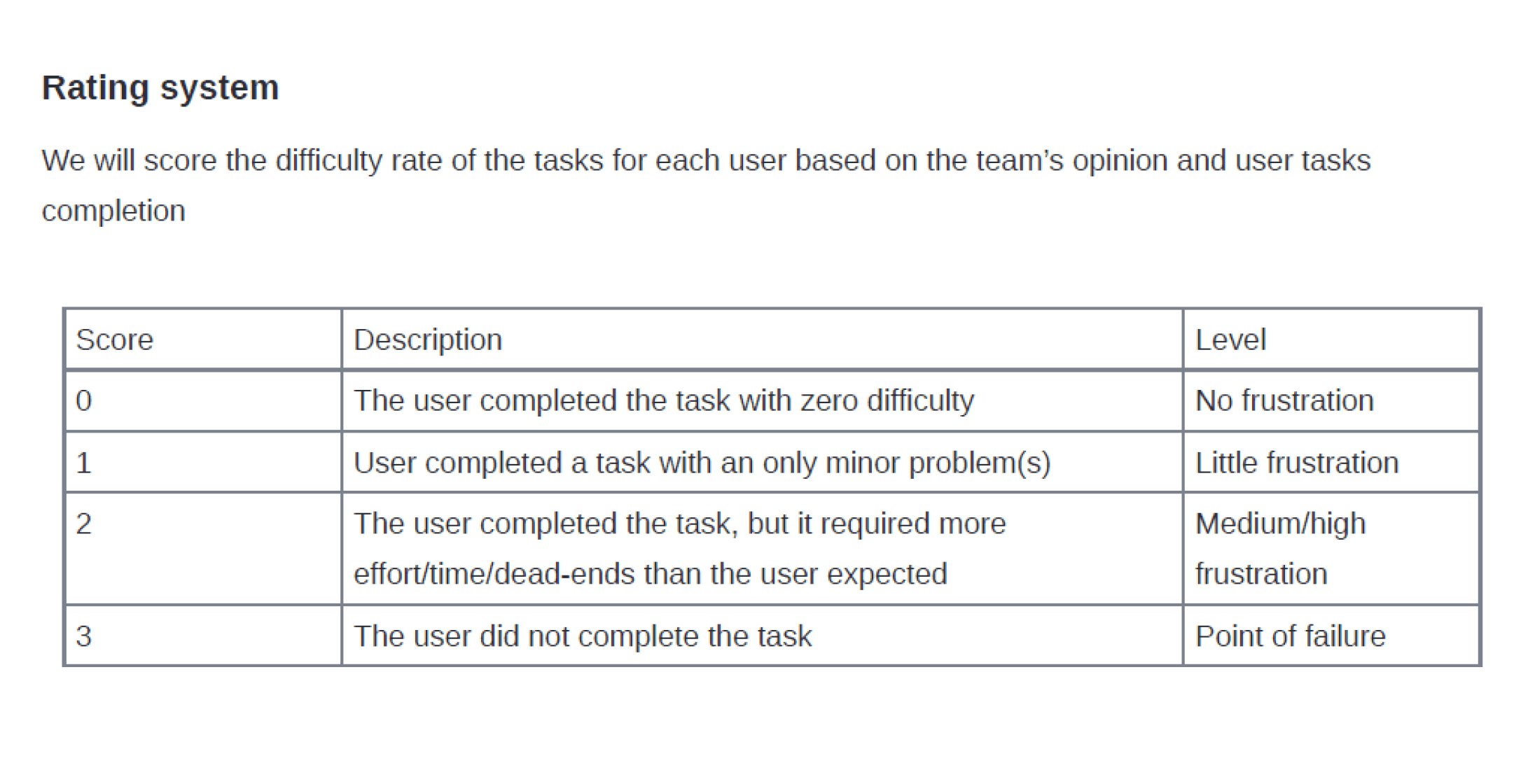
Rating system for the testing
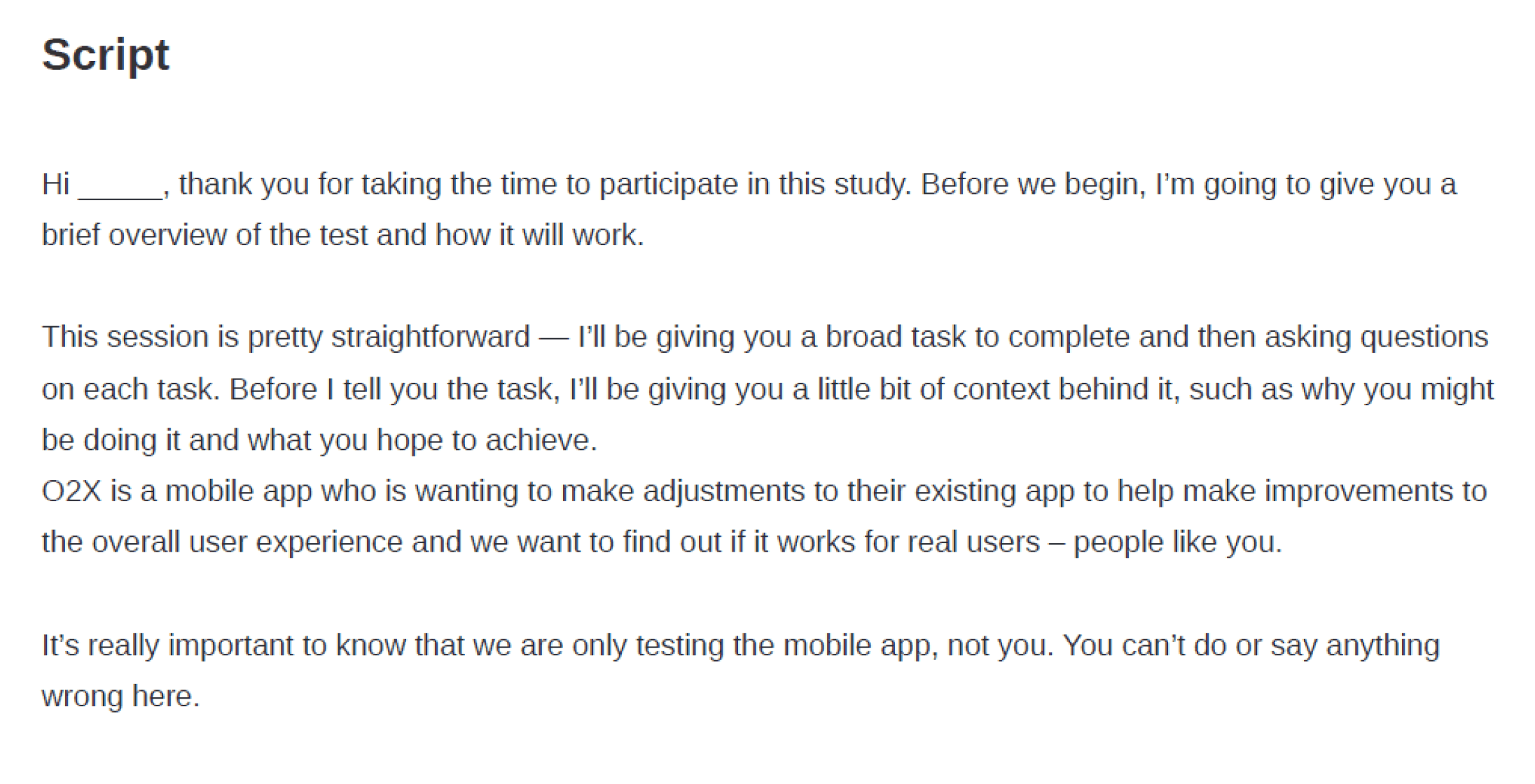
Script for moderator and participants
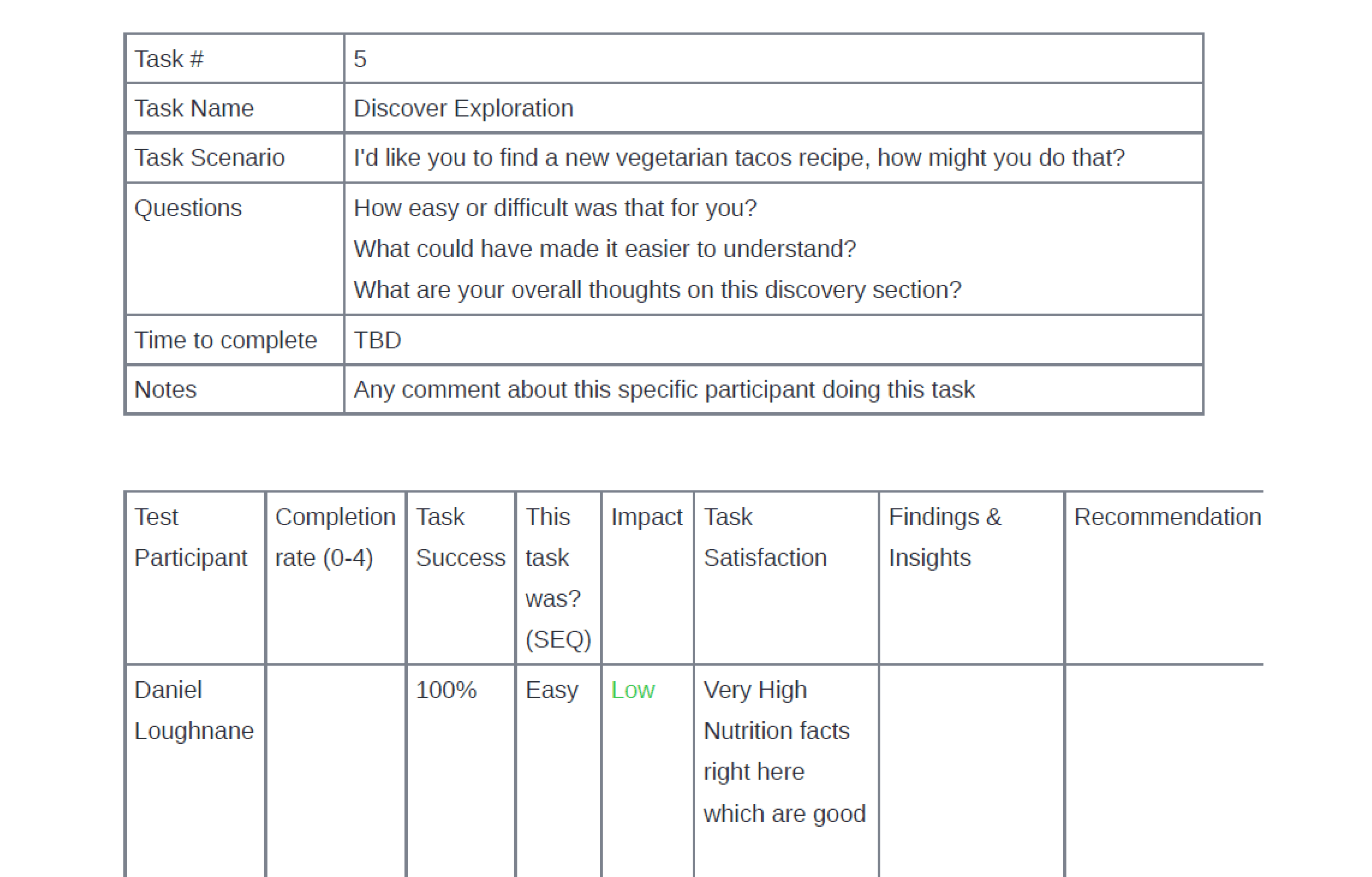
Test task results
Positive insights
Overall, the feedback was very positive. The new UI made an immediate impact athletes appreciated the cleaner layout, the easier navigation, and the overall consistency. The redesigned homepage was especially well-received; the ability to quickly see daily activities and track progress.
UI is great and friendly
Duplicate a day or program is fantastic
Filtering options is a quick saver
Easy to find exercises
Way easier to create programs and assign them
Having athlete info is useful
Custom typing for sets, reps, and rest is easy and intuitive
Neutral & constructive insights
A few usability issues surfaced. Some athletes didn’t immediately understand where to enter their own exercise values (reps, time, weight, etc.), and a few exercise names or related questions caused confusion. These insights will guide the next iteration to improve clarity.
Coaches want to see filter options for "Injury" or "rehab"
Add injury tag to an athlete would be nice
Find a plan is a bit confusing
Larger preview of exercises
Provide clear categorization of exercises
Select multiple days or weeks for copying
Key Takeaways
After testing the prototype and gathering feedback, the development team moved forward with building the app. A few months after launch, we received performance data from stakeholders showing strong positive results. Athletes adapted quickly to the new design and expressed high satisfaction with the updated UI.
The entire O2X team also reported improvements in usability, with the redesigned experience being significantly more intuitive and easier to use.
Similar projects
This was one project, there is more!
See how I’ve helped other teams improve their product experience through design.