Revinova UX Audit: Improving User Flows and Conversion
Revinova is a web-based platform that helps users access, explore, and engage with curated content and services through a subscription based model. The product combines free and premium content, requiring clear value communication, smooth onboarding, and intuitive navigation to drive engagement and conversion.

Educate Prospects with
Knowledge-Led Growth
A discovery hub showcases your thought leadership content driving knowledge-led growth.
SIGNUP FOR FREE ACCESS
Home
Discover
SIGN IN
TALK TO AN EXPERT
Problem
While Revinova offered valuable content, the overall experience made it harder for users to understand where to start, how to navigate content, and when or why to upgrade. Inconsistent spacing, visual hierarchy, and styling affected clarity, while some key flows such as filters, content discovery, and the transition from free to premium lacked structure and guidance. These issues created friction, reduced engagement, and limited conversion opportunities.
Timeline
1 month
Services
Strategy
UX Research
UX Audit
Team
1 Stakeholders
1 Project Manager
1 Designers
3 developers
Role
Sr. Product Designer
Goals
The goal of this UX audit was to evaluate Revinova’s web application and marketing website to identify usability, visual, and flow issues, and to define clearer paths for users to discover content, understand value, and convert from free to premium.
Identify usability and flow issues across the web application
Improve clarity between free and premium content
Website audit and improvements
Improve visual consistency, spacing, and overall UI quality
Reduce friction in key user journeys such as browsing, filtering, and joining
Outcome
The UX audit led to a more consistent and user-friendly experience across Revinova’s marketing site and web app. Updates to the marketing page improved clarity and positioning, with early signs of increased traffic. In the product, key flows were refined, including free premium access via email signup and course navigation, while visual consistency across spacing, colors, and buttons was standardized. Stakeholder feedback confirmed the changes were well received, resulting in a cleaner, more intuitive interface.
Revinova continues to run ongoing UX audits as part of a continuous effort to improve user satisfaction and the overall product experience.
UX audit for the discovery landing page
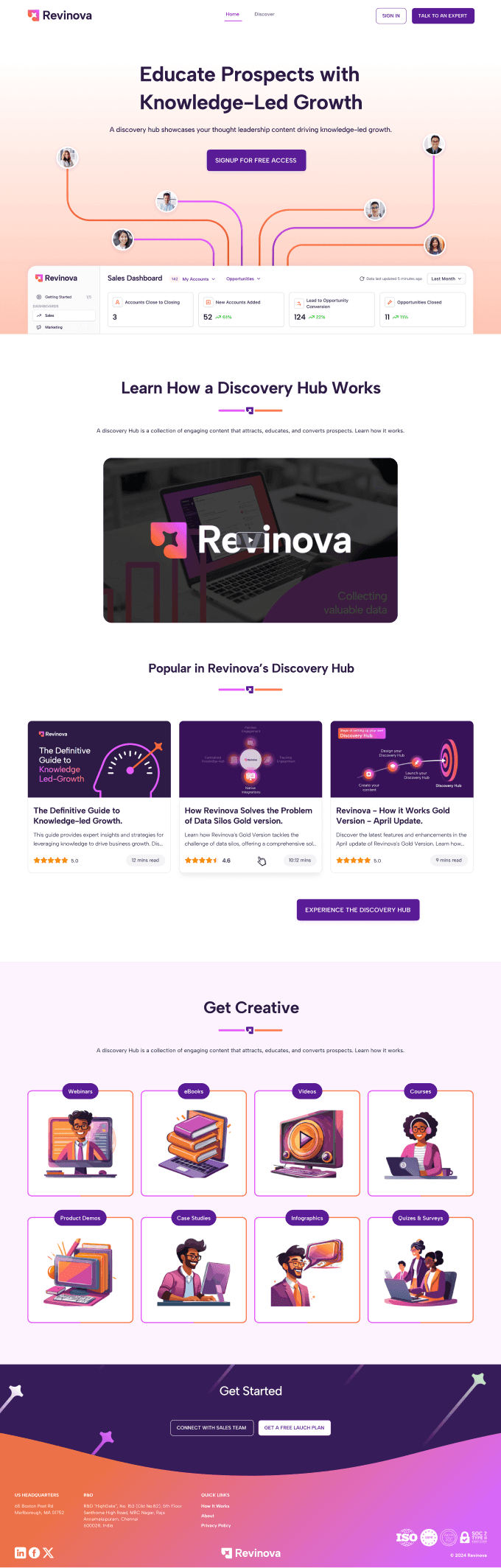
We started by reviewing the Revonova landing page. The content was fine, but there was room to improve it. While the marketing team was working on the messaging, the UX/UI team focused on user experience and design details, looking at how we could make the page more visually engaging.
We took small, quick steps. First, we ran a UX audit by navigating the page, understanding the users, and clarifying the goals the landing page needed to achieve.
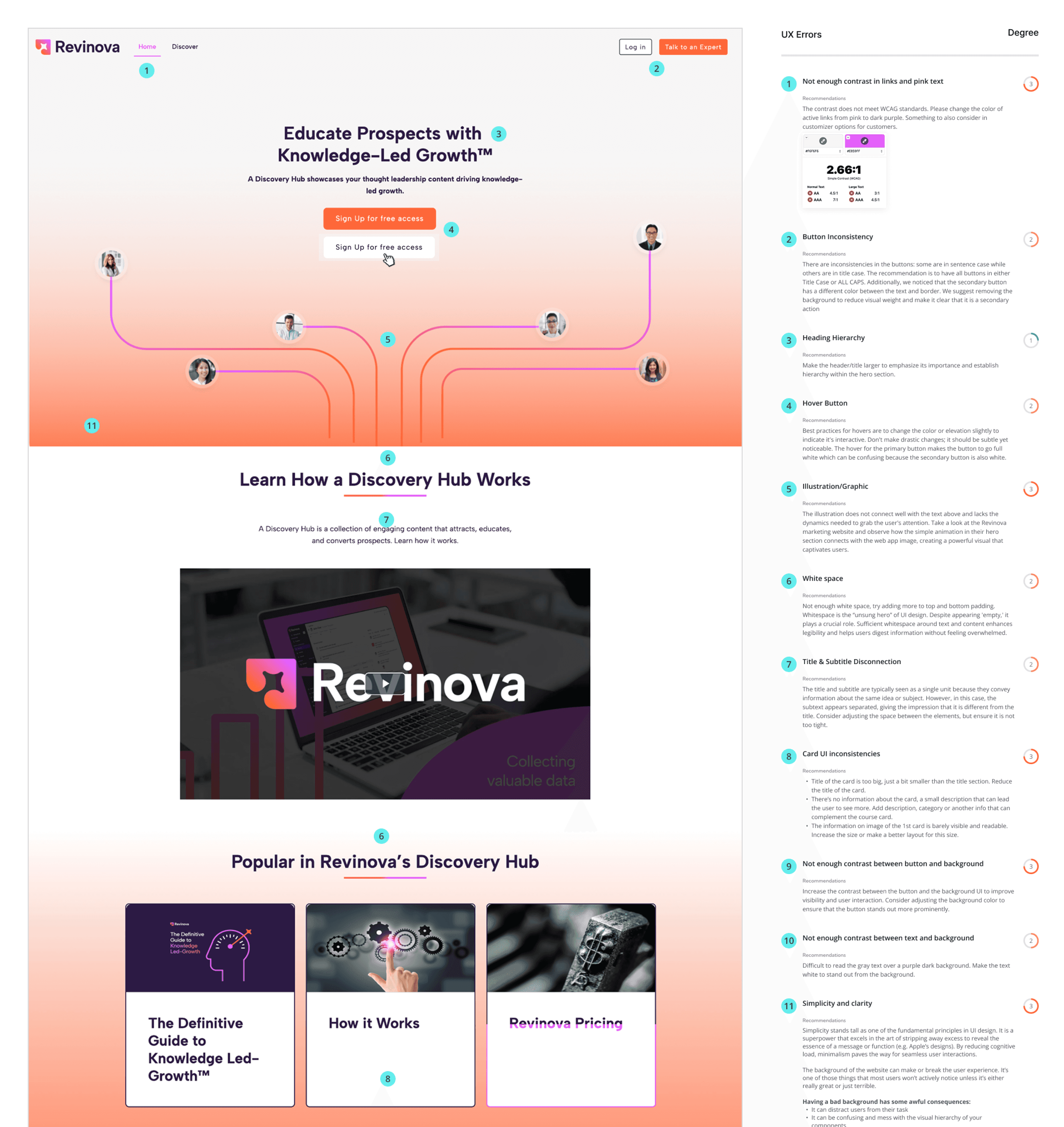
Old landing product page for Revinova
Defining small changes on the landing page
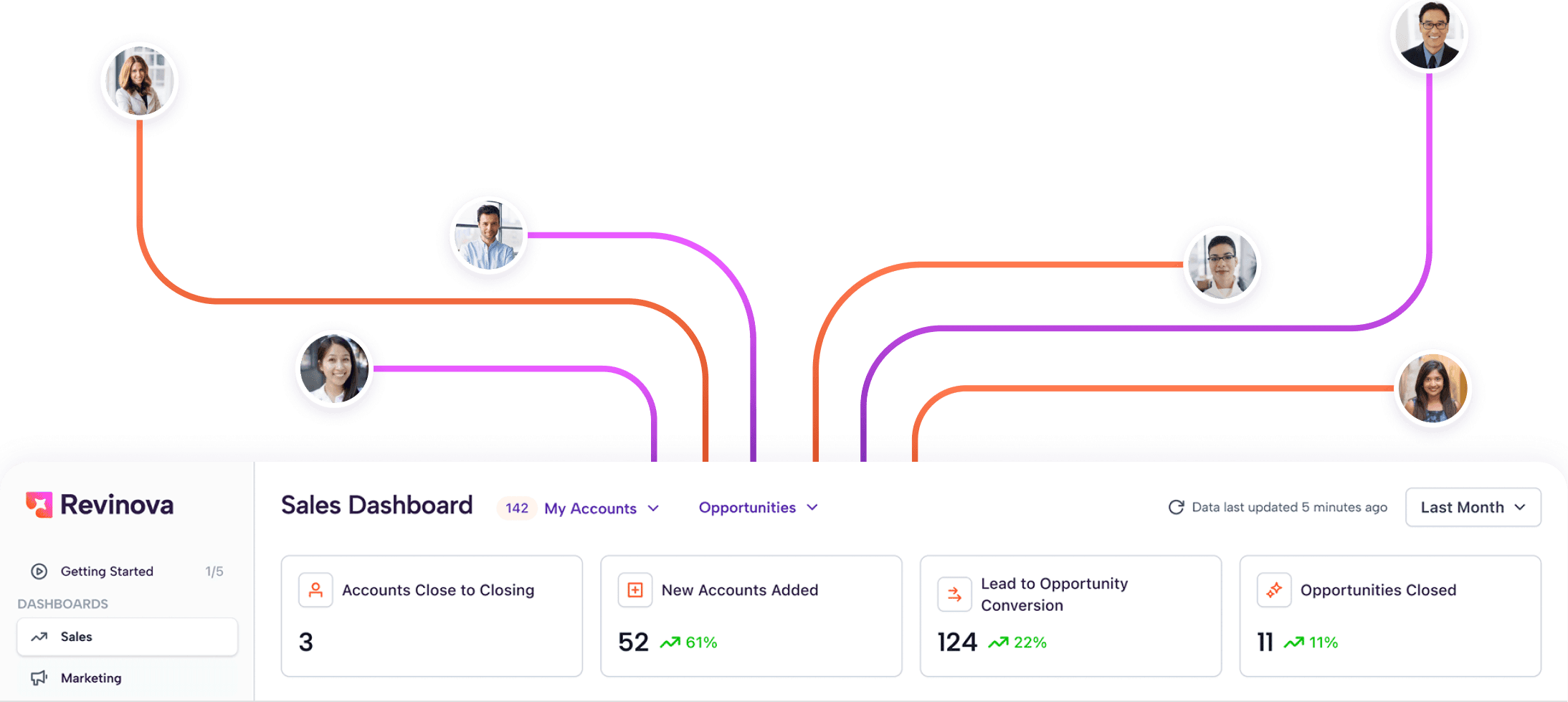
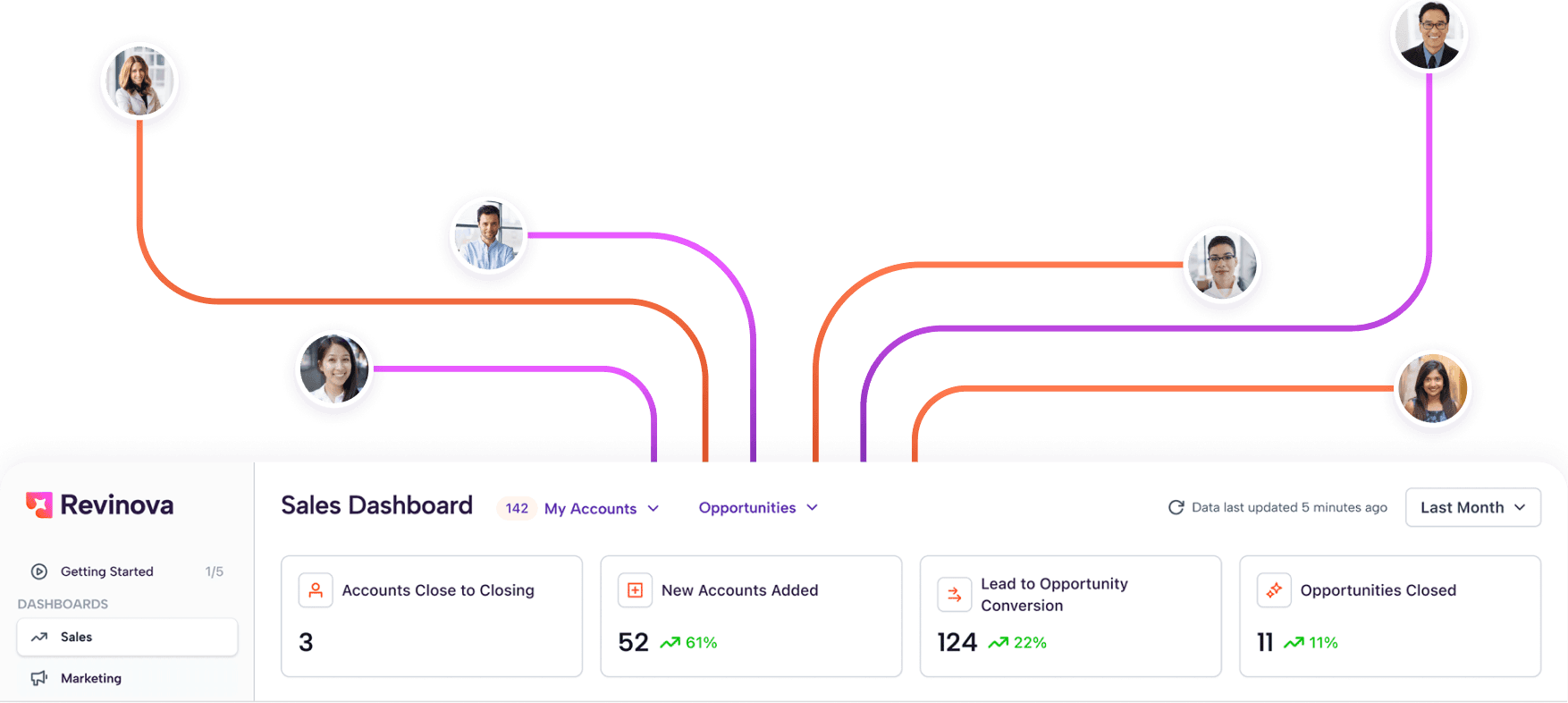
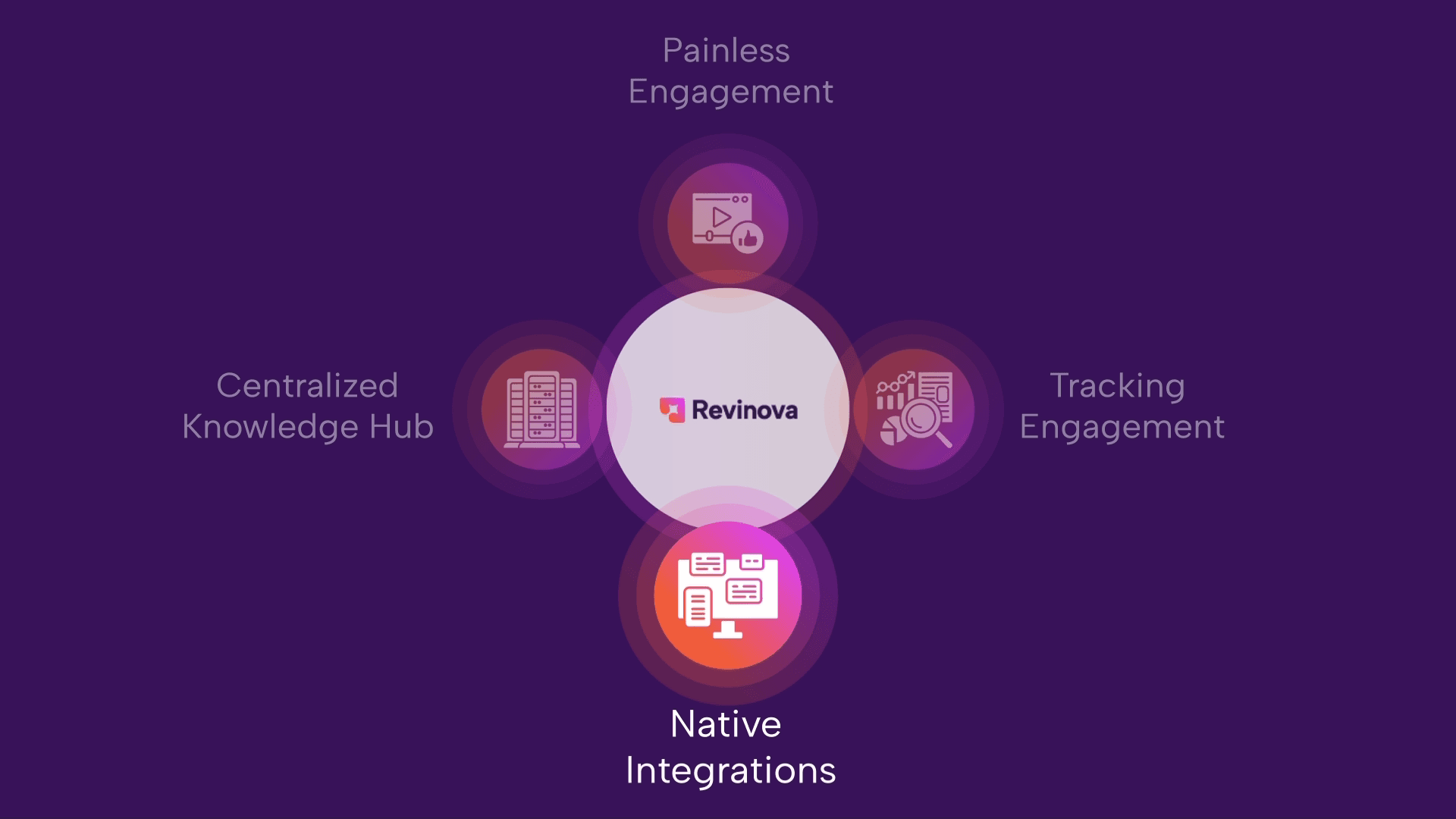
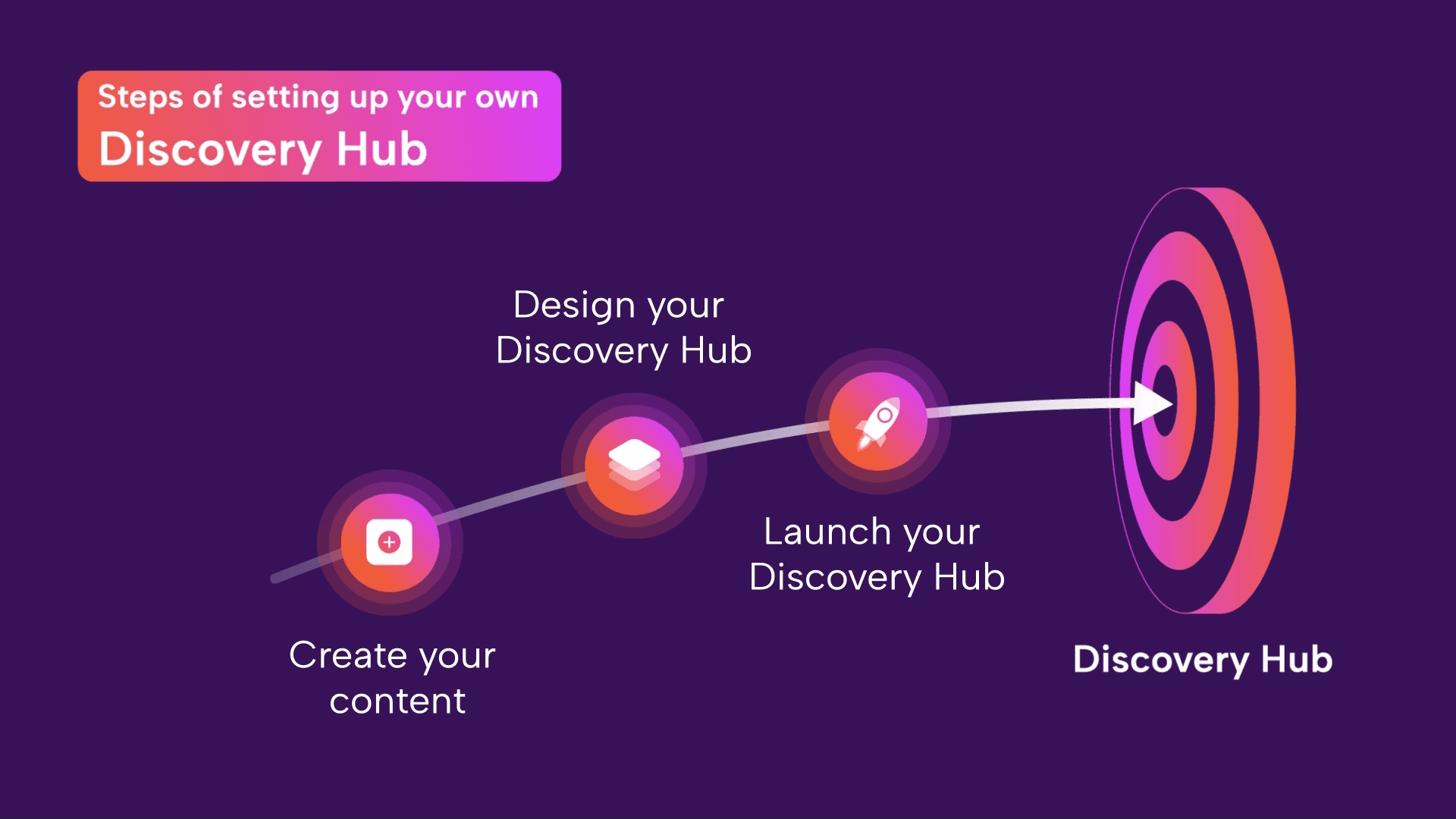
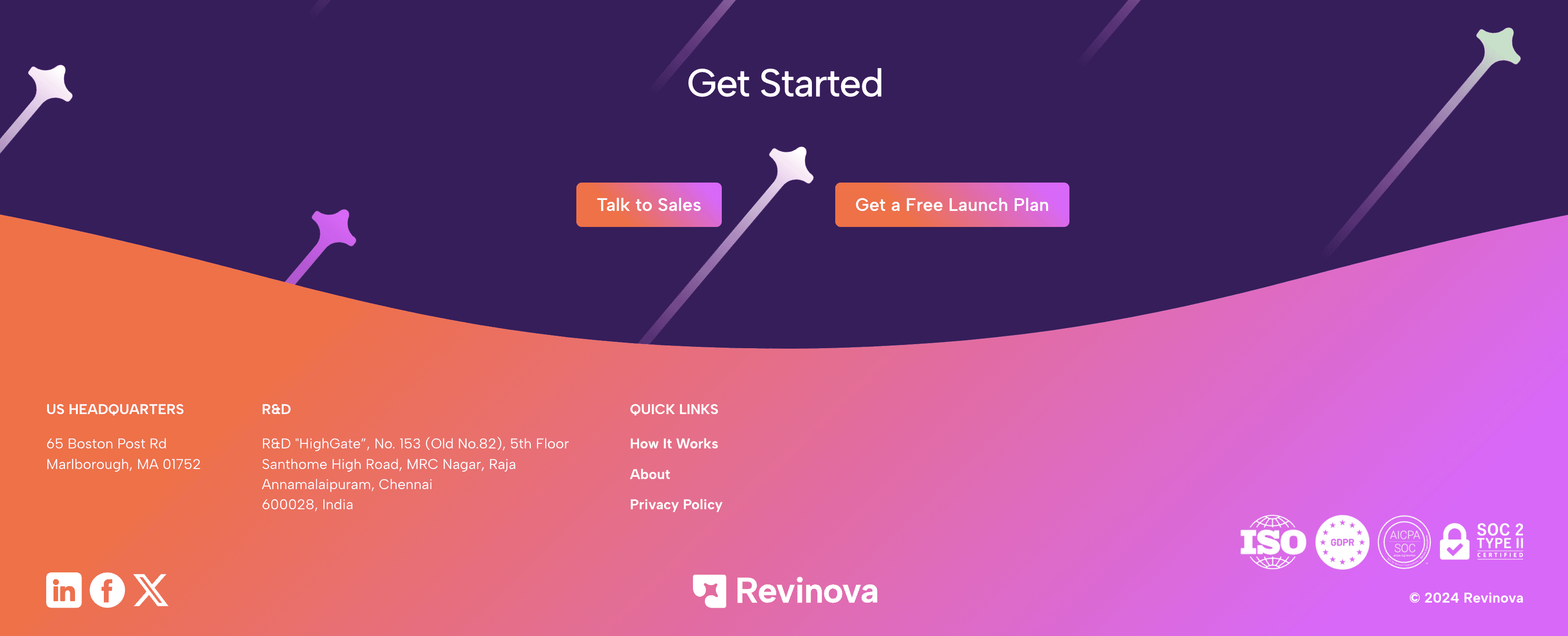
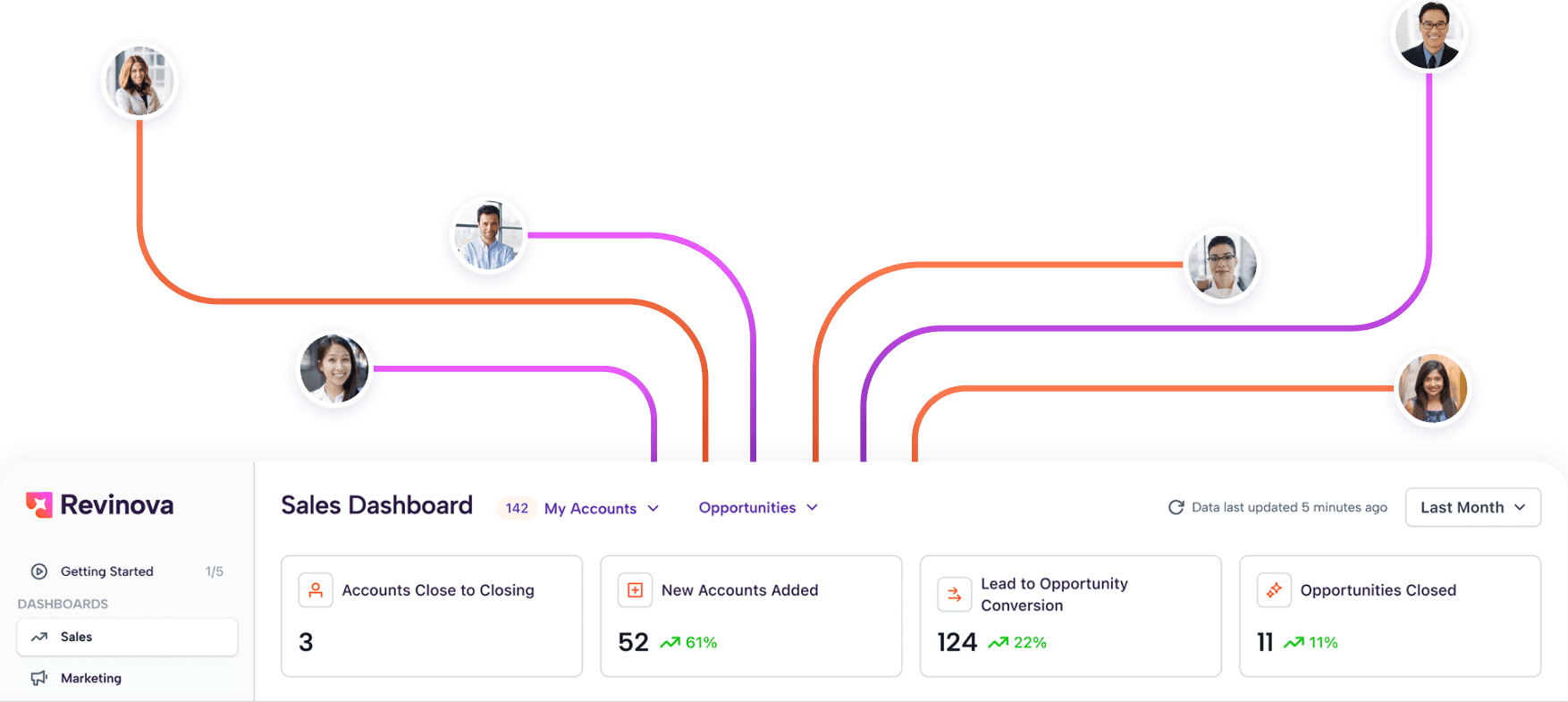
In the hero section of the landing page, we added a preview of the product itself to quickly and dynamically show the Revonova web app. We significantly improved how course cards were displayed in HubSpot, as well as the layout of the different categories and resources. We also refined the footer to make it clearer and more consistent with the rest of the page.









UX audit for the web app
Then it was time to analyze the web app itself: the interface, pages, filters user flows, cards, and the overall experience. After reviewing everything, we started designing new flows and visual elements that would help improve both the usability and the visual quality of the web app.
Filters and cards
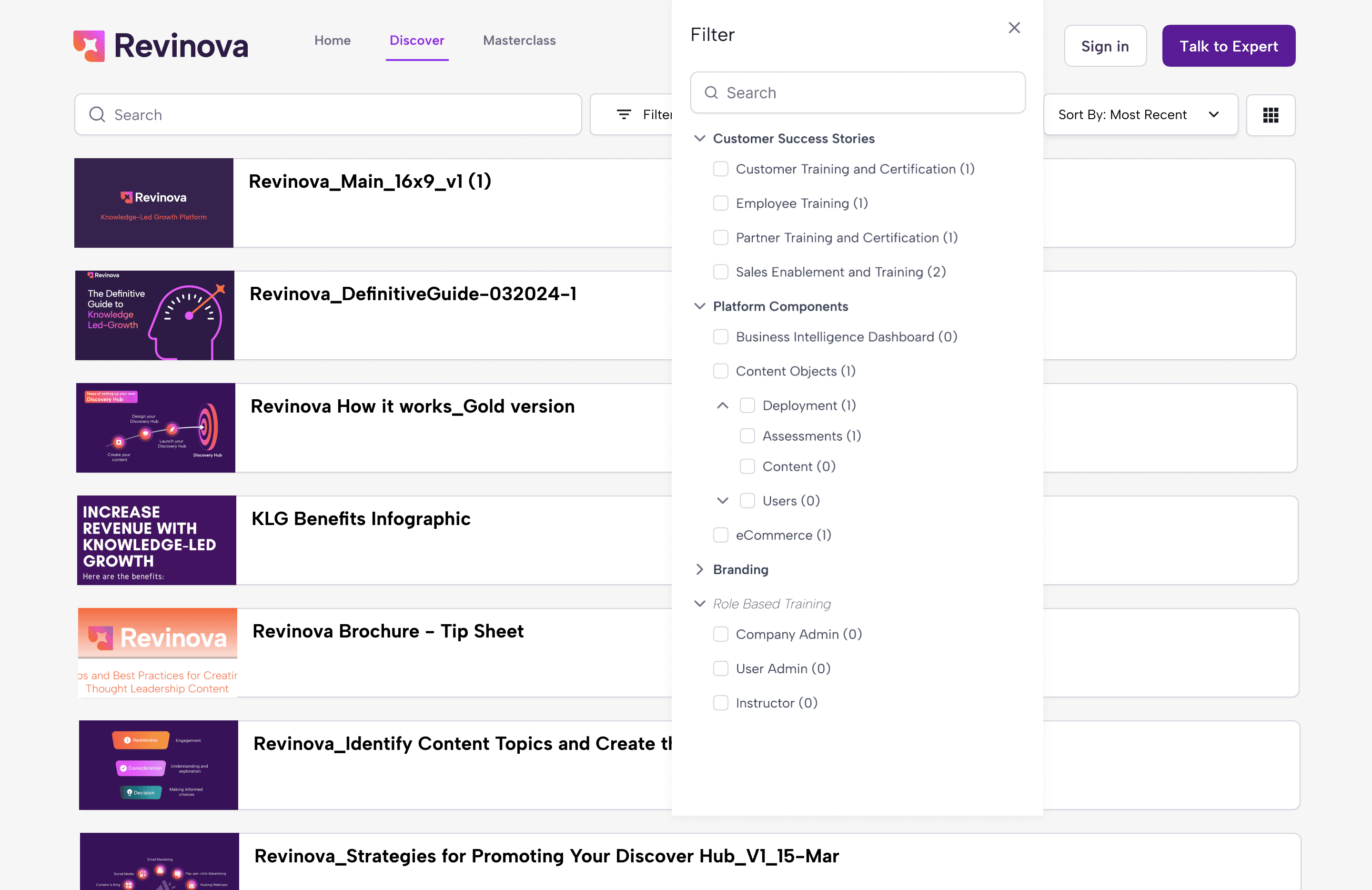
We started by reviewing the filters, their structure, and how they worked. Overall they were solid, with only small issues around alignment and how applied filters were displayed.
The cards were a different story. They lacked consistency and, visually, felt flat and unengaging. They didn’t highlight key information or give users a reason to stay interested or interact with them.
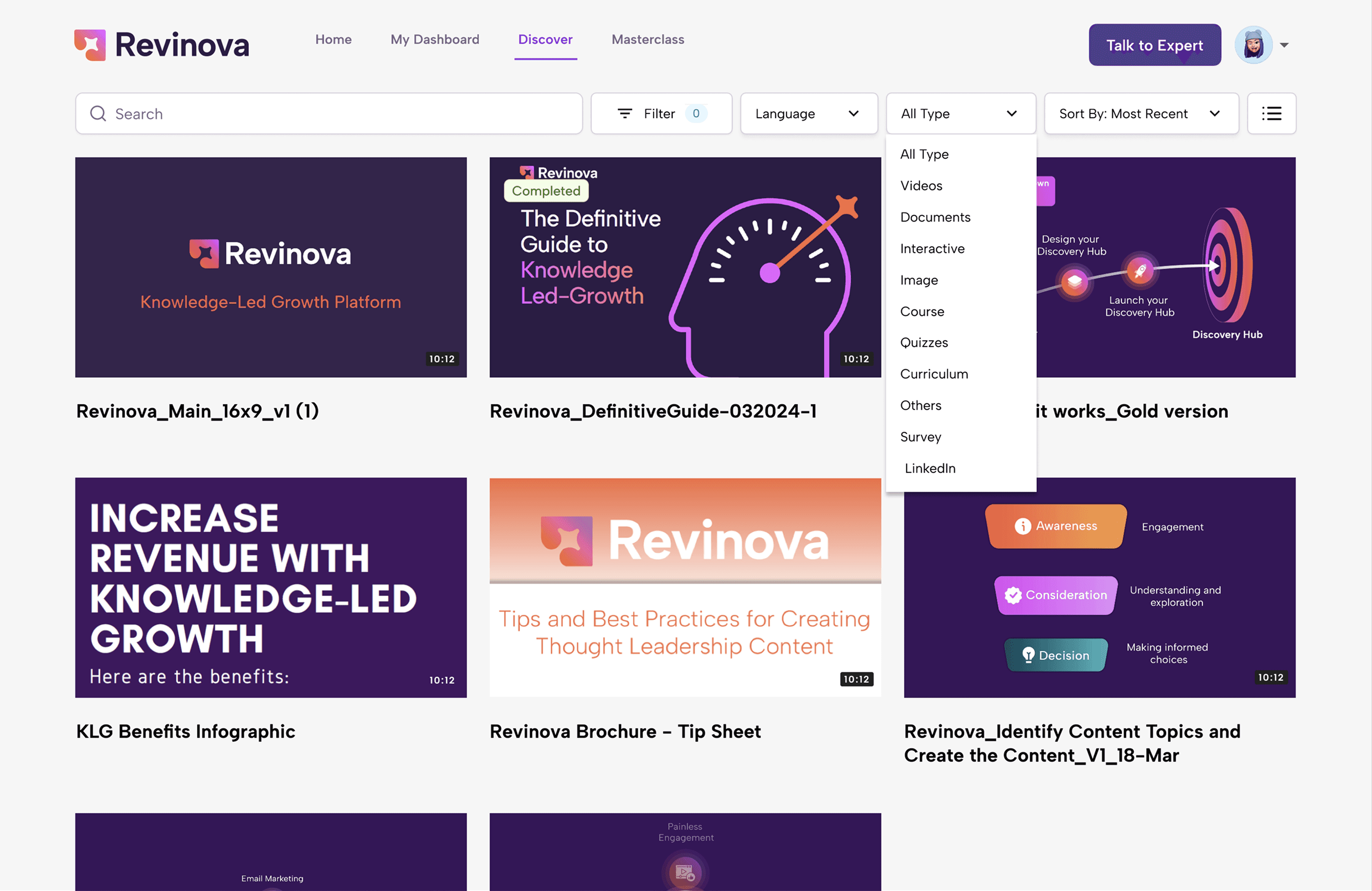
Old filter UI and old card design
Main core pages sketches
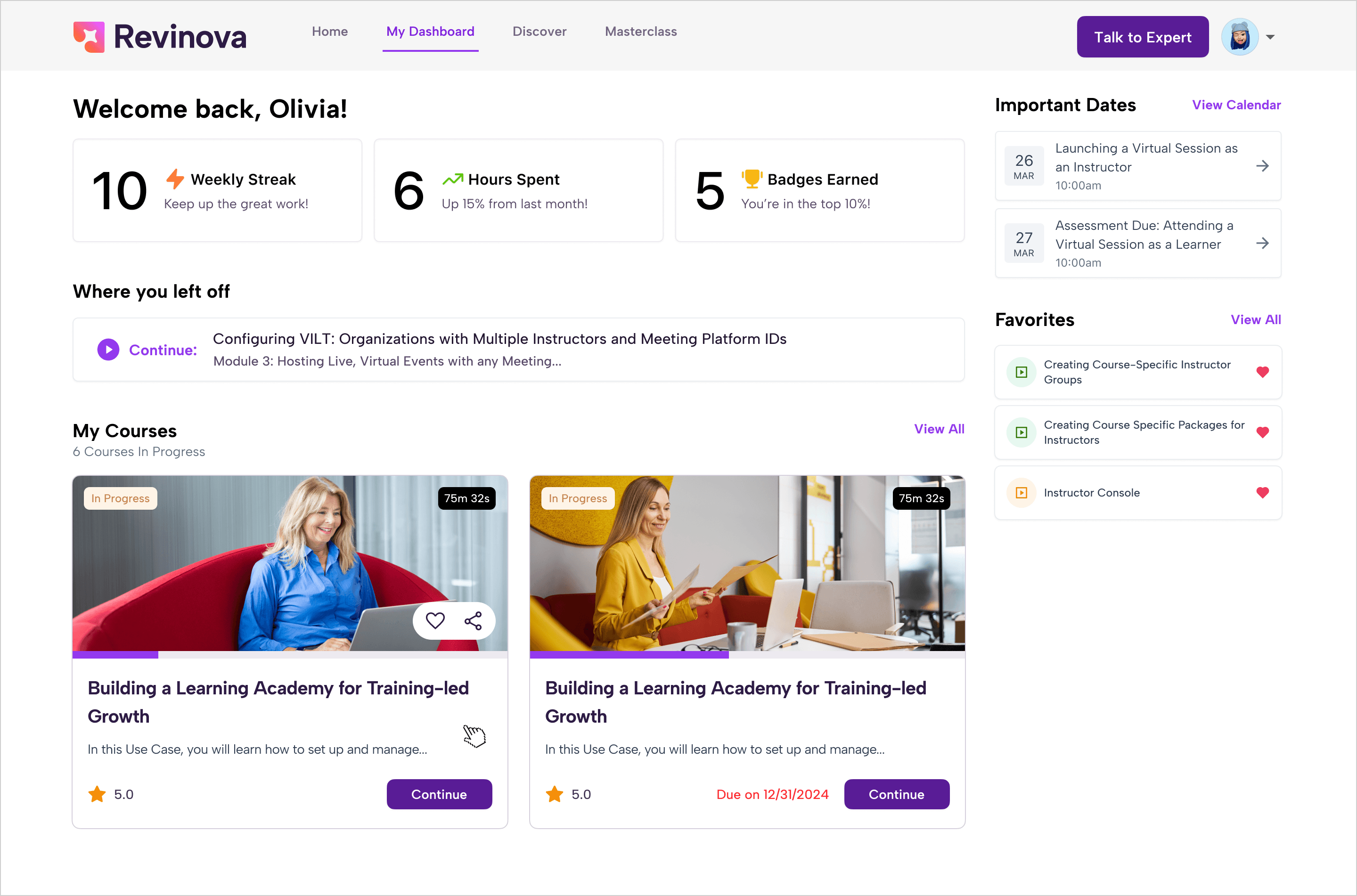
Dashboard insights
On the dashboard page, the overall layout was solid, but it lacked clear visual hierarchy. Text, colors, and sizes didn’t create enough contrast to guide the user’s attention.
The “My badges” section didn’t add real value for users and wasn’t being used so much, so we decided to remove it for now.
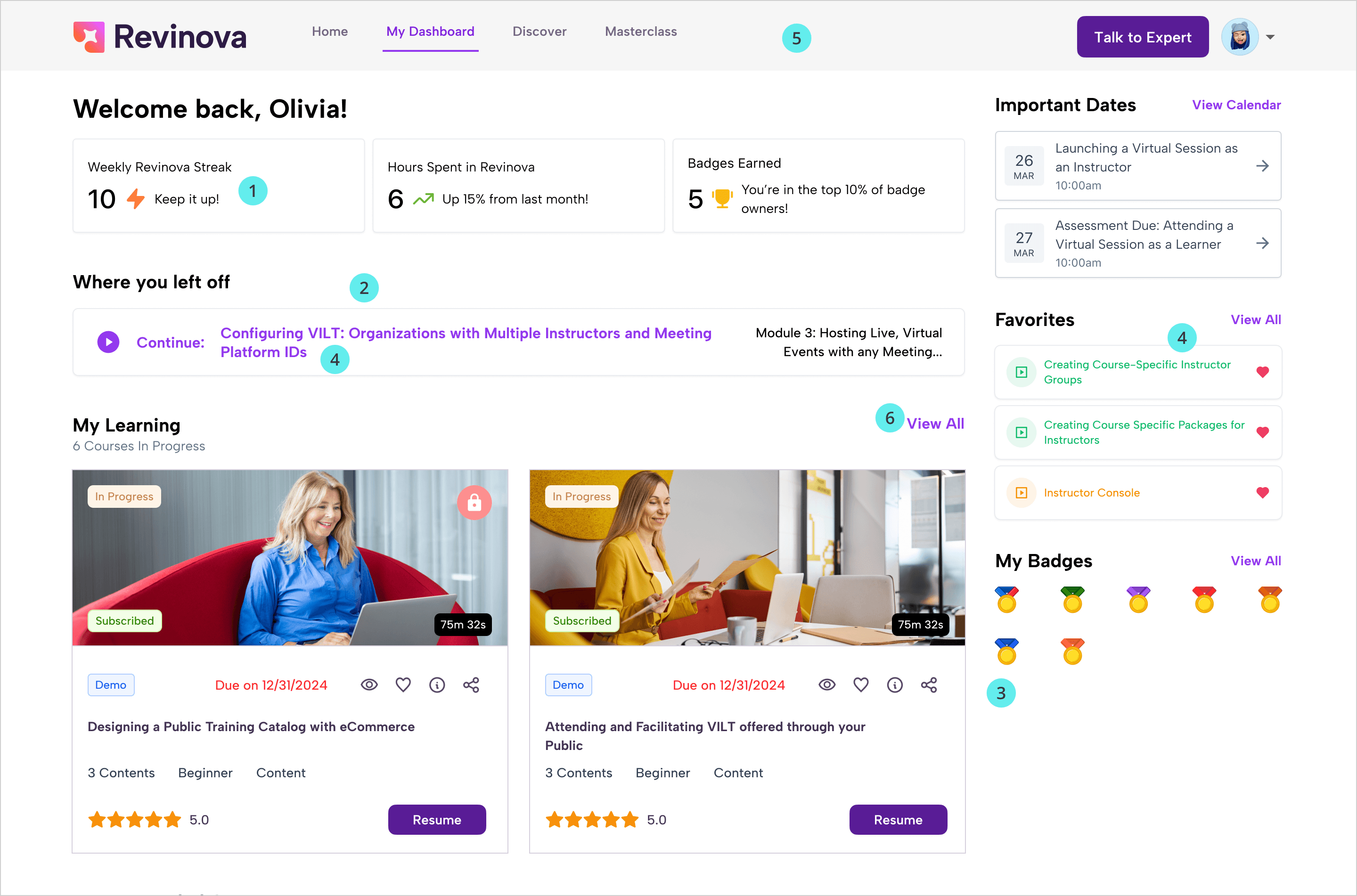
Old filter UI and old card design
Main core pages sketches
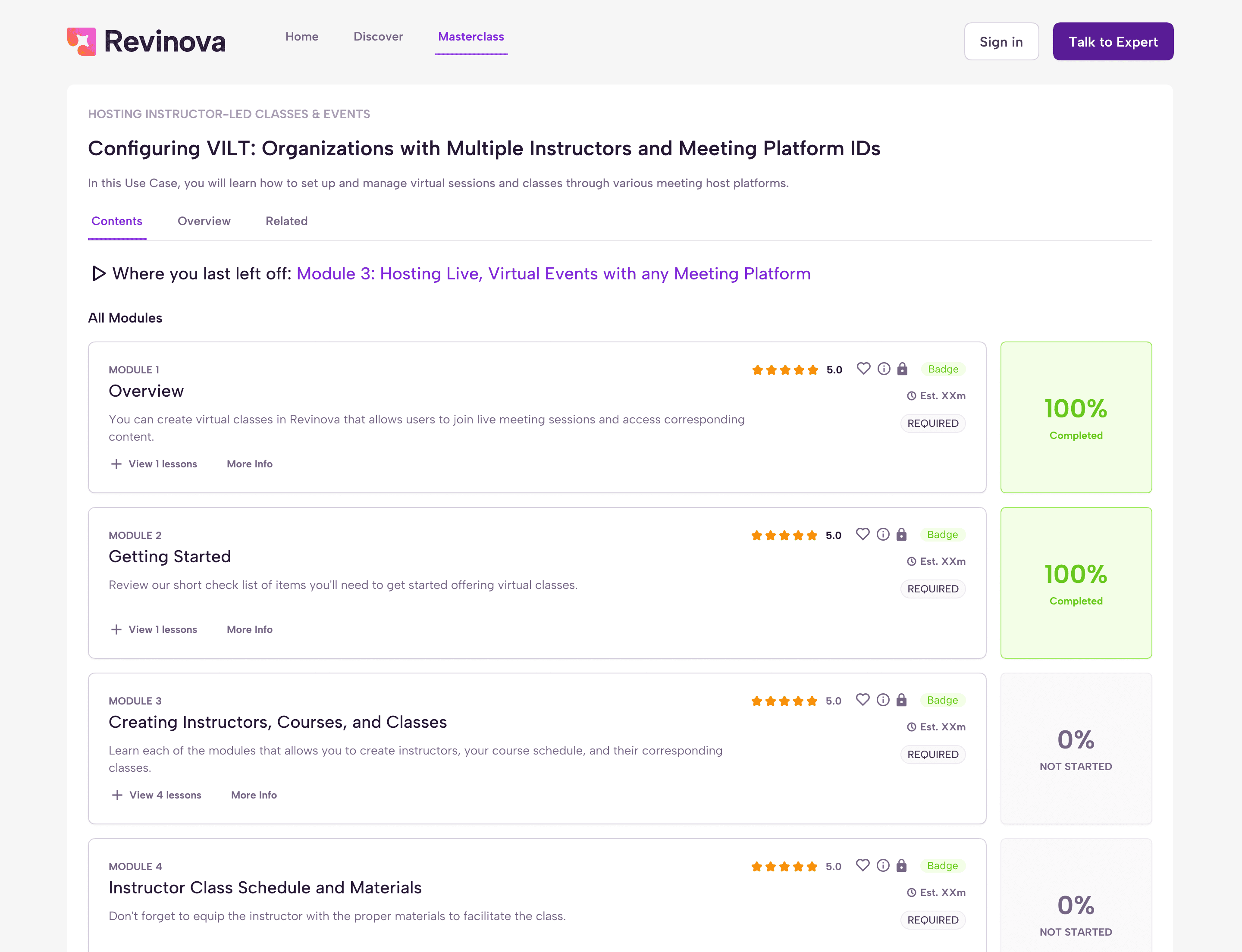
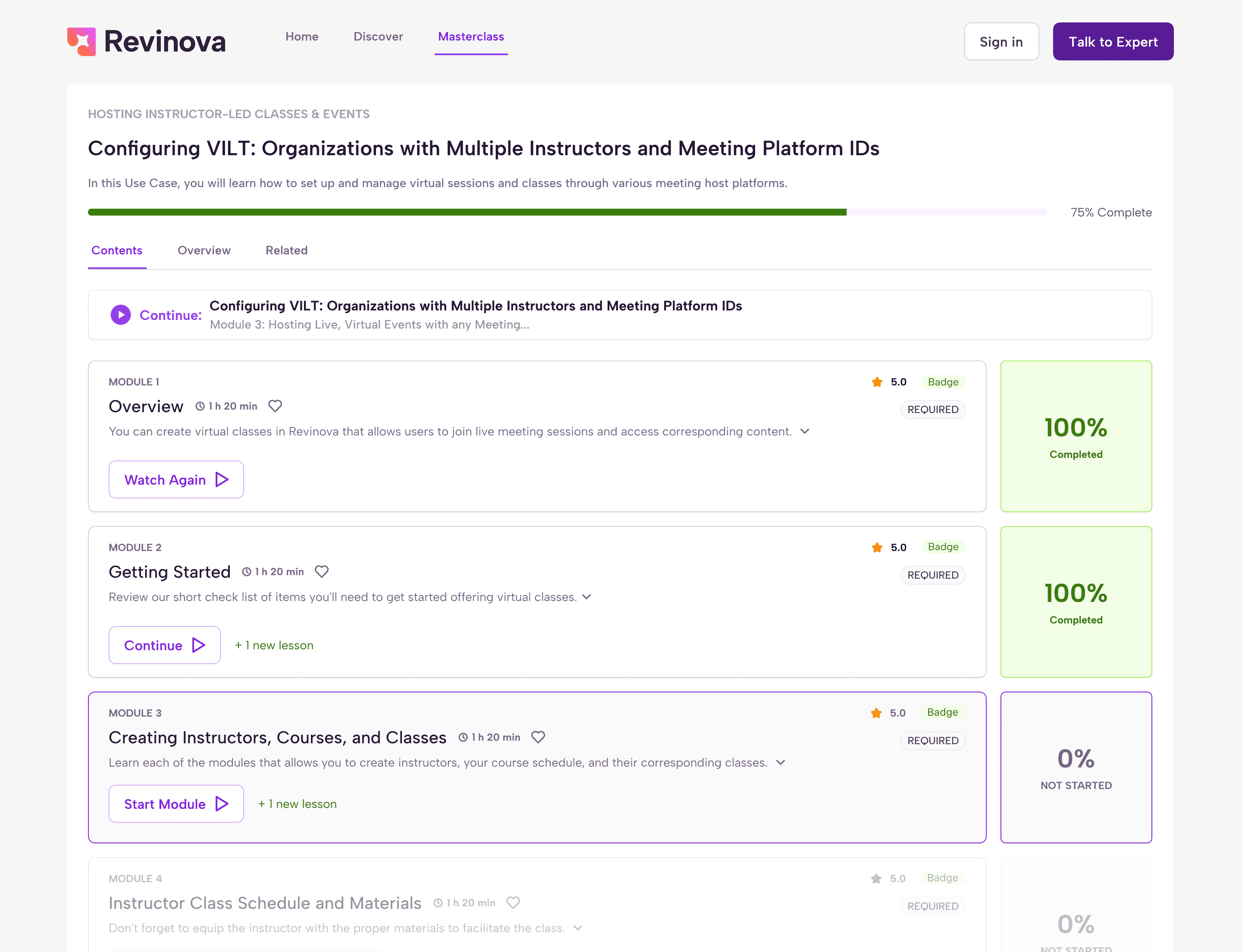
Analyzing the masterclass page
For the masterclass page, where users see the course chapters and module descriptions, we added a much-needed progress bar. We also worked on the visual hierarchy and defined the different module states, such as completed, not started, and locked, including how each state would look and behave.
Old filter UI and old card design
Main core pages sketches
Access to free premium content
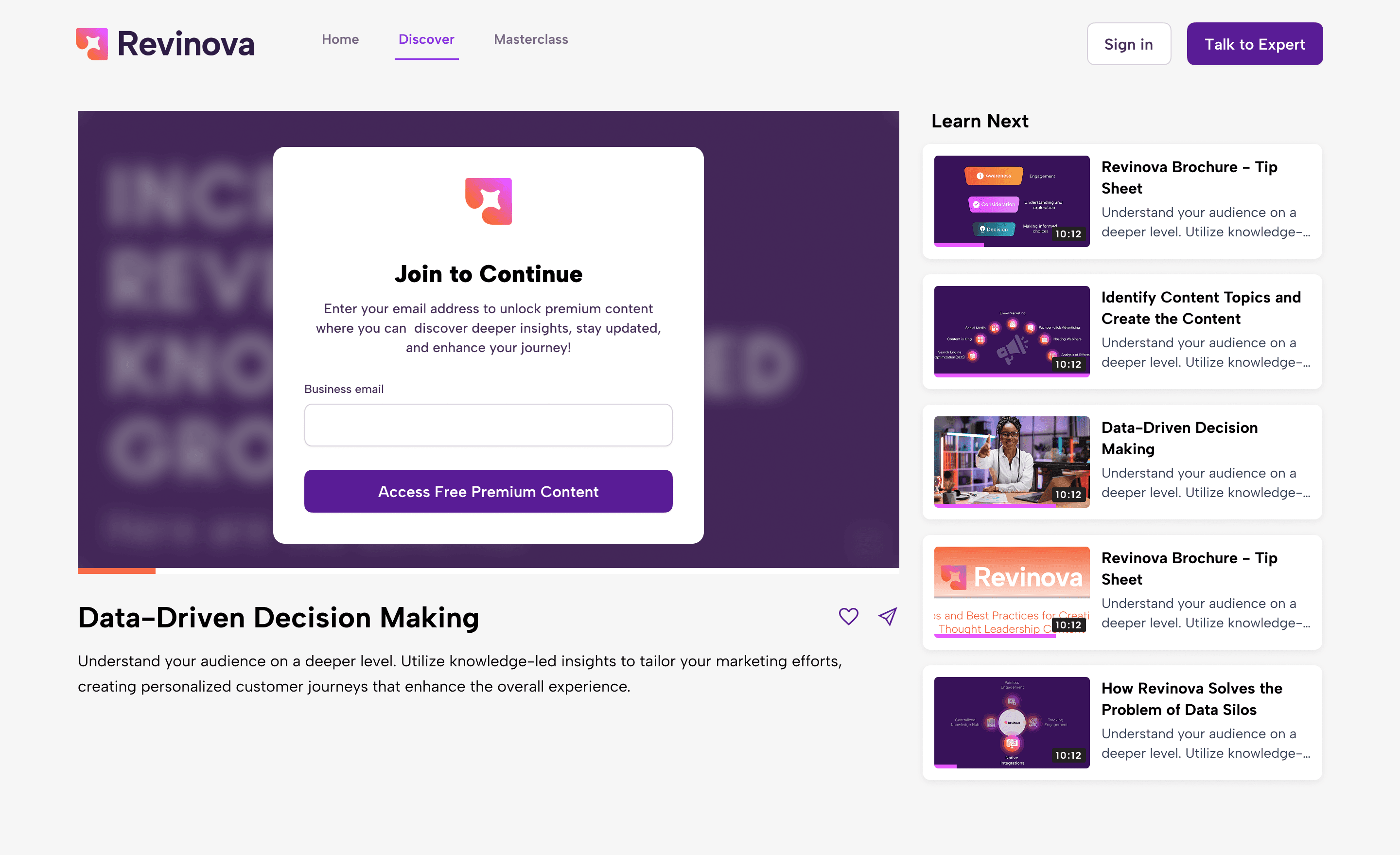
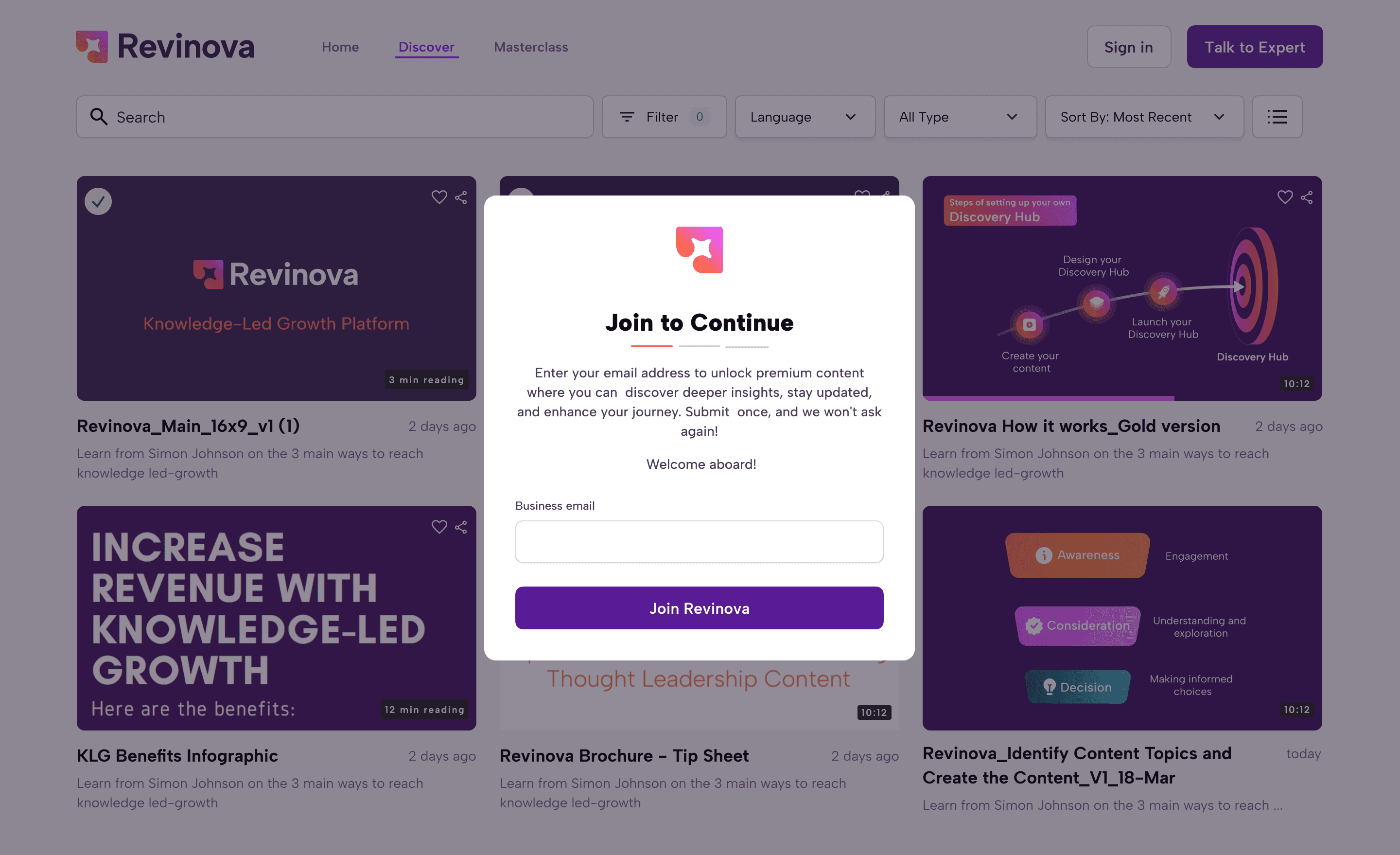
We worked on ideas for premium content. They already have paid premium content, but they wanted to introduce free premium content like videos, documents, and PDFs. The only requirement was for users to enter their email or sign in with email, so we explored different user flows.
The platform plays a few seconds of a video, then a modal opens asking the user to enter their email to continue.
When a user clicks on a free premium video, a modal opens immediately to request their email.
A dedicated page that shows the video along with a clear explanation of why the content is valuable, using supportive copy to build trust and encourage users to enter their email.
Old filter UI and old card design
Main core pages sketches
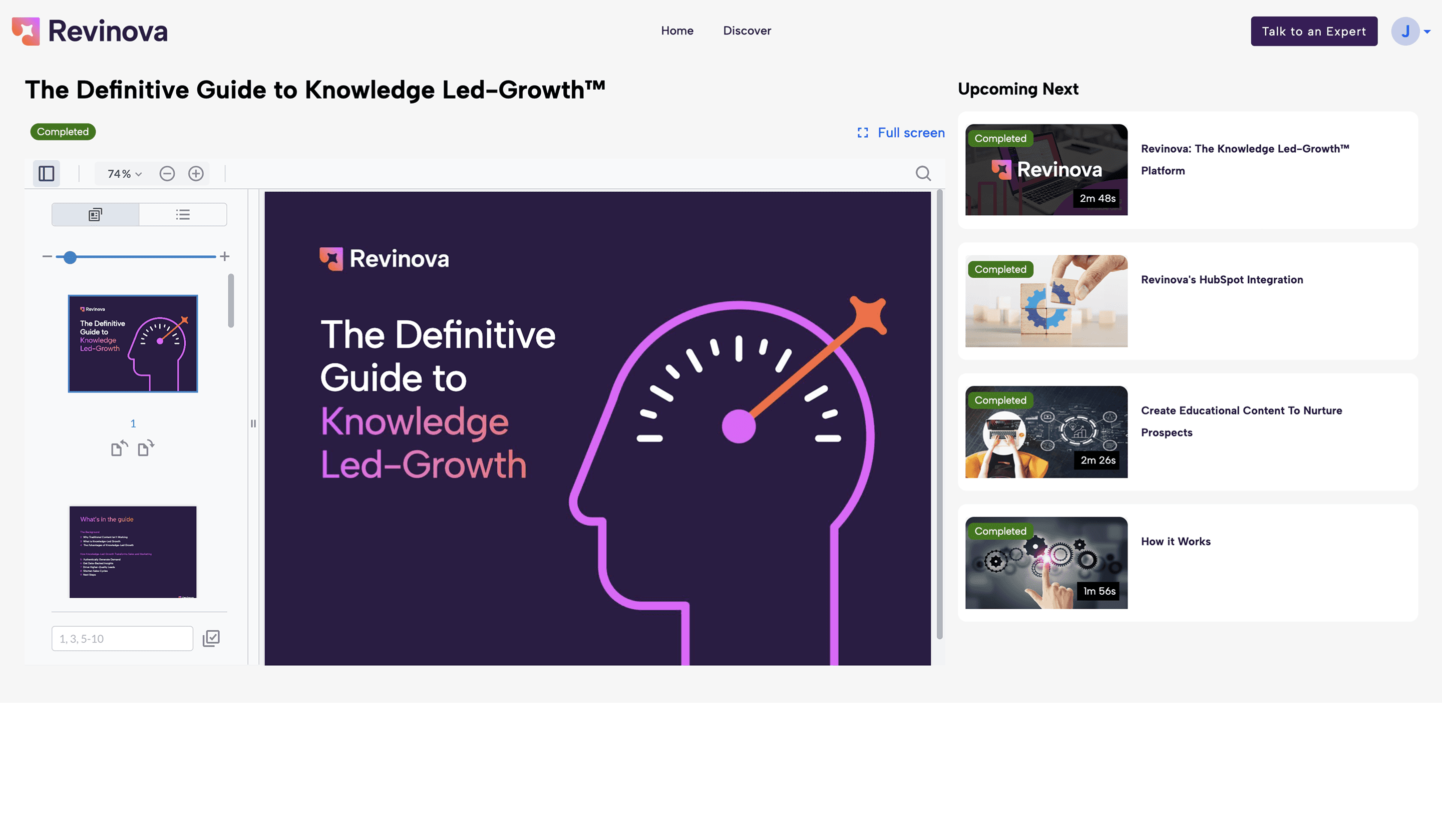
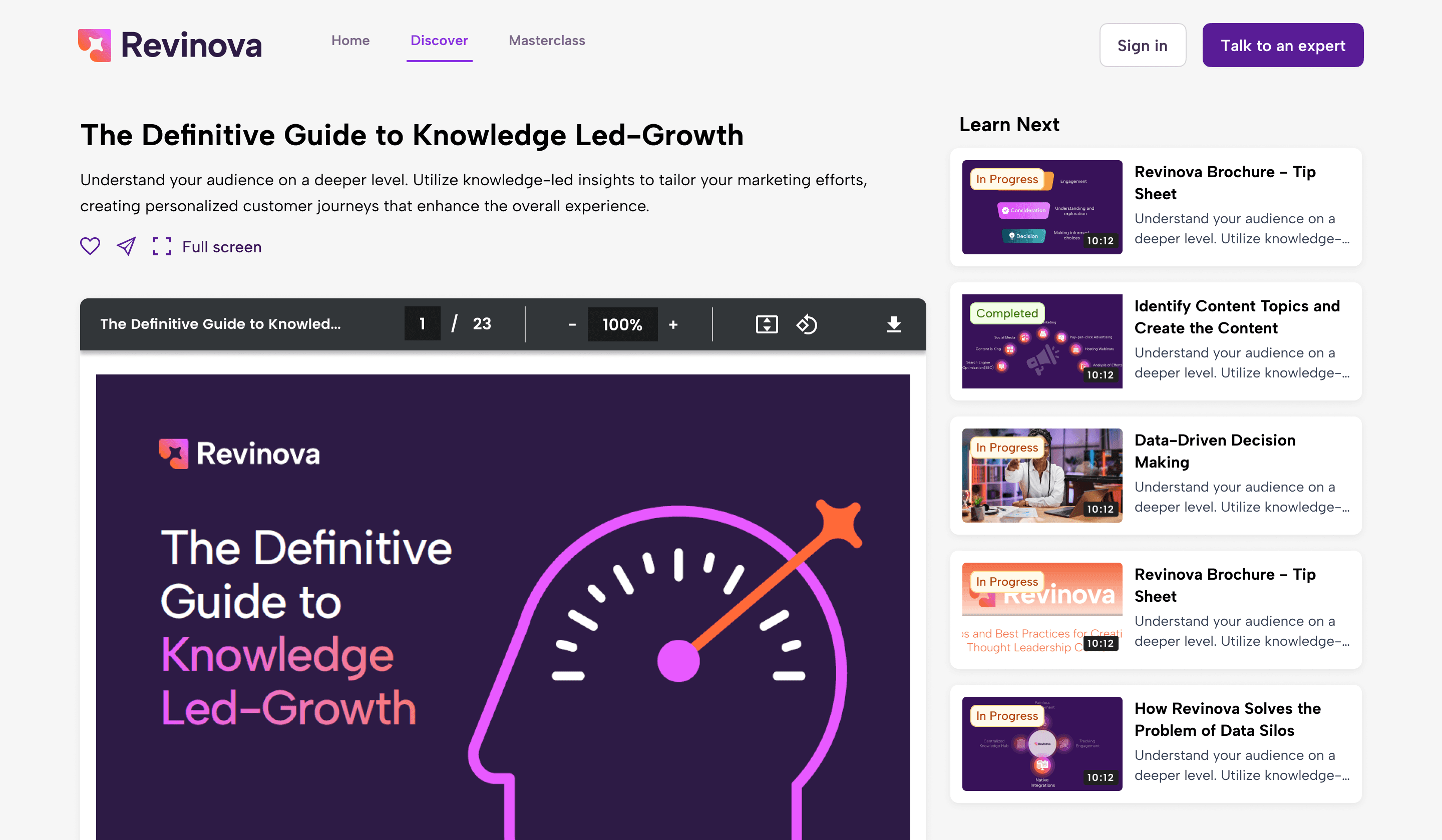
A new PDF viewer
We designed a new PDF viewer for documents. The old one was very basic and lacked useful features like clear descriptions, sharing, or saving documents as favorites. We proposed a cleaner, more complete interface that made documents easier to understand, use, and revisit.
Old filter UI and old card design
Main core pages sketches
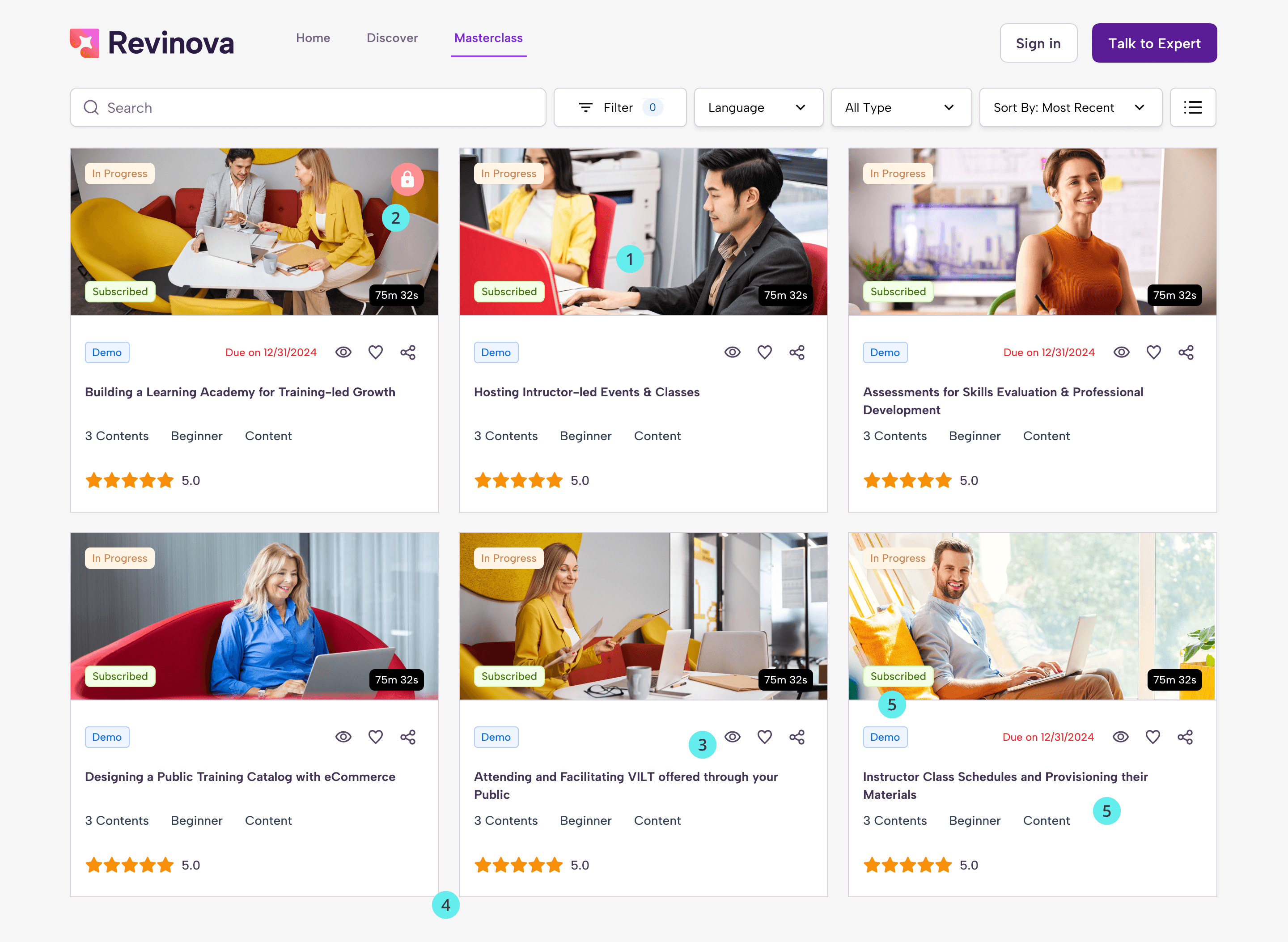
Courses screen
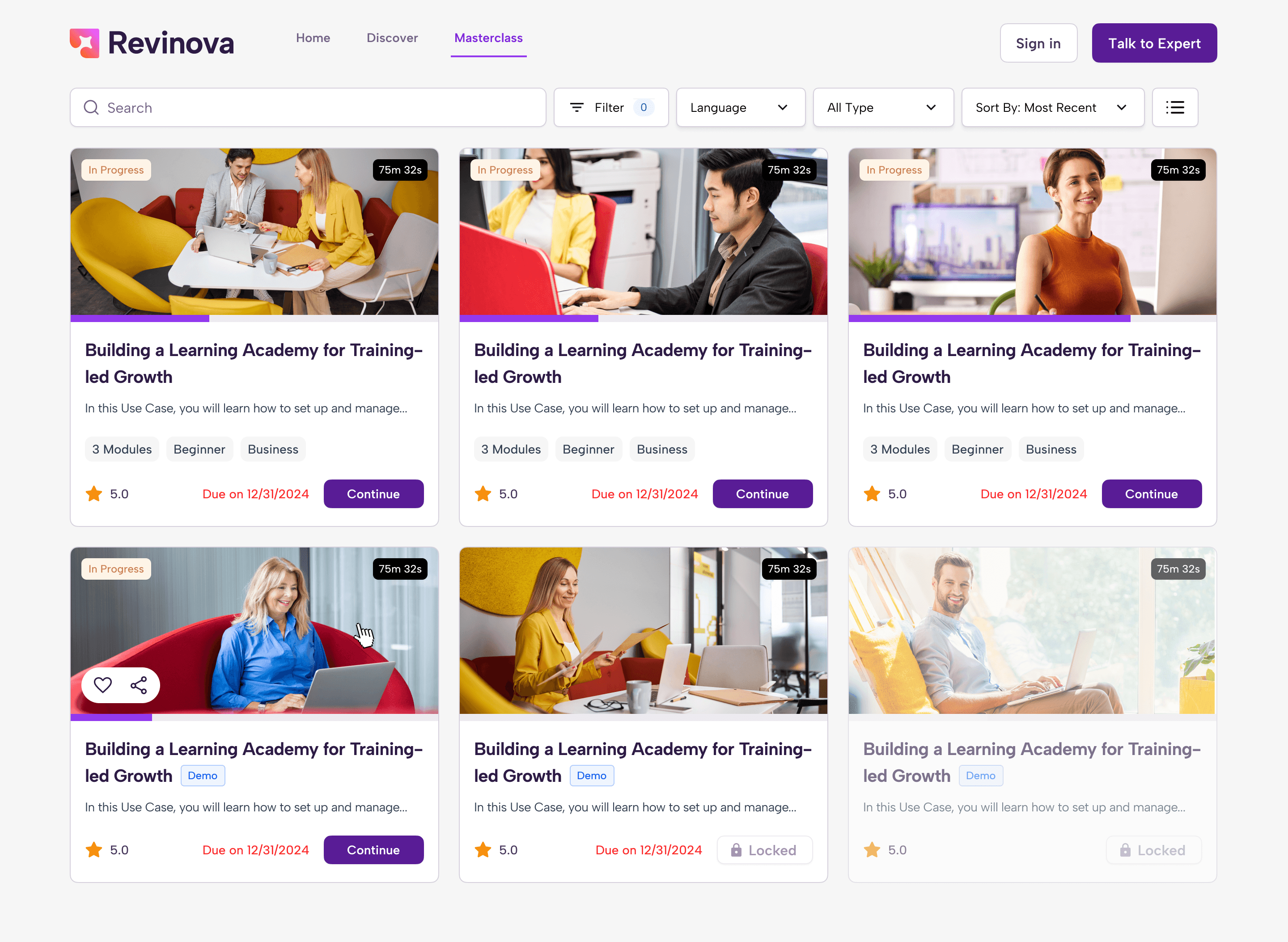
For the courses screen, we redesigned the cards and how information was presented to make them simple and easy to understand. Before, the cards were overloaded with unnecessary details, too many tags, no clear progress, and too much visual noise, which made the page feel overwhelming. The new design focuses on clarity and helps users quickly understand what each resource offers without feeling overloaded.
Old filter UI and old card design
Main core pages sketches
Loading states
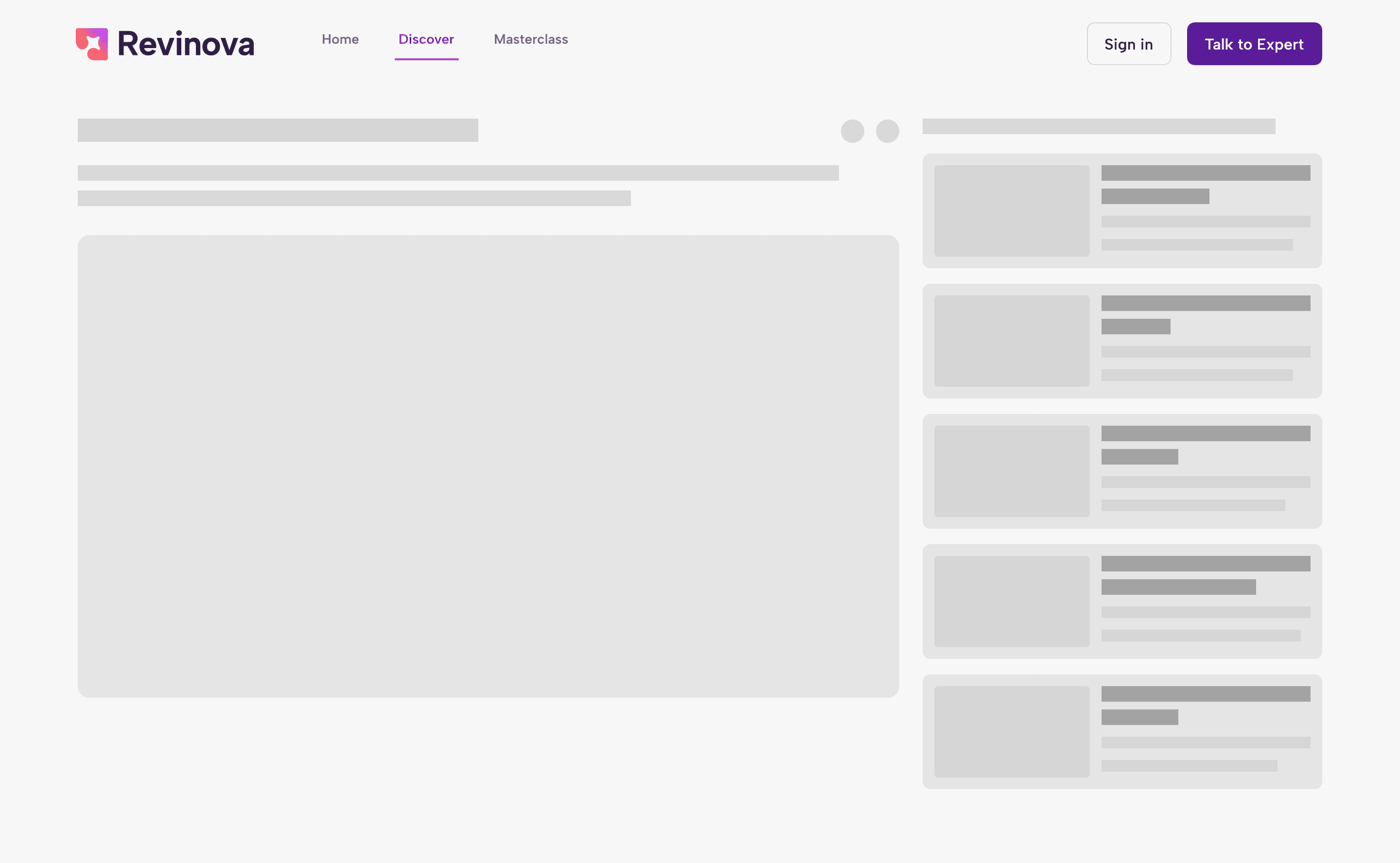
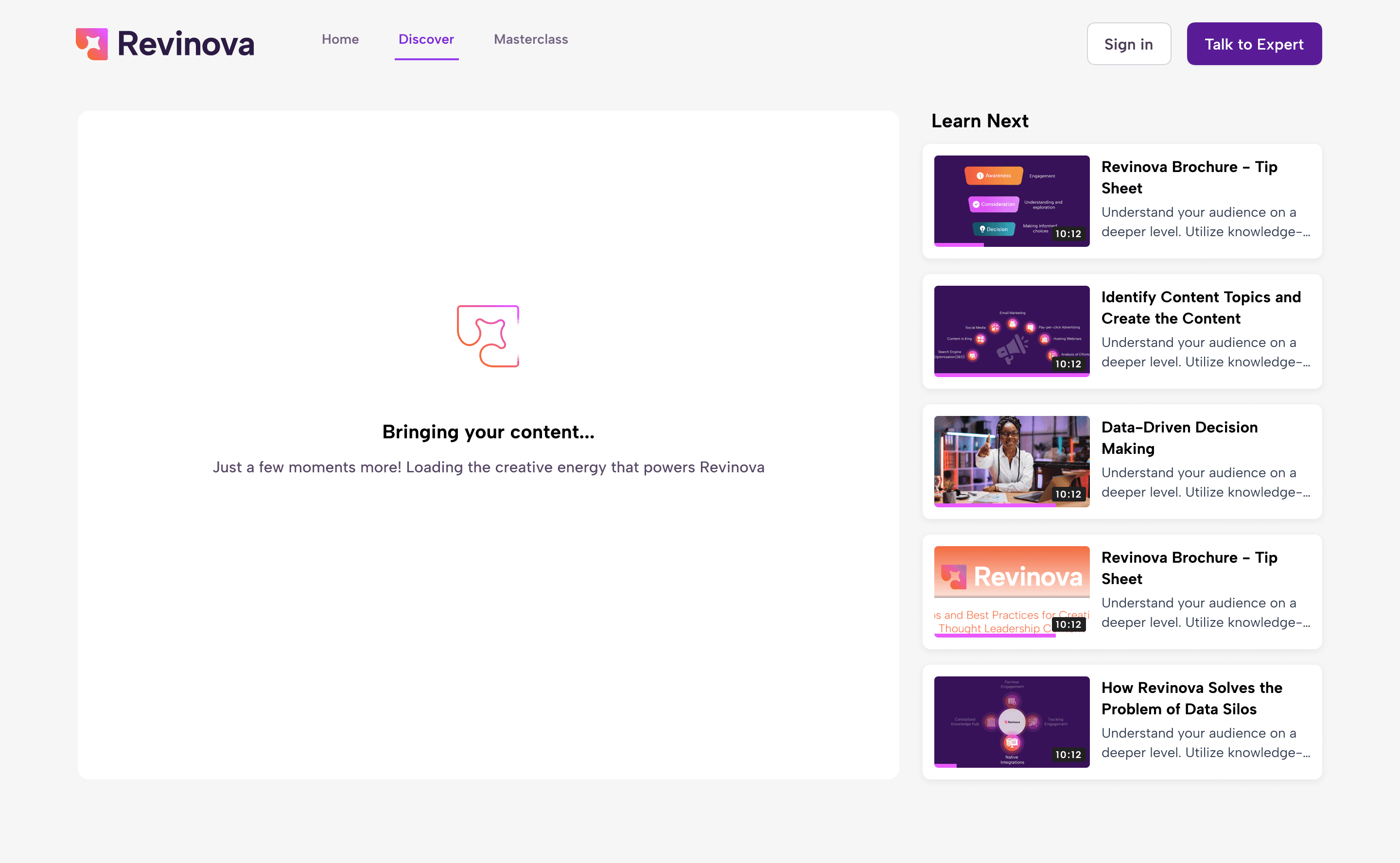
Another specific improvement we worked on was loading states for videos, courses, and pages. Before, there were no loading states, so if content took time to load, users only saw a blank white screen with no feedback. We designed clear loading states with simple visuals and text to let users know something was happening and reduce confusion.
Old filter UI and old card design
Main core pages sketches
Next steps
It took us about three months to deliver the UX audit. We worked a set number of hours per week and presented our proposals in regular meetings with the Revonova team. During this phase, we designed new screens and ran user testing on the proposed designs. The process was straightforward: we reviewed screens, flows, and visual details, tested them with users, and then documented everything clearly to support the development process.
This was the first phase and where we applied the biggest changes to the platform. After that, we continued running UX audits on specific screens or simpler flows. This process is repeated every few months as a health check for the platform and when new features are launched.
Similar projects
This was one project, there is more!
See how I’ve helped other teams improve their product experience through design.